The Game-Changing Color Management Tool You Need 🎨
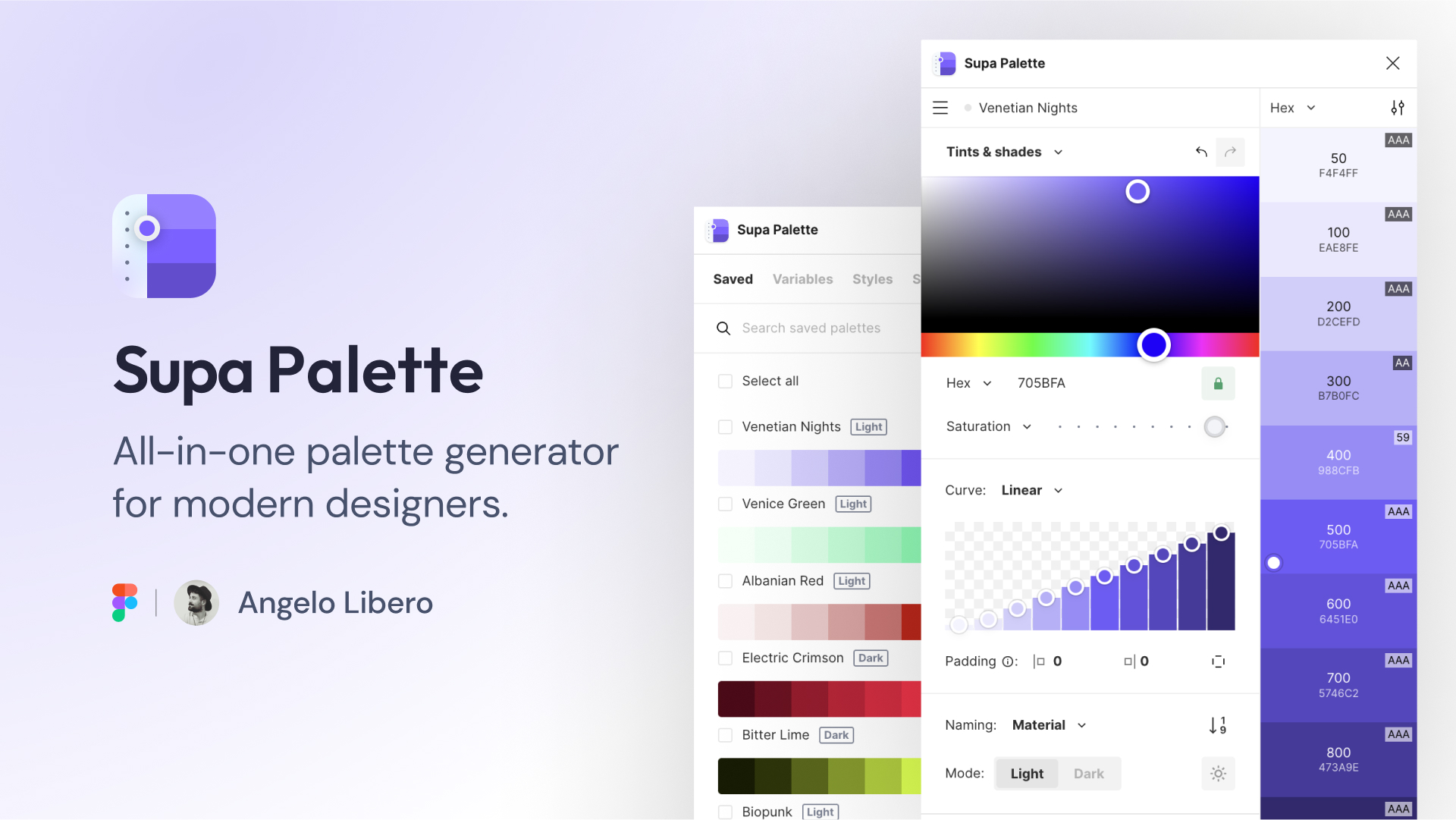
As a UI designer constantly juggling multiple projects, I’ve discovered a gem that’s transformed my color management workflow. The Supa Palette Figma plugin isn’t just another color tool – it’s your creative companion that makes color selection intuitive and efficient.
Why Designers Are Falling in Love with Supa Palette 💘
Supa Palette stands out in the crowded space of Figma plugins by offering an AI-powered approach to color palette generation. Whether you’re crafting a brand identity or designing a complex interface, this tool streamlines your workflow while maintaining professional-grade color harmony.
Getting Started with Supa Palette 🚀
Installation and Setup
- Open Figma and navigate to the Community tab
- Search for “Supa Palette”
- Click “Install”
- Access the plugin from your Figma plugins menu
Core Features That Make a Difference 💫
AI-Powered Color Generation
The plugin’s intelligent algorithm understands color theory and current design trends, helping you create harmonious palettes that feel both modern and timeless.
Image Color Extraction
Simply drag and drop any image, and watch as Supa Palette extracts a perfectly balanced color scheme that captures the essence of your visual inspiration.
Advanced Color Management
- Create and save unlimited custom palettes
- Generate accessible color combinations
- Export palettes in various formats (CSS, SCSS, JSON)
- Share palettes with team members
Real-World Use Cases 🎯
Brand Identity Development
When crafting brand identities, Supa Palette helps maintain consistency across all design elements. Its ability to generate complementary colors ensures your brand palette remains cohesive and professional.
UI/UX Design Projects
The plugin shines in UI/UX projects by:
- Generating accessible color combinations
- Creating dark mode variations automatically
- Providing contrast ratio checks
- Suggesting hover and active states
Design System Creation
Building design systems becomes more efficient with:
- Consistent color token generation
- Semantic color naming
- Easy documentation export
- Team collaboration features
Pro Tips for Maximum Efficiency ⚡
- Use the “Color Variations” feature to generate shades and tints
- Leverage the accessibility checker for WCAG compliance
- Save frequently used palettes in your library
- Utilize keyboard shortcuts for faster workflow
- Enable auto-sync with your team’s shared libraries
Key Takeaways 🌟
- Streamlines color workflow significantly
- Ensures accessibility compliance effortlessly
- Promotes team collaboration seamlessly
- Supports multiple export formats
- Integrates AI-powered suggestions intelligently
Featured Highlights
- AI-Powered Color Generation
- Smart Accessibility Checking
- Team Collaboration Tools
- Quick Export Options
- Custom Palette Management
Smart Color Harmonies
One standout feature that sets Supa Palette apart is its intelligent color harmony generator. The plugin analyzes your base color and suggests complementary, analogous, and split-complementary combinations that work together seamlessly. This takes the guesswork out of creating sophisticated color schemes.
Custom Color Rules
Create your own color rules and constraints to maintain brand consistency across projects. Whether you’re working with strict brand guidelines or exploring creative variations, Supa Palette’s custom rule engine ensures your colors stay within defined parameters.
Collaboration Features That Matter 🤝
Team Libraries
Share and sync color palettes across your entire team with just a few clicks. This feature is particularly valuable for:
- Design agencies managing multiple clients
- In-house teams working on various products
- Freelancers collaborating with different stakeholders
Version Control
Keep track of color palette iterations with built-in version history. This allows you to:
- Compare different versions
- Restore previous palettes
- Document color decision-making
- Track changes across team members
Conclusion: Why Supa Palette Matters 🎉
The Supa Palette Figma plugin represents more than just a color tool – it’s a comprehensive solution for modern designers who value efficiency, consistency, and creativity. By combining AI capabilities with practical features, it addresses the real-world needs of design professionals while maintaining an intuitive user experience.
Discover more from AI Founder Kit
Subscribe to get the latest posts sent to your email.