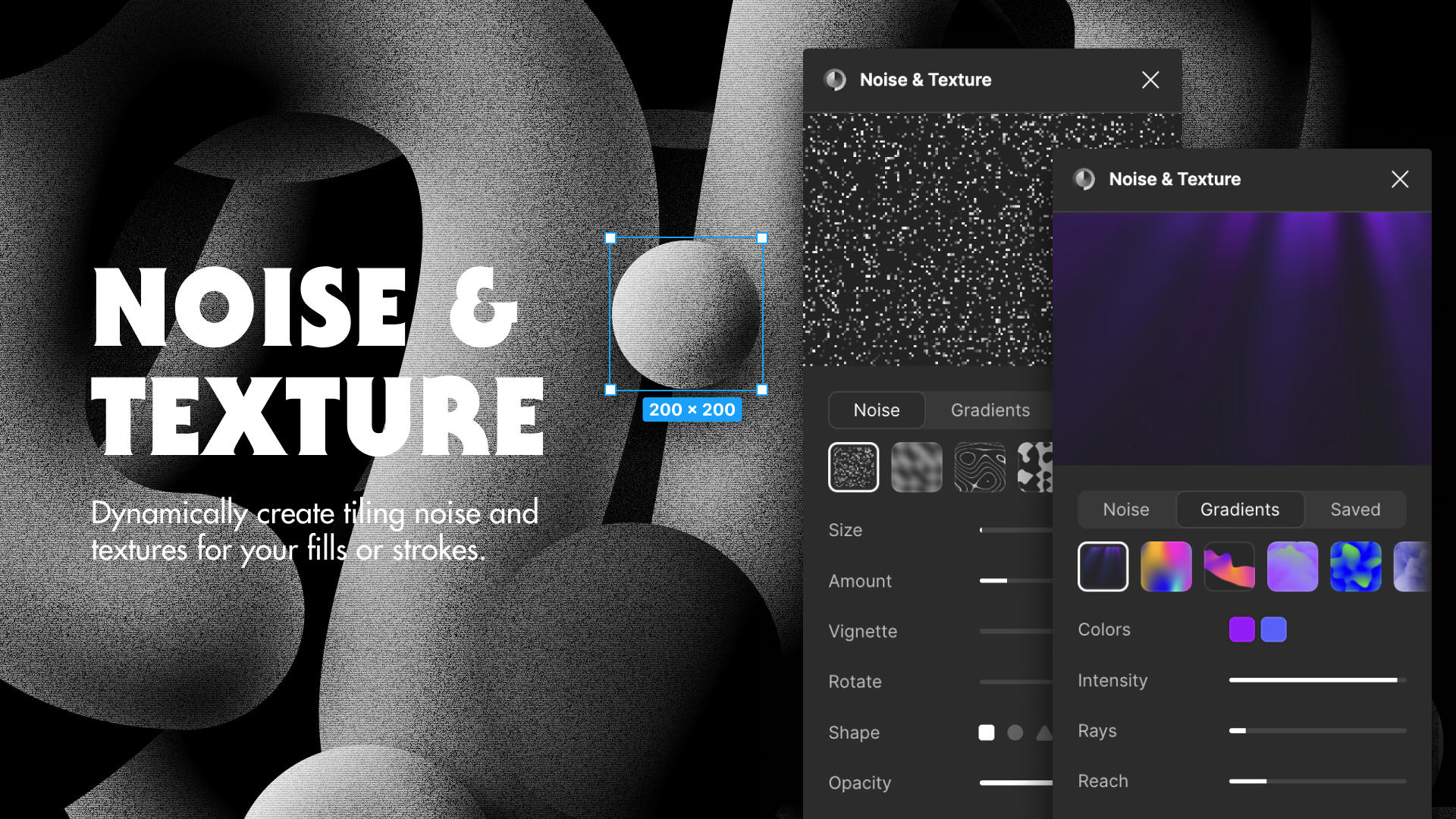
Revolutionize Your Design Process with the Ultimate Procedural Texture Generator 🎨
Looking for a powerful procedural texture generator that transforms your design workflow? Noise & Texture for Figma is the game-changing plugin that’s revolutionizing how designers create and manipulate textures. As a professional texture mapping tool, it’s reshaping the landscape for both beginners and seasoned designers who need efficient texture creation solutions.
Understanding Noise & Texture: Your New Design Companion 🚀
The procedural texture generator stands out as a powerful solution for creating complex patterns and textures with minimal effort. Whether you’re working on game assets, digital art, or architectural visualization, this tool streamlines your creative process while maintaining professional-quality output.
Key Features That Set It Apart 💫
- Real-time pattern generation with instant preview
- Customizable noise algorithms for unique textures
- Seamless texture creation with advanced tiling options
- High-resolution export capabilities
- Integration with popular design workflows
How to Use Noise & Texture Like a Pro 🎯
Getting Started
- Install the plugin from your Figma plugins panel
- Create a new frame or select an existing object
- Launch Noise & Texture from the plugins menu
- Choose your preferred noise pattern type
- Adjust parameters for your desired effect
Advanced Techniques 🔧
The real power of this noise pattern design tool lies in its versatility. You can:
- Layer multiple patterns for complex effects
- Adjust frequency and amplitude for detailed control
- Create seamless tiles for game textures
- Generate normal maps for 3D applications
- Export in various formats for different platforms
Real-World Use Cases 🌟
Game Development
Transform simple shapes into complex, realistic textures for game environments. The seamless texture creation features ensure perfect tiling across large surfaces.
Digital Art
Create unique backgrounds and effects that add depth and character to your illustrations. The procedural texture generator offers endless possibilities for artistic expression.
Architectural Visualization
Generate realistic material textures for architectural renders, from concrete to wood grain, with precise control over pattern details.
Professional Tips & Takeaways 💡
- Start with basic patterns and gradually layer complexity
- Save your favorite presets for consistent design language
- Experiment with blending modes for unique effects
- Use the batch export feature for efficient workflow
- Leverage parametric controls for precise adjustments
Future-Proof Your Design Workflow
The Power of Procedural Generation
By embracing procedural texture generation, you’re not just creating assets – you’re building a scalable design system that adapts to your needs.
Featured Highlights ⭐
- Instant Pattern Generation Magic
- Seamless Texture Excellence
- Professional Design Toolkit
- Advanced Pattern Controls
- Ultimate Creative Freedom
Best Practices for Optimal Results 🛠️
Understanding how to leverage the full potential of this procedural texture generator requires attention to detail and practice. Here are some expert recommendations:
Resolution Management
When working with the texture mapping tool, always start with higher resolutions than needed. This gives you the flexibility to scale down while maintaining quality. The plugin’s efficient processing means you won’t sacrifice performance for quality.
Color Harmony Integration
One often overlooked feature of Noise & Texture is its ability to work seamlessly with color palettes. By integrating your brand colors or project-specific schemes, you can ensure your procedural textures maintain visual consistency across all assets.
Performance Optimization Tips
- Cache frequently used patterns for quick access
- Utilize the batch processing feature for multiple exports
- Keep your layer organization clean for better workflow
- Monitor resource usage when generating complex patterns
- Save custom presets for recurring projects
Conclusion 🎉
Noise & Texture isn’t just another plugin – it’s a complete texture mapping tool that transforms how we approach design. With its intuitive interface and powerful features, it’s become an essential tool for modern designers who value efficiency without compromising creativity.
.png)
Discover more from AI Founder Kit
Subscribe to get the latest posts sent to your email.