Transform Your Design Workflow: Tailwind CSS Color Generator Plugin for Figma 🎨
Are you tired of manually translating your Figma color schemes into Tailwind CSS configurations? Say hello to your new favorite design tool! The Tailwind CSS Color Generator plugin for Figma is revolutionizing how designers and developers bridge the gap between design and implementation. 🚀
What is the Tailwind CSS Color Generator? 🌈
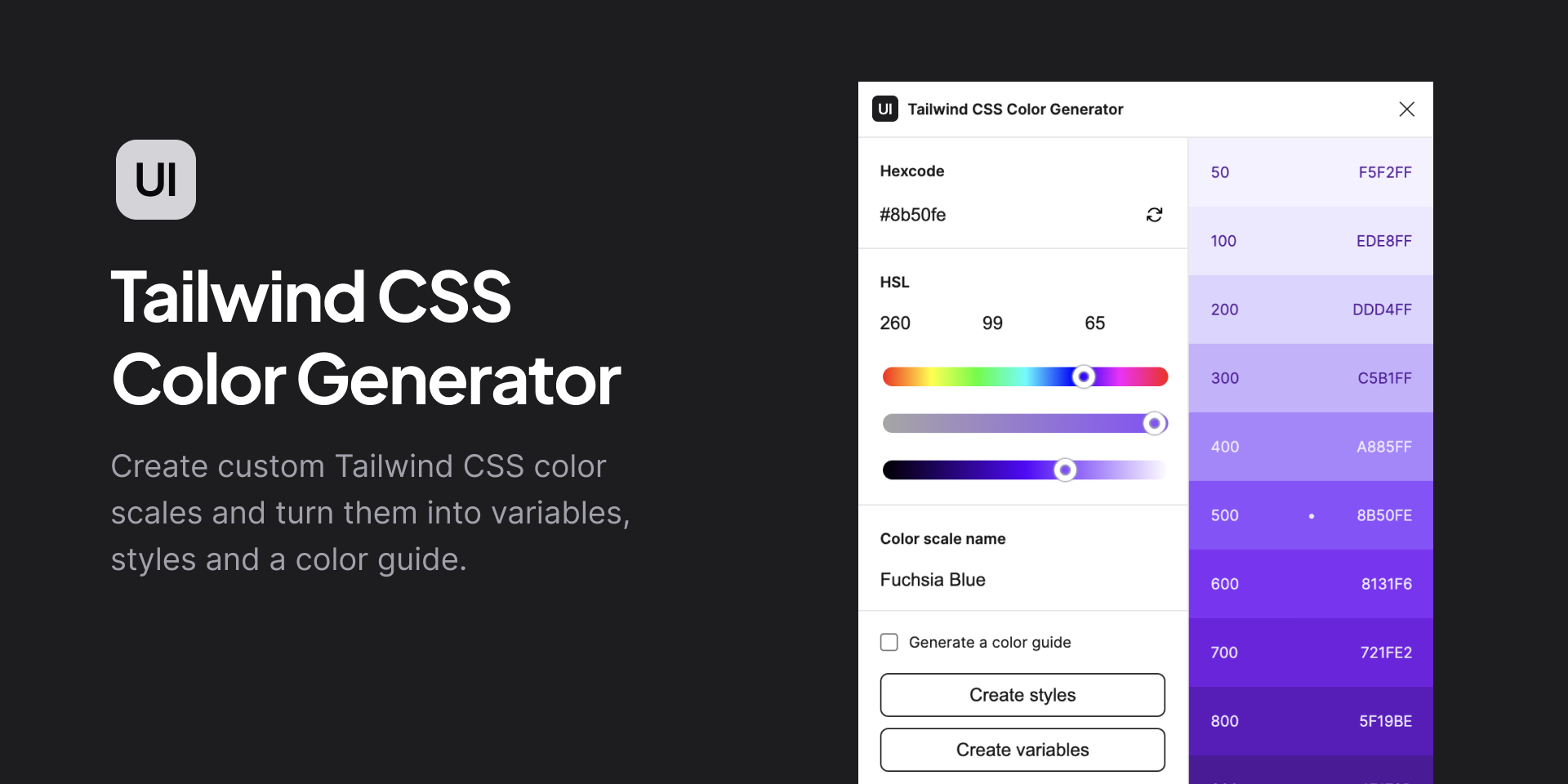
The Tailwind CSS Color Generator is a powerful Figma plugin that allows designers to create and manage color palettes specifically tailored for Tailwind CSS. This tool simplifies the process of selecting colors, ensuring that your designs are both visually appealing and compliant with Tailwind’s utility-first approach. With its intuitive interface, users can generate color schemes that align with their brand identity or project requirements.
.png)
Why This Plugin Is a Game-Changer 🎯
As a designer who frequently works with development teams, I’ve discovered that the Tailwind CSS Color Generator is more than just another Figma plugin – it’s an essential tool for maintaining design consistency across projects. This powerful plugin transforms how we handle color management in our design systems.
Getting Started with the Plugin 🏃♀️
- Install the plugin from Figma’s plugin marketplace
- Select your design elements or existing color styles
- Generate Tailwind-compatible color configurations
- Export and integrate with your development workflow
Key Features That Make It Stand Out ✨
Seamless Color Generation
The plugin intelligently analyzes your existing color schemes and generates corresponding Tailwind CSS classes. It’s like having a color wizard right inside Figma! You can create beautiful, consistent palettes without breaking a sweat.
Custom Color Management
Need specific brand colors? No problem! The tool allows you to define custom color variations and automatically generates the necessary shade variants. It’s perfect for maintaining brand consistency while leveraging Tailwind’s utility-first approach.
Dark Mode Support 🌙
One of my favorite features is the built-in dark mode color generation. With just a few clicks, you can create complementary dark mode palettes that maintain accessibility standards – something that used to take hours to perfect!
Real-World Use Cases 💡
- Design System Creation: Perfect for establishing consistent color tokens across large projects
- Brand Guidelines: Easily maintain and export brand color specifications
- Rapid Prototyping: Quickly generate and test different color combinations
- Development Handoff: Seamless transition from design to development
- Accessibility Compliance: Ensure color contrast meets WCAG standards
Pro Tips for Maximum Efficiency 🎯
- Start with your primary brand colors and let the plugin generate complementary shades
- Use the batch export feature for multiple color configurations
- Save commonly used palettes as presets for future projects
- Leverage the plugin’s color naming conventions for better team collaboration
- Regularly sync your color tokens with the development team
Implementation Guide 🛠️
Here’s a practical example of how to integrate the plugin into your workflow:
- Open your Figma design file
- Select elements containing your core colors
- Run the Tailwind CSS Color Generator plugin
- Review and adjust the generated color scales
- Export the configuration in your preferred format
Takeaways 🎉
- Streamlines the design-to-development workflow
- Ensures consistency across design systems
- Saves hours of manual color configuration
- Maintains accessibility standards automatically
- Improves team collaboration
Featured Highlights ⭐
- Instant Tailwind Color Generation
- Smart Palette Management
- Seamless Developer Handoff
- Perfect Color Consistency
- Real-time Preview Options
Conclusion 🏁
The Tailwind CSS Color Generator plugin for Figma is a must-have tool for modern design workflows. It bridges the gap between design and development, making color management a breeze while ensuring consistency and accessibility.
Discover more from AI Founder Kit
Subscribe to get the latest posts sent to your email.