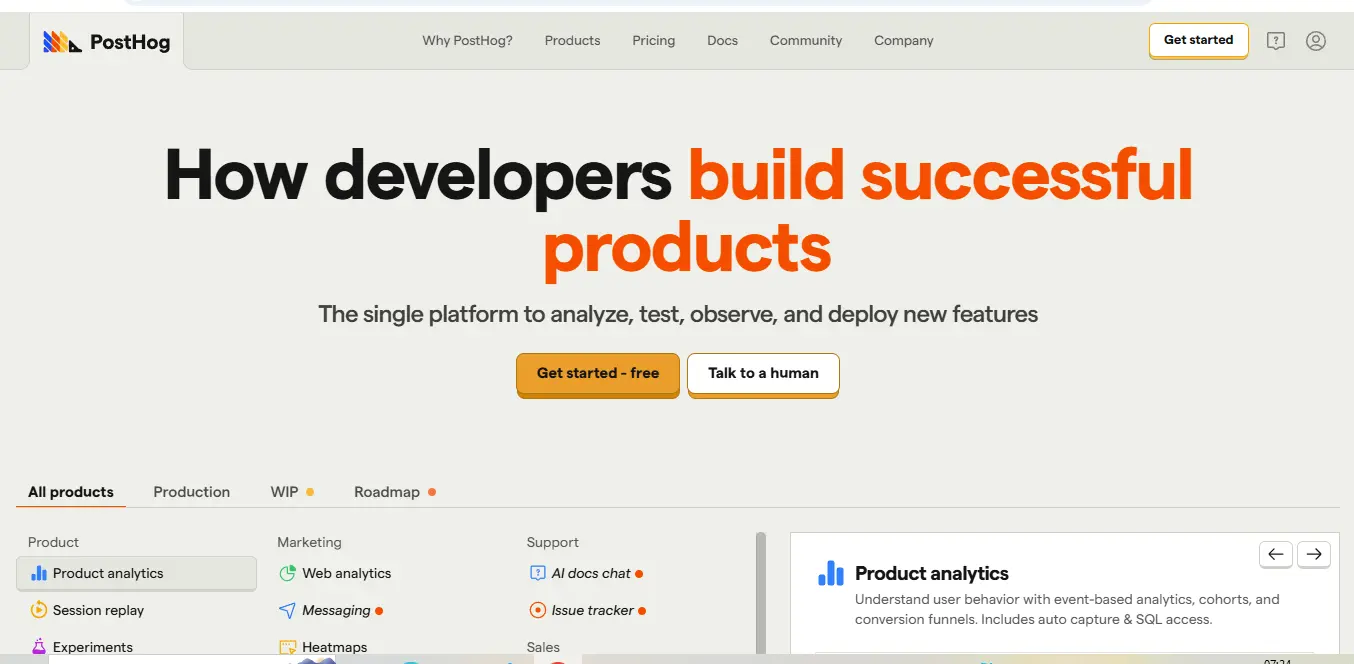
⚡ What is PostHog?
PostHog is an open-source product analytics platform that helps teams understand user behavior, optimize product experiences, and make data-driven decisions. Founded in 2020 by James Hawkins and Tim Glaser, PostHog has quickly gained popularity among product teams seeking a comprehensive, privacy-focused alternative to traditional analytics solutions.
At its core, PostHog combines several essential product tools into one unified platform:
- Product Analytics: Track and analyze user behavior across your digital products
- Session Recording: Watch real user sessions to identify pain points and opportunities
- Feature Flags: Roll out features gradually and target specific user segments
- A/B Testing: Run experiments to optimize user experiences
- User Surveys: Collect direct feedback from your users
- Heatmaps: Visualize where users click, scroll, and engage
What distinguishes PostHog from many competitors is its flexibility in deployment options. You can choose between PostHog Cloud (hosted by PostHog) or self-host the platform on your own infrastructure, giving you complete control over your data. This makes PostHog particularly appealing to organizations with strict data privacy requirements or those operating in highly regulated industries.
As an open-source platform, PostHog also offers transparency in its development process and allows for community contributions, creating a continually evolving product that addresses real user needs.
💰 PostHog Pricing
PostHog offers a flexible pricing structure designed to accommodate businesses of all sizes, from startups to enterprises. Here’s a detailed breakdown of their pricing plans:
| Plan | Cost | Event Limit | Key Features | Best For |
|---|---|---|---|---|
| Free | $0 | Up to 1M events/month | Product analytics, session recording, feature flags, heatmaps | Small startups, personal projects |
| Standard | From $450/month | 1M+ events/month | Everything in Free + unlimited team members, group analytics, advanced permissions | Growing startups, SMBs |
| Enterprise | Custom pricing | Custom | Everything in Standard + dedicated support, SSO, compliance features, service-level agreements | Large organizations, enterprises |
| Self-hosted | Free (infrastructure costs apply) | Unlimited | All features available, complete data control | Organizations with strict data requirements |
Additional pricing considerations:
- The Standard plan scales based on volume, starting at $450/month for up to 1M events
- Pay-as-you-go option available for fluctuating usage
- Annual discounts offered (typically 10-15%)
- Non-profit and educational discounts available upon request
- No credit card required for free plan
It’s worth noting that PostHog’s pricing is event-based rather than user-based, which can be advantageous for companies with a high user count but lower event frequency. Also, the self-hosted option allows companies to run PostHog on their own infrastructure, potentially saving costs while maintaining complete data ownership.
🎯 PostHog Key Features
PostHog offers a comprehensive suite of product analytics tools that work seamlessly together. Let’s explore the key features that make PostHog a compelling option for product teams:
Product Analytics
PostHog’s analytics capabilities allow teams to track user interactions and understand behavior patterns. The platform enables you to:
- Create custom events and properties to track specific actions
- Build funnels to analyze user conversion paths
- View cohort retention to understand user engagement over time
- Segment users based on behavior or attributes
- Create custom dashboards with key metrics
The analytics interface is intuitive yet powerful, allowing both technical and non-technical team members to gain insights without requiring SQL knowledge (though SQL access is available for advanced users).
Session Recording
Session recordings provide a window into how real users interact with your product. PostHog captures user sessions, allowing you to:
- Watch actual user journeys through your application
- Identify usability issues and friction points
- Verify that features are being used as intended
- Filter recordings by user properties or specific events
- Protect sensitive data with automatic masking of inputs
This feature is particularly valuable for understanding why users drop off at certain points or how they navigate through new features.
Feature Flags
PostHog’s feature flag functionality enables gradual and controlled feature rollouts. With this tool, teams can:
- Launch features to specific user segments
- Perform percentage-based rollouts
- A/B test different feature implementations
- Kill switches for quick feature disabling
- Create multivariate tests with multiple variations
The feature flag system integrates seamlessly with the analytics platform, allowing you to measure the impact of new features immediately.
Experimentation
The experimentation tool helps teams make data-driven decisions through structured A/B testing:
- Create controlled experiments with clear goals
- Target specific user segments for testing
- Measure statistical significance of results
- Integrate with feature flags for implementation
- Automate experiment analysis
This feature helps remove guesswork from product decisions, letting data guide your development priorities.
User Surveys
PostHog’s survey tool allows teams to collect direct feedback from users:
- Create in-app surveys with various question types
- Target specific user segments
- Schedule surveys based on user actions
- Analyze survey results alongside behavioral data
- Export data for deeper analysis
Combining survey responses with actual user behavior provides a more complete picture of user satisfaction and needs.
Heatmaps
The heatmap functionality visualizes how users interact with your interfaces:
- See where users click most frequently
- Track scroll depth across pages
- Identify ignored or overlooked elements
- Compare interaction patterns across different user segments
- Filter by device type, browser, or other properties
Heatmaps help teams optimize UI/UX design by showing exactly how users engage with different elements.
🔄 PostHog Use Cases
PostHog’s versatile platform serves numerous business needs across different departments and industries. Here are some of the primary use cases where PostHog excels:
Product Development and Optimization
Product teams leverage PostHog to understand how users interact with their applications, helping them:
- Identify the most and least used features
- Discover friction points in the user journey
- Validate new feature ideas with real user data
- Measure the impact of product changes
- Prioritize development roadmaps based on usage patterns
For example, a SaaS company might use funnel analysis to discover where users abandon their onboarding process, then use session recordings to understand why, ultimately redesigning that step to improve conversion.
Growth and Conversion Optimization
Marketing and growth teams use PostHog to optimize conversion paths and enhance campaign effectiveness:
- Track conversion rates across different user segments
- Analyze marketing campaign performance
- Optimize landing pages using heatmaps
- Test different messaging and design elements
- Build retargeting campaigns based on user behavior
An e-commerce business might discover through PostHog analytics that mobile users abandon carts at a specific checkout step, then use A/B testing to try different mobile-optimized interfaces.
Feature Rollouts and Risk Mitigation
Engineering and product teams use feature flags to control the deployment of new features:
- Gradually roll out features to minimize risk
- Target beta features to specific user groups
- Conduct canary releases to test in production
- Quickly disable problematic features
- Perform controlled migrations from legacy systems
A fintech company might use PostHog’s feature flags to release a new payment method to 5% of users initially, monitoring for any issues before a wider rollout.
User Experience Research
UX researchers and designers leverage session recordings and heatmaps to:
- Observe natural user behavior in context
- Identify usability issues without formal testing
- Validate design assumptions with real user data
- Prioritize UX improvements based on impact
- Measure the effectiveness of UX changes
For instance, a media platform might discover through heatmaps that an important navigation element is being overlooked, prompting a redesign of that section.
Customer Success and Retention
Customer success teams use PostHog insights to:
- Identify at-risk customers based on engagement patterns
- Understand feature adoption across the customer base
- Create more effective onboarding experiences
- Measure the impact of customer success initiatives
- Provide more informed customer support
A B2B software company might track which features are underutilized by specific clients, allowing customer success managers to provide targeted training.
👥 Who Should Use PostHog?
PostHog is designed to serve a variety of organizations, but it’s particularly well-suited for certain teams and business contexts:
Product-Led Companies
Organizations that prioritize product experience as a growth driver will find PostHog’s comprehensive toolkit invaluable. The platform allows product teams to track metrics that matter, understand user behavior, and make data-informed decisions about feature development and optimization.
Engineering-Focused Organizations
Companies with strong technical teams appreciate PostHog’s developer-friendly approach. With well-documented APIs, SDKs for multiple languages, and an open-source foundation, PostHog integrates smoothly into engineering workflows. The self-hosting option also appeals to technically-oriented teams who value control and customization.
Privacy-Conscious Businesses
For organizations operating in regulated industries or those with strict data privacy requirements, PostHog offers significant advantages. The self-hosted option gives complete control over data storage and processing, helping companies comply with regulations like GDPR, HIPAA, or CCPA more easily.
Growing Startups and Scale-ups
PostHog’s scalable pricing model and comprehensive feature set make it particularly attractive for growing businesses. Startups can begin with the free tier and easily scale as their user base expands, without having to switch platforms or integrate multiple tools as their needs become more sophisticated.
Cross-Functional Product Teams
Organizations where product, engineering, design, and marketing work closely together benefit from PostHog’s unified platform. Rather than using separate tools for analytics, A/B testing, and feature management, teams can collaborate in one environment, creating a shared understanding of user behavior and product performance.
Data-Driven Decision Makers
Companies that value making decisions based on quantitative and qualitative data find PostHog’s combination of analytics, session recordings, and experimentation tools particularly valuable, as they provide both the “what” and “why” of user behavior.
PostHog may not be the ideal choice for very small organizations with limited technical resources or those looking for simple website analytics rather than comprehensive product analytics.
What Makes PostHog Unique? 🌟
In the crowded product analytics landscape, several distinctive features set PostHog apart from its competitors:
Open-Source Foundation
Unlike most analytics platforms, PostHog is built on an open-source core. This approach brings several advantages:
- Transparency in how data is collected and processed
- Community contributions and faster feature development
- Ability to modify the platform for specific needs
- Reduced vendor lock-in concerns
- Better trust and security through code visibility
This open-source foundation aligns with modern development philosophies and appeals to engineering-driven organizations.
All-in-One Product Suite
While many competitors focus on single features like analytics or session recording, PostHog combines multiple essential product tools in one platform:
- Product analytics
- Session recording
- Feature flags
- A/B testing
- User surveys
- Heatmaps
This integration eliminates the need for multiple tools and provides a unified view of user behavior across different dimensions.
Flexible Deployment Options
PostHog offers unparalleled flexibility in how you deploy the platform:
- Cloud-hosted solution managed by PostHog
- Self-hosted on your own infrastructure
- EU or US data residency options
- Docker containers for easy deployment
- Kubernetes support for enterprise-scale operations
This flexibility is particularly valuable for organizations with specific hosting requirements or data sovereignty concerns.
Designed for Product Teams
While many analytics tools are marketing-focused, PostHog is specifically designed for product teams:
- Feature flag integration with analytics
- Product experimentation framework
- User identification across devices and sessions
- Group analytics for B2B products
- Event pipelines designed for product metrics
This product-centric approach means the tools and metrics align better with what product managers and developers actually need.
Event-Based Pricing Model
Unlike user-based pricing models, PostHog’s event-based pricing can be more cost-effective for certain businesses:
- Predictable costs based on feature usage
- Not penalized for having a large user base with low engagement
- Free tier with generous event limits
- Self-hosting option with unlimited events (infrastructure costs apply)
This pricing approach often provides better value for companies with many users but moderate interaction frequency.
⚖️ PostHog Pros & Cons
Comprehensive All-in-One Solution
PostHog eliminates the need for multiple tools by combining analytics, session recording, feature flags, and experimentation in one platform. This integration creates a seamless workflow for product teams and ensures consistent data across different features.
Open-Source Transparency
As an open-source platform, PostHog offers unparalleled transparency into how your data is handled. This builds trust and allows technically-inclined teams to customize the platform to their specific needs.
Flexible Hosting Options
The choice between cloud-hosted and self-hosted deployments gives organizations greater control over their data and infrastructure. This flexibility is particularly valuable for companies with specific compliance requirements or security policies.
Developer-Friendly Approach
PostHog provides well-documented APIs, SDKs for multiple programming languages, and straightforward implementation. The platform clearly understands developers’ needs and workflow, making integration relatively painless.
Generous Free Tier
With up to 1 million free events per month, PostHog offers one of the most generous free plans in the product analytics space, making it accessible to startups and small teams.
Powerful Feature Flag System
The native feature flag implementation is robust and integrates seamlessly with analytics, allowing for data-driven feature rollouts and experimentation.
Learning Curve for Non-Technical Users
While PostHog has improved its user interface, it still has a steeper learning curve for non-technical team members compared to some more marketing-focused analytics tools.
Mobile App Analytics Limitations
Although PostHog works with mobile applications, some users report that its mobile app analytics capabilities aren’t as sophisticated as its web analytics features.
Resource Intensive for Self-Hosting
Self-hosting PostHog requires significant server resources, especially as your event volume grows, which can increase infrastructure costs.
Less Mature Than Some Competitors
As a relatively newer platform (founded in 2020), PostHog lacks some of the refined features and ecosystem integrations found in more established competitors.
Limited Custom Visualization Options
While PostHog offers good standard visualizations, it offers fewer custom visualization options compared to dedicated business intelligence tools.
Query Performance at Scale
Some users report that complex queries can become slower as data volume increases, though this is continuously being improved in new releases.
PostHog Integrations 🔗
PostHog offers a robust set of integrations that allow it to connect with your existing tech stack. Here’s an overview of the key integration capabilities:
Data Import Integrations
PostHog can import data from various sources, enhancing your analytics capabilities:
- Segment: Two-way integration for using PostHog with your existing Segment implementation
- Rudderstack: Send event data from Rudderstack to PostHog
- Customer.io: Connect customer data for enhanced marketing automation
- Zapier: Connect PostHog with 3,000+ apps through Zapier’s automation platform
- Airbyte: Open-source data integration platform for ETL/ELT workflows
- Census: Sync data from your data warehouse to PostHog
Development Tool Integrations
PostHog connects with popular development and product tools:
- GitHub: Link code changes to feature deployments and analytics
- GitLab: Connect repositories and CI/CD pipelines
- Sentry: Correlate error tracking with user behavior
- Slack: Get analytics alerts and reports directly in Slack
- Microsoft Teams: Share PostHog insights with your team
- Jira: Link user behavior data to development tickets
API and SDK Support
PostHog provides SDKs for multiple platforms and languages:
- JavaScript/TypeScript: Web and Node.js applications
- React/React Native: For React-based applications
- Vue.js: Native Vue integration
- Angular: Angular-specific implementation
- PHP: Server-side tracking for PHP applications
- Python: For backend and data science applications
- Ruby: Ruby and Rails applications
- Go: Golang applications
- iOS: Native iOS applications (Swift/Objective-C)
- Android: Native Android applications (Kotlin/Java)
- Flutter: Cross-platform mobile applications
Data Export Options
PostHog allows you to export your data to various destinations:
- Snowflake: Export analytics data to your Snowflake data warehouse
- BigQuery: Send PostHog data to Google BigQuery
- Redshift: Export to Amazon Redshift
- S3: Store raw event data in Amazon S3 buckets
- PostgreSQL: Direct database exports for custom analysis
- Data Warehouse Sync: Automated exports to major data warehouses
Webhook Support
PostHog supports custom webhooks, allowing you to:
- Trigger actions in external systems based on specific events
- Create custom integrations with internal tools
- Build automated workflows based on user behavior
- Connect to services without native integrations
The platform also offers a robust API that allows for custom integrations when pre-built options don’t exist, giving developers the flexibility to connect PostHog with virtually any system.
.svg)
How to Get Started with PostHog 🚀
Getting started with PostHog is straightforward, even for teams new to product analytics. Here’s a step-by-step guide to implementing PostHog for your product:
1. Choose Your Deployment Option
First, decide whether you want to use PostHog Cloud (hosted by PostHog) or self-host the platform:
- PostHog Cloud: The quickest option with minimal setup required
- Self-hosted: More control but requires infrastructure setup
For most teams, PostHog Cloud offers the best balance of convenience and features. Self-hosting is ideal for organizations with specific compliance requirements or those preferring complete data control.
2. Create Your Account
For PostHog Cloud:
- Visit the PostHog website and click “Get Started”
- Enter your email and create a password
- Verify your email address
- Complete the initial setup questions about your organization and use case
For self-hosted:
- Follow the deployment instructions for your preferred method (Docker, Kubernetes, etc.)
- Create your admin account during the first-run setup
3. Install the JavaScript Snippet
For web applications, add the PostHog tracking snippet to your site:
- In your PostHog dashboard, find your project API key
- Copy the provided JavaScript snippet
- Add it to your website’s
<head>section before the closing tag - For single-page applications, make sure to configure the router integration
4. Implement SDK for Mobile or Backend Applications
For mobile apps or backend tracking:
- Install the appropriate SDK for your platform (iOS, Android, Python, etc.)
- Initialize with your project API key
- Configure any platform-specific settings
5. Set Up Event Tracking
Identify key user actions to track in your application:
- Define a clear naming convention for events
- Implement event tracking for critical user journeys
- Add relevant properties to provide context for each event
6. Configure User Identification
To track individual user journeys:
- Implement identification when users log in or create accounts
- Include relevant user properties like plan type, account age, etc.
7. Set Up Your First Dashboard
Create a dashboard with key metrics:
- Navigate to Dashboards in the PostHog interface
- Create a new dashboard for your core metrics
- Add insights like conversion funnels, retention charts, and event trends
- Share the dashboard with your team
8. Explore Advanced Features
Once basic tracking is in place:
- Set up session recording to watch real user sessions
- Create feature flags for controlled rollouts
- Design your first A/B test
- Implement heatmaps on key pages
Most teams can complete the basic setup in an afternoon, with more advanced features implemented over the following days. PostHog provides extensive documentation and support resources to help you through each step.
PostHog Tutorial 📚
This tutorial will walk you through analyzing user drop-off in a sign-up funnel using PostHog’s suite of tools. We’ll discover where users are abandoning the process and why, then test improvements using feature flags.
Step 1: Creating a Conversion Funnel
First, let’s build a funnel to visualize the sign-up process:
- In PostHog, navigate to “Insights” and select “New insight”
- Choose “Funnel” as the insight type
- Add the following events in sequence:
page_viewed(with propertypathequals/signup)signup_form_startedsignup_email_enteredsignup_password_createdaccount_created
- Set the time range to the last 30 days
- Click “Calculate” to generate the funnel visualization
You should now see a step-by-step breakdown of where users are dropping off in your sign-up process. In our example, we notice a significant 42% drop between signup_email_entered and signup_password_created.
Step 2: Using Session Recordings to Understand the Problem
Now, let’s watch session recordings to understand why users are abandoning at the password creation step:
- Go to “Session Recording” in the main navigation
- Add a filter: Event
signup_email_enteredis performed - Add another filter: Event
signup_password_createdis not performed - Watch 5-10 recordings of users who dropped off at this step
In the recordings, we notice users are struggling with the password requirements. Many attempt to create passwords that don’t meet the criteria, then abandon after multiple failures. The error messages aren’t clear enough about the specific requirements.
Step 3: Creating a Feature Flag for an Improved Password Form
Let’s create a feature flag to test an improved password form:
- Navigate to “Feature Flags” and click “New feature flag”
- Name it
improved_password_form - Add a description: “Clearer password requirements with visual indicators”
- Set it to “Boolean” type (on/off)
- Under “Release conditions”:
- Set it to release to 50% of users
- Make sure “Persist flag” is enabled so users get a consistent experience
- Save the feature flag
Step 4: Implementing the New Password Form
In your application code, implement the improved password form that shows real-time validation:
Step 5: Creating an A/B Test Experiment
Now, set up an experiment to measure the impact:
- Go to “Experiments” and click “New experiment”
- Name it “Password Form Improvement Test”
- Set the hypothesis: “Providing clearer password requirements will increase sign-up completion by 15%”
- For the feature flag, select
improved_password_form - Set the goal metric to “Conversion rate” between
signup_password_createdandaccount_created - Add secondary metrics:
- Time spent on password creation step
- Number of password attempt failures
- Set the experiment to run for 14 days
- Launch the experiment
Step 6: Analyzing Results and Implementing the Winner
After the experiment has run for 14 days:
- Check the experiment results in the Experiments section
- In our case, the improved form showed a 23% increase in conversion
- To implement the winning variation permanently:
- Go back to the
improved_password_formfeature flag - Change the release conditions to 100% of users
- Eventually, incorporate the changes directly into your codebase
- Go back to the
Step 7: Creating a Dashboard to Monitor Sign-up Performance
Finally, create a dashboard to track ongoing performance:
- Go to “Dashboards” and create a new dashboard named “Sign-up Process Performance”
- Add the funnel visualization we created earlier
- Add additional insights:
- Average time to complete signup
- Sign-up completion rate by device type
- Sign-up completion rate by traffic source
- Set the dashboard to refresh daily
- Share with your team
This tutorial demonstrates how PostHog’s integrated tools work together to identify issues, test solutions, and measure impact—all within a single platform.
Who is Using PostHog? (Social Proof) 👥
PostHog has gained significant traction across various industries, with numerous notable companies adopting the platform for their product analytics needs:
Technology Companies
- Y Combinator uses PostHog to track engagement across their startup resources and applications.
- GitLab leverages PostHog for product analytics and feature flag management.
- Hasura utilizes PostHog to understand how developers use their GraphQL engine.
- Grafana employs PostHog for analytics across their observability platform.
E-commerce and Retail
- StatsBomb tracks user journeys in their football analytics platform.
- Phantom uses PostHog to optimize the user experience in their crypto wallet.
- Joybird leverages PostHog to understand customer behavior on their furniture e-commerce site.
Financial Services
- Mercury utilizes PostHog for product analytics in their banking platform for startups.
- Lendable employs PostHog to optimize conversion in their lending platform.
- Plaid uses PostHog for feature experimentation across their financial API products.
Customer Success Stories
Netdata: Scaling Open-Source Analytics
Netdata, an open-source monitoring solution, faced challenges understanding how their community used their platform. After implementing PostHog:
- They tracked over 1.5 million installations globally
- Identified key feature usage patterns that informed their roadmap
- Used feature flags to safely roll out major UI changes to their community
- Improved their onboarding completion rate by 32%
“PostHog’s open-source nature aligned perfectly with our values, while giving us the enterprise-grade analytics we needed to make data-driven decisions.” – Costa Tsaousis, Founder & CEO of Netdata
Hasura: Improving Developer Experience
Hasura, a GraphQL engine provider, implemented PostHog to better understand developer behavior:
- Created detailed funnels to analyze the setup process
- Used session recordings to identify friction points in the developer experience
- Leveraged feature flags to gradually roll out new API endpoints
- Increased successful deployment rate by 28%
“PostHog has transformed how we approach product development. The combination of analytics and feature flags in one platform has accelerated our ability to ship improvements.” – Rajoshi Ghosh, Co-founder & COO of Hasura
These examples demonstrate PostHog’s versatility across different industries and use cases, particularly highlighting its strength for product-led companies and those valuing an open-source approach.
🆚 PostHog Alternatives
When evaluating product analytics platforms, it’s helpful to compare PostHog with its main competitors to determine the best fit for your specific needs:
| Tool | Best For | Key Differentiators | Pricing Model | Self-Hosting | Open Source |
|---|---|---|---|---|---|
| PostHog | Product-led companies, technical teams | All-in-one platform, feature flags, open-source | Event-based, from $0 | Yes | Yes |
| Amplitude | Enterprise product analytics | Deep behavioral analysis, extensive integrations | User-based, from $995/mo | No | No |
| Mixpanel | Sophisticated funnel analysis | Powerful segmentation, retention analysis | Event-based, from $0 | No | No |
| Pendo | Product guidance, in-app messaging | Strong in-app guides, roadmapping tools | User-based, from $7k/year | No | No |
| Heap | Automatic event capturing | Auto-capture without code, retroactive analysis | User-based, from $0 | No | No |
| Hotjar | UX insights, heatmaps | Easy-to-use heatmaps and recordings | Session-based, from $0 | No | No |
| Google Analytics 4 | Web analytics, marketing | Marketing attribution, Google ads integration | Free (with limitations) | No | No |
| LogRocket | Error tracking, session replay | Error context with session replay | Session-based, from $0 | No | No |
When to Choose PostHog
PostHog is the ideal choice when:
- You need multiple tools (analytics, recordings, feature flags) in one platform
- Your organization values open-source software
- Data privacy and control are high priorities
- You have a technical team that appreciates developer-friendly tools
- You want flexible deployment options (cloud or self-hosted)
When to Choose Alternatives
Consider alternatives when:
- Amplitude: You need enterprise-grade behavioral analytics with powerful predictive capabilities and have the budget to match
- Mixpanel: Your focus is primarily on marketing analytics and conversion optimization rather than product development
- Pendo: In-app guidance and product announcements are your top priority
- Heap: You prefer automatic event tracking without requiring developer implementation
- Hotjar: Your primary need is for heatmaps and simple UX research tools
- Google Analytics 4: You’re focused on marketing attribution and integration with Google’s advertising ecosystem
- LogRocket: Error tracking and debugging are your main concerns
The right choice depends on your specific use case, team composition, budget constraints, and technical requirements.
✨ Final Verdict
PostHog is a powerful analytics platform for businesses that value data privacy and control. If you need an alternative to mainstream analytics tools with self-hosting capabilities, PostHog is a top choice.
PostHog FAQs❓
What can PostHog do?
PostHog provides product analytics, session recording, feature flags, and A/B testing.
Is PostHog Free?
Yes, PostHog offers a free tier with up to 1M events per month.
How is PostHog different from Google Analytics?
PostHog is self-hosted and offers complete data ownership, unlike Google Analytics.
Does PostHog support integrations?
Yes, PostHog integrates with AWS, Google Cloud, Slack, and more.
Can I self-host PostHog?
Yes, self-hosting is a core feature of PostHog.
What industries use PostHog?
PostHog is popular in SaaS, eCommerce, and tech startups.
PostHog Social Media & Contact Information
- Twitter: https://x.com/posthog
- LinkedIn: https://www.linkedin.com/company/posthog
- Support Email: [email protected]
Company Information
- Founder Name: James Hawkins
- Founded Year: 2020
- Company Location: United Kingdom
External Resources
Discover more from AI Founder Kit
Subscribe to get the latest posts sent to your email.