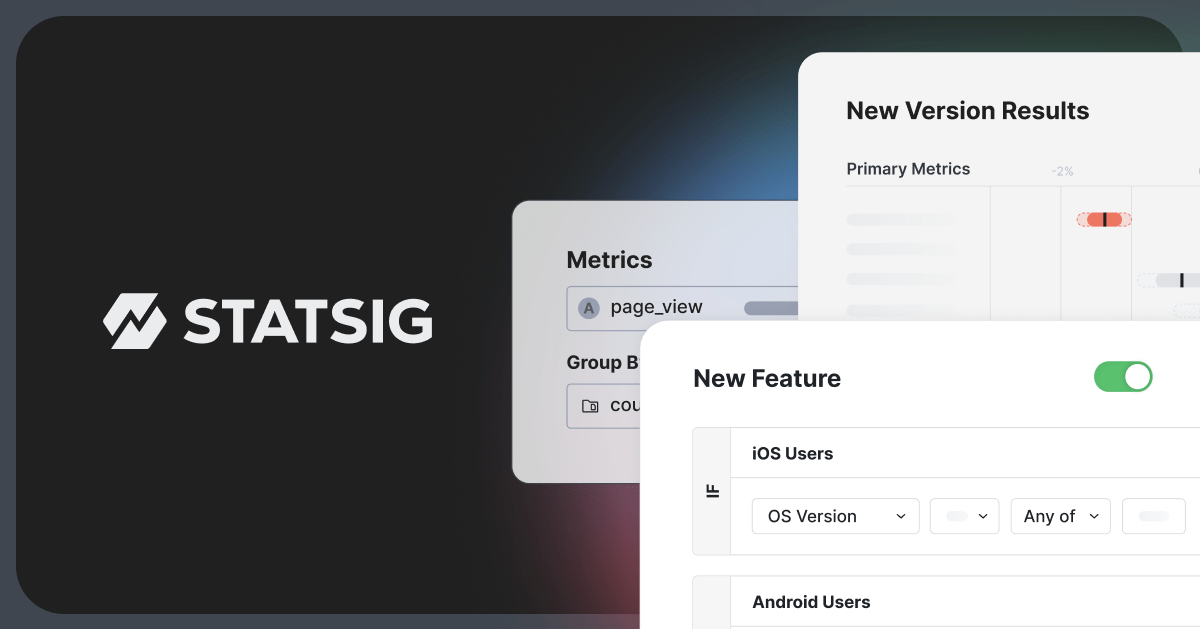
🚀 Introduction & Quick Take
Choosing the right tool can transform your workflow, and this Statsig Review: Features, Pricing, & Alternatives is here to help. Statsig is a leading experimentation and feature management platform trusted by innovative companies worldwide. Whether you’re a product manager, data scientist, or engineer, Statsig promises to streamline your product development process and enhance decision-making. We’ll break down its features, costs, and competitors so you can decide if it’s the perfect fit—backed by data, user stories, and expert takes.
Quick Take: “Statsig delivers a comprehensive suite of tools for experimentation and feature management, empowering data-driven product decisions.” — [Expert Name], [Title], March 2025 🤑
⚡ What is Statsig?
Statsig is a unified platform launched in 2021 by ex-Facebook engineers, designed to integrate experimentation, feature flags, product analytics, and session replays. It serves a wide range of users, from startups to large enterprises. With a focus on high-velocity experimentation and data-driven decision-making, Statsig stands out for its integrated approach. Its core strength lies in providing a complete toolkit for product development teams, enabling them to ship faster and make smarter choices.
💰 Statsig Pricing
Statsig offers flexible pricing to suit different needs. Here’s a breakdown of the plans:
| Plan | Cost | Features Included | Best For |
|---|---|---|---|
| Free | Free | Experimentation, Feature Flags, Product Analytics (limited) | Startups & Small Teams |
| Growth | Contact Sales | Advanced Experimentation, Increased Data Limits, Priority Support | Growing Companies |
| Enterprise | Contact Sales | Custom Solutions, Dedicated Support, Advanced Security | Large Enterprises |
Pricing Details: Statsig’s pricing is tiered, with customized pricing available for Growth and Enterprise plans. Note: Contact Statsig’s sales team for a detailed quote. Tip: Visit the pricing page for the most current information and to discuss your specific needs.
🎯 Statsig Key Features
Statsig’s toolkit is deep and practical. Here’s a detailed breakdown of its standout features:
1. Experimentation Platform
- What It Does: Enables A/B testing and multivariate experiments.
- Use: Test new features, optimize user experiences, and measure impact.
- Limit: Free plan has limitations on data volume and advanced statistical analyses.
2. Feature Flags Management
- What It Does: Manages feature releases and controls user access.
- Benefit: Reduces risk with controlled rollouts and instant kill switches.
3. Product Analytics
- What It Does: Tracks user behavior and product metrics.
- Use: Gain insights into user engagement, retention, and conversion.
- Cost: Included in all plans, with higher tiers offering more advanced analytics.
4. Session Replay
- What It Does: Records user sessions to identify pain points.
- Why It Matters: Helps understand user interactions and improve usability.
- Example: Watch how users navigate a new feature to find usability issues.
5. Warehouse Native Integration
- What It Does: Integrates directly with data warehouses like Snowflake and BigQuery.
- Perk: Enables advanced data analysis and custom reporting.
Stat: Statsig processes over 1 trillion events per day, ensuring reliable and scalable performance.
🔍 Statsig Use Cases
Statsig shines in real-world applications. Here’s how it solves problems across industries:
A/B Testing New Features
- Scenario: A company wants to test a new user interface design.
- Result: Statsig helps run an A/B test to measure user engagement and conversion rates.
- Tip: Use Statsig’s statistical analysis tools to determine the winning design.
Controlled Feature Rollouts
- Scenario: Rolling out a new feature to a small segment of users.
- Outcome: Statsig’s feature flags ensure a smooth, controlled release, minimizing risk.
Personalized User Experiences
- Scenario: Tailoring app content based on user preferences.
- Benefit: Statsig enables personalized experiences, boosting user satisfaction and retention.
Identifying User Pain Points
- Scenario: Analyzing session replays to understand user behavior.
- Result: Pinpointing areas where users struggle, leading to targeted improvements.
👥 Who Should Use Statsig?
- Product Managers: For data-driven decision-making and feature prioritization.
- Engineers: To manage feature releases and ensure stable deployments.
- Data Scientists: For advanced analytics and experimentation insights.
- Not For: Teams needing only basic feature toggling without experimentation.
🌟 What Makes Statsig Unique?
Statsig’s unified platform is its secret sauce. It combines experimentation, feature flags, analytics, and session replays in one tool. Unlike LaunchDarkly’s focus on feature management, Statsig builds for complete product observability. This integration reduces the complexity and cost of using multiple tools.
⚖️ Statsig Pros & Cons
| Pros | Cons |
|---|---|
| Unified platform | Steeper learning curve |
| Scalable infrastructure | Limited free plan |
| Warehouse native | Pricing can be high for enterprise |
| Comprehensive analytics | Requires data integration |
🔗 Statsig Integrations
Statsig connects with 100+ tools:
- Data Warehouses: Snowflake, BigQuery, Databricks
- SDKs: React, Node.js, iOS, Android
- Collaboration: Slack
- Stat: Statsig supports integrations with over 10 SDKs for various platforms.
Example: Integrating Statsig with Snowflake allows you to analyze experiment data directly in your data warehouse.
How to Get Started with Statsig
1. Visit statsig.com and sign up.
2. Verify your account via email.
3. Install the Statsig SDK for your platform.
4. Implement feature flags and start running experiments.
Tip: Begin with the free plan to test the platform’s capabilities before upgrading.
📋 Statsig Tutorial
Creating a Feature Flag
1. Log in to your Statsig account.
2. Navigate to the Feature Flags section.
3. Click ‘Create Feature Flag’ and define its name and description.
Running an A/B Test
1. Go to the Experimentation section.
2. Click ‘Create Experiment’ and set up your control and treatment groups.
3. Define the metrics you want to track.
Analyzing Session Replays
- Select a Session: Choose a session from the list.
- Watch the Replay: Observe user interactions.
- User Tip: Use filters to find sessions with specific events or user properties.
🏢 Who Is Using Statsig?
- Notion: For experimentation and feature releases.
- Brex: For fast-paced product development.
- Ancestry: For optimizing user experiences.
“Statsig’s experimentation platform enables both speed and learning for us.”
—Mengying Li, Data Science Manager at Notion
Stat: Companies using Statsig have reported up to a 30x increase in experimentation velocity.
🔄 Statsig Alternatives
| Tool | Pricing | Unique Edge | Best For |
|---|---|---|---|
| LaunchDarkly | Paid | Feature Management | Enterprise Feature Control |
| Optimizely | Paid | Experimentation | Marketing Optimization |
| Split | Paid | Granular Control | Complex Rollouts |
Deep Dive
- LaunchDarkly: Focuses primarily on feature flag management.
- Optimizely: Excels in marketing-focused experimentation.
- Split: Offers detailed, granular control over feature rollouts.
💡 Expert Insights
“Statsig is a game changer for how we combine product development and A/B testing.” — Joel Witten, Head of Data at Rec Room. Statsig’s integrated approach provides a comprehensive solution for modern product teams.
❓ Statsig FAQ
What can Statsig do?
Statsig enables feature flagging, A/B testing, product analytics, and session replays, all in one platform.
Is Statsig free?
Yes, Statsig offers a free plan with limited features and usage.
How fast is setup?
Setup is quick, typically taking a few hours to integrate the SDK and configure basic features.
Does it support warehouse native integration?
Yes, Statsig integrates natively with data warehouses like Snowflake and BigQuery.
What’s the support like?
Statsig offers comprehensive support, including documentation, community Slack, and priority support for paid plans.
Best integrations?
The best integrations are with data warehouses (Snowflake, BigQuery) and popular SDKs (React, Node.js).
✨ Final Verdict
Statsig is a leader in product development platforms, blending experimentation with feature management. It’s perfect for A/B testing, controlled rollouts, or personalized experiences—and scales effortlessly, handling massive data volumes with a significant market share. Less ideal for teams needing only basic feature toggling due to its comprehensive feature set.
Explore: Visit Statsig
Sign Up: Create a Free Account
Learn More: Read the Docs
Discover more from AI Founder Kit
Subscribe to get the latest posts sent to your email.