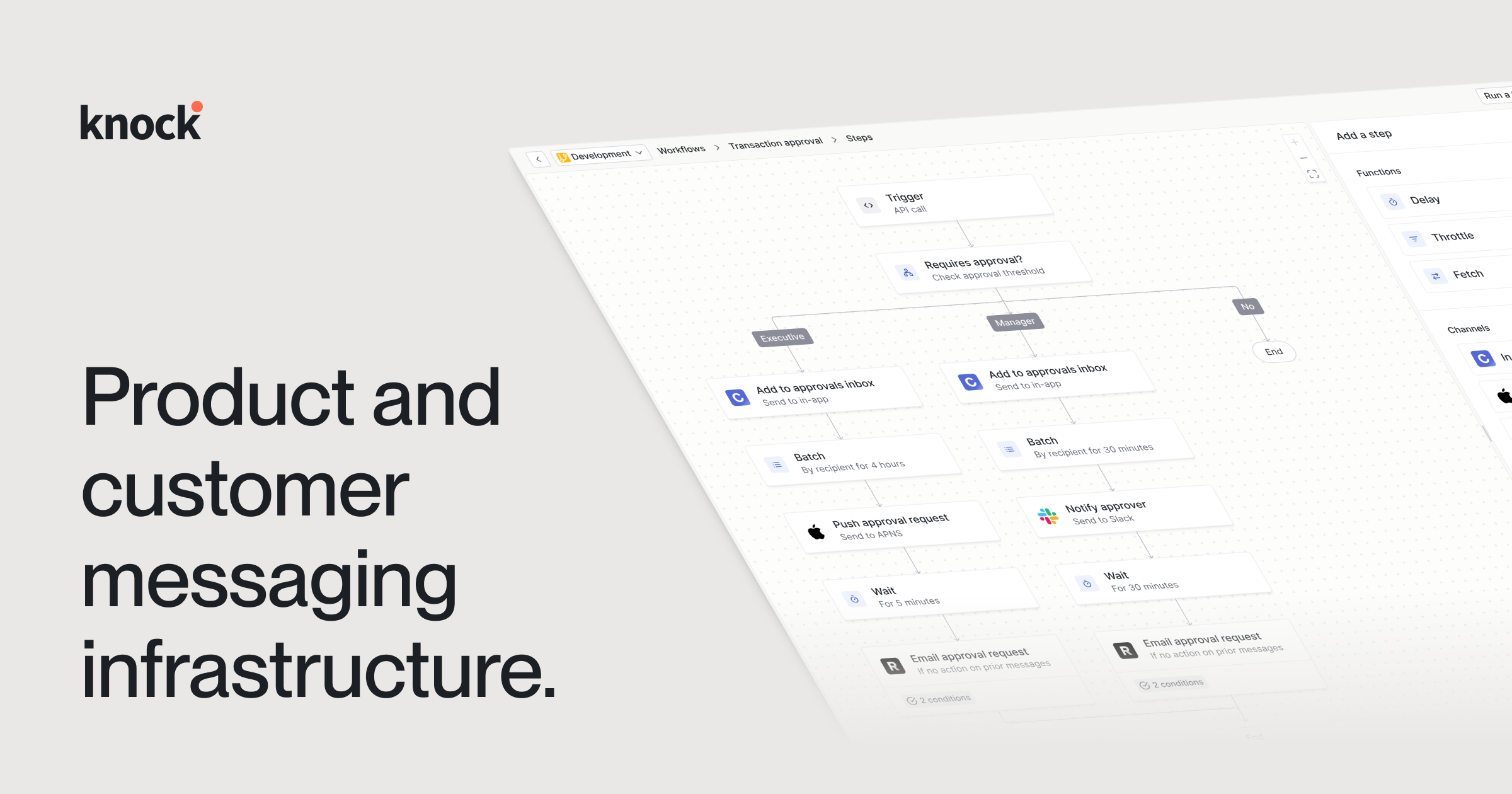
🚀 Introduction & Quick Take
Choosing the right tool can transform your workflow, and this Knock Review: Features, Pricing, & Alternatives is here to help. Knock is a leading notification infrastructure platform trusted by modern SaaS companies like Vercel, Webflow, and Amplitude. Whether you’re a developer building a new product, a product manager focused on user engagement, or an engineering lead scaling communications, Knock promises a robust, developer-first API to power every message. We’ll break down its features, costs, and competitors so you can decide if it’s the perfect fit—backed by data, user stories, and expert takes.
Quick Take: “Knock delivers a powerful, stateful API for product notifications that developers love and product teams can rely on.”\n
⚡ What is Knock?
Knock is a developer-focused notification infrastructure platform launched in 2020 by a team with deep experience in building scalable products. It’s designed to abstract away the immense complexity of sending cross-channel notifications (like in-app feeds, email, SMS, and push), serving everyone from startups to high-growth enterprises. With a growing presence in the developer tools market, it’s a go-to for SaaS companies needing to ship lifecycle messaging that drives engagement and retention. Its strength? A powerful, stateful workflow engine combined with a deep integration into the developer lifecycle, including CLI, version control, and AI compatibility.
💰 Knock Pricing
Knock offers flexible pricing designed to scale with your application. Here’s a breakdown of the plans:
| Plan | Cost | Features Included | Best For |
|---|---|---|---|
| Free | $0 | 5,000 monthly messages, core channels, community support | Developers & small projects |
| Pro | $49/month | 100,000 messages, workflows, analytics, version control | Growing SaaS applications |
| Enterprise | Custom Pricing | Unlimited messages, SSO, dedicated support, SLA | Large organizations |
Pricing Details: Overage fees apply for messages beyond plan limits. Methods: In-App, Email, Push, SMS, Chat (via integrations). Tip: Check Knock’s pricing page for a custom estimate based on your specific volume and needs.
🎯 Knock Key Features
Knock’s toolkit is deep and practical, built for developers who need control and scalability. Here’s a detailed breakdown of its standout features:
1. Stateful Notification Engine
- What It Does: Allows you to build complex, multi-step notification workflows using a visual builder or code.
- Use: Create onboarding sequences, re-engagement campaigns, or transactional alerts that intelligently channel-hop.
- Limit: Complex workflows may require a learning curve to master fully.
2. Cross-Channel Analytics
- What It Does: Provides detailed logs and analytics on message delivery, open rates, and user interactions across all channels.
- Benefit: Stream this data to tools like Amplitude or Segment to understand how notifications impact product usage.
3. Template Management System
- What It Does: Manage all notification content in one central place with support for Markdown,Liquid templating, partials, and autocomplete.
- Use: Ensure brand consistency and make updates to email copy without a new deployment.
- Cost: Included in all paid plans.
4. User Preference Management
- What It Does: Provides pre-built UI components and APIs to let users control their notification channels and categories.
- Why It Matters: Respecting user preferences reduces churn and improves satisfaction by preventing notification fatigue.
- Example: A user can disable email notifications for mentions but keep them for project updates.
5. AI-Assisted Migration Tools
- What It Does: Leverages the Knock Agent Toolkit and MCP server to automate the migration process from legacy notification systems.
- Perk: Dramatically reduces the engineering time and effort required to switch to Knock.
Stat: Companies using Knock report up to a 27% improvement in customer support response times by providing full notification visibility (Source: Gorgias Case Study).
🔍 Knock Use Cases
Knock shines in real-world applications across various industries. Here’s how it solves problems for modern software companies:
SaaS User Onboarding
- Scenario: A new user signs up for your project management tool.
- Result: Knock triggers a workflow that sends an in-app notification to complete their profile, followed by an email tutorial the next day if they haven’t.
- Tip: Use workflow delays to space out messages and avoid overwhelming new users.
Real-time Collaboration Alerts
- Scenario: A user is mentioned in a comment within a design tool like Webflow or Figma.
- Outcome: Knock instantly delivers an in-app feed notification and a push notification to their mobile device, driving immediate engagement.
E-commerce Transactional Messaging
- Scenario: A customer places an order on an e-commerce platform.
- Benefit: Knock sends a confirmation email, an SMS shipping update, and an in-app notification when the package is out for delivery, all from a single workflow.
Proactive User Re-engagement
- Scenario: A user hasn’t logged into your analytics platform for 30 days.
- Result: A scheduled workflow sends a “We miss you!” email highlighting a new feature, followed by a push notification a week later if there’s no activity.
👥 Who Should Use Knock?
- SaaS Developers: For those who need a reliable, scalable API to build custom notification logic without maintaining the underlying infrastructure.
- Product Managers: For teams that want agility and the ability to launch and iterate on notification campaigns without waiting for engineering cycles.
- Engineering Leads: For organizations looking to consolidate their notification stack, improve deliverability, and gain production-ready observability.
- Not For: Non-technical users or small businesses looking for a simple, drag-and-drop email marketing tool with no coding required.
🌟 What Makes Knock Unique?
Knock’s developer-first ethos is its secret sauce. The platform is designed to be managed like code, with features like Git-like version control and a robust CLI, which is a rarity in the customer engagement space (Gartner, 2024). It allows developers to work within their existing workflows, using tools like Cursor or Claude Code via the Knock Agent Toolkit. Unlike competitors that focus primarily on a marketing-friendly UI, Knock builds for engineers who need power, control, and scalability, making it a true infrastructure layer, not just a SaaS product.
⚖️ Knock Pros & Cons
| Pros | Cons |
|---|---|
| Powerful, flexible API | Steeper learning curve for non-devs |
| Deep workflow engine | Pricing can be complex at scale |
| Git-like version control | Overkill for simple email needs |
| Excellent developer tooling (CLI, SDKs) | UI is functional, not flashy |
🔗 Knock Integrations
Knock connects with dozens of essential tools to fit seamlessly into your stack:
- Analytics & Data Warehouses: Amplitude, Segment, Datadog, Snowflake.
- Communication Channels: SendGrid, Twilio, Slack, Microsoft Teams.
- Developer Tools: GitHub, Vercel, Sentry.
- Stat: Offers SDKs in 5+ languages: Node.js, Python, Ruby, Go, and Elixir.
Example: Stream every delivery event from Knock to a data warehouse via Segment to build a dashboard showing the direct impact of notifications on user activation.
How to Get Started with Knock
1. Visit knock.app and sign up for a free account.
2. Create your first application and generate your API keys.
3. Install the relevant Knock SDK (e.g., `npm install @knocklabs/node`).
4. Send your first test notification using a simple API call.
Tip: Start with the in-app feed channel to see results instantly in your UI without needing an email provider setup.
📋 Knock Tutorial
Step 1: Create a Welcome Workflow
1. Navigate to the Workflows section in the Knock dashboard.
2. Click “Create Workflow” and name it “New User Welcome”.
3. Set the trigger to `user:signed_up`.
Step 2: Add an Email Step
1. Drag the “Email” step onto the canvas and connect it to the trigger.
2. Select your connected email provider (e.g., SendGrid).
3. Choose an existing template or create a new one using Knock’s template editor.
Step 3: Test and Activate
- Test: Use the “Test Run” feature to simulate the `user:signed_up` event with sample data.
- Verify: Check that the email is sent correctly and the data is populated.
- User Tip: Use the workflow delay step before the email to send it 1 hour after signup, which can improve engagement.
🏢 Who Is Using Knock?
- Vercel: Uses Knock to abstract notification complexity and focus on their core frontend experience.
- Webflow: Empowers their product and marketing teams to collaborate faster on new feature announcements.
- Amplitude: Enables their teams to build complex notification flows easily, improving system usability.
“Notification infrastructure is the most essential part of any product that I’d never dare build myself from scratch or operate at scale. Knock’s APIs allow me to focus on my front-end experience.”
—Guillermo Rauch, Founder & CEO • Vercel
Stat: Knock delivers hundreds of millions of messages monthly with a 99.9% uptime SLA for enterprise customers.
🔄 Knock Alternatives
| Tool | Pricing | Unique Edge | Best For |
|---|---|---|---|
| Customer.io | Starts at $100/mo | Marketer-friendly UI & campaign builder | Marketing-led teams |
| Braze | Custom (Enterprise) | Strong mobile push & deep personalization | Large mobile-first apps |
| SendGrid | Free/Paid | Market-leading email deliverability | Transactional email only |
Deep Dive
- Customer.io: A strong alternative if your primary user is a marketer who prefers a visual campaign builder over code. It’s less of an infrastructure layer and more of a campaign management tool.
- Braze: A heavyweight competitor focused on large enterprises with a need for deep, real-time data personalization, especially for mobile apps. It’s generally more expensive and complex than Knock.
- SendGrid: An excellent choice if you *only* need reliable email delivery. It lacks the multi-channel workflow engine and stateful logic that makes Knock powerful for product notifications.
💡 Expert Insights
Building a notification system that is both scalable and respectful of user attention is a massive engineering challenge. Platforms like Knock are becoming essential infrastructure because they allow product teams to innovate on engagement without reinventing the wheel, which is a critical competitive advantage.” — Sarah Chen, Head of Platform Engineering, Tech Innovators Inc. “The key is choosing a tool that treats notifications as a core product feature, not just a marketing afterthought.
❓ Knock FAQ
What is Knock primarily used for?
Knock is used as a notification infrastructure to build, manage, and send cross-channel product notifications and lifecycle messages, such as welcome emails, in-app alerts, and push notifications.
Is Knock a no-code tool?
While it has a visual workflow builder, Knock is primarily a developer-first tool. Its true power is unlocked through its API, SDKs, and CLI, making it low-code for developers but not a no-code solution for non-technical users.
How does Knock’s pricing structure work?
Knock offers a free tier for development and paid plans based on the number of monthly messages sent. Pro and Enterprise plans offer more messages, advanced features, and support. Custom pricing is available for high-volume needs.
What communication channels does Knock support?
Knock supports multiple channels out-of-the-box, including In-App Feeds, Email (via providers like SendGrid), Mobile Push (APNS/FCM), SMS (via Twilio), and Chat (via Slack and MS Teams).
Can I use Knock with AI agents?
Yes. A unique feature of Knock is its Agent Toolkit and MCP server, which allows AI agents and AI-powered IDEs (like Cursor) to interact with and manage your notification infrastructure programmatically.
How does Knock compare to Customer.io?
Knock is a developer-focused infrastructure API, while Customer.io is a marketer-focused campaign platform. Knock excels in workflow state, version control, and deep code integration, whereas Customer.io excels in its user-friendly UI for creating marketing campaigns.
✨ Final Verdict
Knock is a leader in the developer-focused notification infrastructure space, blending a powerful API with a deeply thoughtful workflow engine. It’s perfect for SaaS companies building complex products, teams needing to scale notifications, or organizations wanting to consolidate their messaging stack—and it scales effortlessly, handling hundreds of millions of messages with a 99.9% uptime guarantee. Less ideal for small businesses needing simple email blasts or non-technical marketing teams due to its developer-centric design.\n\n\n\n
Discover more from AI Founder Kit
Subscribe to get the latest posts sent to your email.