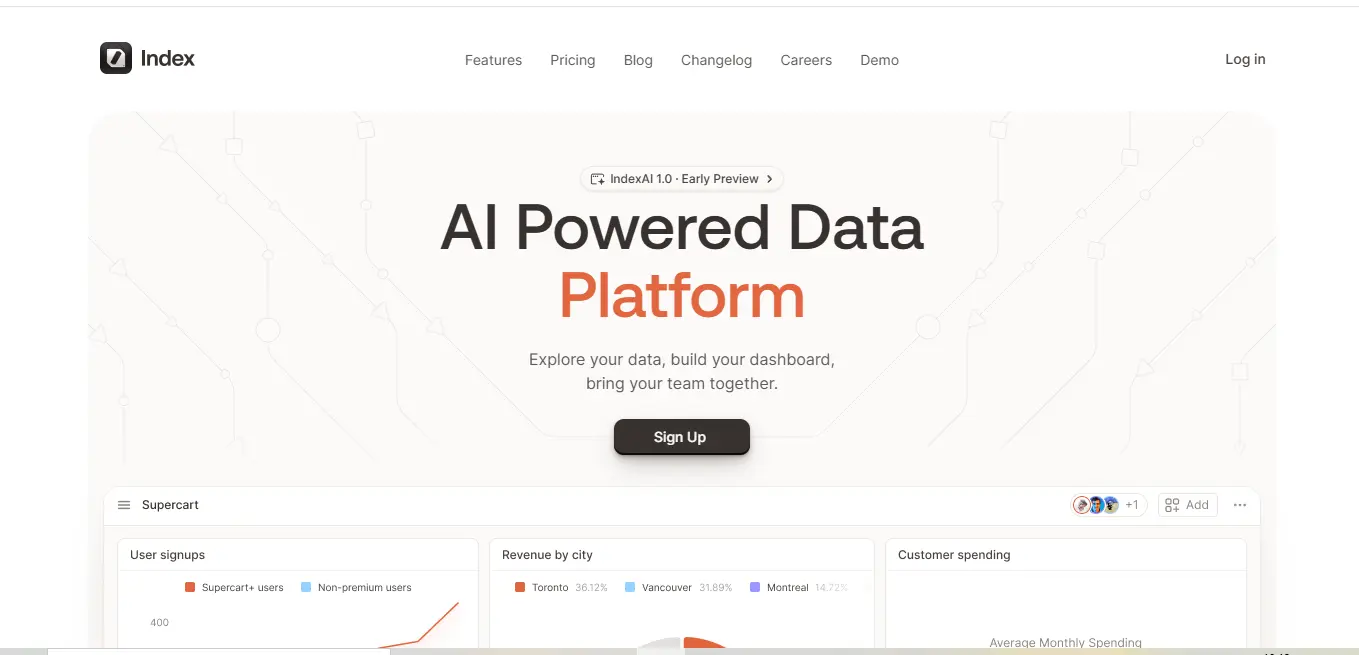
What is Index data platform?
Index is a data platform that emphasizes collaboration between users in order to make working with data easier for everyone. This is accomplished through the analysis and visualization of data using teamwork, and it can be achieved since at its core, it is a complex but straightforward application that allows users:
- Integrate other external data systems,
- Create appealing dashboards,
- Conduct studies and communicate results simultaneously,
- All which facilitate easier communication and collaboration among users.
The main goal it to achieve is to make data analysis self-service, thus enabling everyone regardless of their expertise to draw patterns from complex data which is an extremely difficult task.
Key Features Of Index data platform:
- Versatile Data Connection
- Connect to multiple databases and warehouses
- Supports diverse data sources seamlessly
- Flexible Query Options
- SQL-based querying
- Intuitive visual query editor
- Accessible for technical and non-technical users
- Powerful Visualization Tools
- Multiple chart types
- Customizable dashboards
- Real-time data rendering
- Real-Time Collaboration
- Multiplayer functionality
- Simultaneous team editing
- Instant insights sharing
- Advanced Customization
- Custom themes
- Light and dark mode
- Personalized workspace
- Robust Search Functionality
- Cross-platform search
- Quick data retrieval
- Comprehensive result matching
- Workspace Datasets
- Shareable datasets
- Team consistency
- Streamlined analysis
- Offline Support
- Work without internet
- Automatic sync capabilities
- Uninterrupted productivity
- Emerging Alerting System
- Conditional alerts
- Proactive monitoring
- (Upcoming feature)
- User-Friendly Interface
- Drag-and-drop design
- Minimal learning curve
- Intuitive navigation
What Does Index data platform Do Well?
Index excels in several key areas:
- Simplifying complex data analysis processes
- Making data insights accessible to broader audiences
- Providing an intuitive interface
- Facilitating real-time team collaboration
- Offering extensive customization options
Real-World Use Case:
Marketing Team Scenario:
A marketing team can leverage Index.app to:
- Monitor campaign effectiveness across different channels
- Analyze key figures
- Traffic on the website
- Rates of conversion
- Cost incurred in acquiring a customer
- Compose joint reports
- Adhere to any data that raises considerably
- To integrate marketing tools automatically
- Realize the complete picture of the marketing efforts
- Synthesize the information to improve these campaigns.
How to Get Started With Index data platform:
Sign Up
- Visit Index.app website
- Choose appropriate pricing plan
Connect Data Sources
- Integrate various databases and warehouses
- Use supported connection methods
Build Dashboards
- Use drag-and-drop interface
- Create custom visualizations
- Utilize both SQL and visual query options
Team Collaboration
- Invite team members
- Share dashboards
- Work in real-time
Who Is Index data platform For?
Target user groups include:
- Data analysts
- Business professionals
- Startups
- Marketing teams
- Small to medium enterprises
- Teams requiring collaborative data analysis
Who is Using Index data platform?
While specific company names aren’t mentioned, the tool targets:
- Data-driven organizations
- Companies valuing collaborative insights
- Startups and emerging businesses
- Teams needing accessible data analysis
- Organizations without dedicated data science teams
What Makes Index data platform Unique?
Distinctive features:
- Real-time multiplayer collaboration
- Accessible to both technical and non-technical users
- Flexible query options (SQL and visual)
- Extensive customization capabilities
- User-friendly interface
- Comprehensive visualization tools
Compatibilities and Integrations:
- Connects to growing list of databases
- Supports various data warehouses
- Specific integrations not fully detailed
- Recommended to check official documentation for latest compatibility
.svg)
Pricing Table Structure:
| Plan | Price | Features |
|---|---|---|
| Starter | Free | 2 dashboards, Unlimited viewers, 1 Connection |
| Pro | $8/editor/month | Unlimited dashboards, Connections |
| Premier | $20/editor/month | Advanced permissions, Priority support |
| Enterprise | Custom | Comprehensive enterprise features |
Alternatives Comparison:
| Feature | Index | Elasticsearch | MongoDB | Tableau |
|---|---|---|---|---|
| Real-time Collaboration | ✓ | ✗ | ✗ | Partial |
| Query Flexibility | ✓ | Limited | Partial | ✓ |
| Free Tier | ✓ | ✗ | ✓ | ✗ |
| Visualization Tools | Comprehensive | Limited | Basic | Advanced |
⚖️ Pros & Cons:
- User-Friendly Interface
- Intuitive drag-and-drop design Minimal learning curve Accessible to both technical and non-technical users Reduces barriers to data analysis Eliminates complex navigation challenges Designed with user experience as a primary focus
Depth of Impact:
- Saves time in onboarding new team members
- Reduces training costs
- Increases overall team productivity
- Democratizes data analysis across different skill levels
- Real-Time Collaboration
- Multiplayer functionalitySimultaneous editing and data explorationInstant sharing of insightsTeam members can work on the same dashboard concurrentlyBreaks down traditional data silos
Depth of Impact:
- Accelerates decision-making processes
- Enhances team communication
- Reduces time spent in meetings
- Creates a more dynamic and interactive data analysis environment
- Flexible Query Options
- Supports both SQL and visual query editorsCaters to diverse user skill setsAllows complex data manipulation without deep coding knowledgeBridges the gap between technical and non-technical users
Depth of Impact:
- Empowers non-technical team members
- Reduces dependency on data science teams
- Speeds up data exploration and analysis
- Promotes a more inclusive data culture
- Powerful Visualization Tools
- Multiple chart types availableCustomizable dashboardsReal-time data renderingAdvanced visual representation optionsAbility to create complex, insightful visualizations
Depth of Impact:
- Transforms raw data into understandable insights
- Helps in quick decision-making
- Supports various reporting needs
- Enhances data storytelling capabilities
- Comprehensive Customization
- Custom themesLight and dark modePersonalized workspace configurationsFlexible alert and notification settings
Depth of Impact:- Adapts to individual user preferences
- Improves user engagement
- Supports different working styles
- Enhances overall user satisfaction
- Limited Integration Details
- Unclear comprehensive list of integrationsPotential compatibility challengesMay require additional verification of data source connections
Depth of Concern:
- Risks unexpected integration limitations
- Might require additional technical support
- Potential need for custom integration development
- Could increase implementation complexity
- Emerging Alerting Feature
- Alerting system still under developmentMay lack advanced monitoring capabilitiesLimited compared to mature monitoring tools
Depth of Concern:
- Incomplete feature set
- Potential gaps in critical monitoring needs
- Requires users to supplement with external tools
- May not meet advanced enterprise alerting requirements
- Potential Learning Curve
- Complex setups might challenge some usersAdvanced features require deeper understandingNot entirely plug-and-play for all user levels
Depth of Concern:- Initial productivity might be impacted
- Additional training may be necessary
- Risk of incomplete feature utilization
- Potential user frustration during initial adoption
- Scalability Uncertainties
- Performance with large datasets unclearScaling capabilities not comprehensively documentedPotential performance bottlenecks with complex queries
Depth of Concern:
- Risks for growing organizations
- Potential need for infrastructure upgrades
- Uncertain long-term cost implications
- May require periodic platform reassessment
- Pricing Model Complexity
- Tiered pricing might be confusingCost can escalate with team growthAdditional features in higher tiers
Depth of Concern:
- Unexpected cost increases
- Complex budgeting for growing teams
- Potential financial strain for startups
- Need for careful plan selection
Why Index data platform May Not Be The Best Choice:
Potential limitations:
- Organizations with highly specific integration needs
- Teams requiring advanced alerting immediately
- Users needing extensive custom integrations
- Enterprises with complex data ecosystems
Expert Opinion Of Index data platform:
Index presents a compelling solution for collaborative data analysis. Its strengths lie in:
- User-friendly design
- Powerful collaborative features
- Accessible data visualization
- Flexibility for different user skills
Potential users should verify:
- Specific integration capabilities
- Advanced feature requirements
- Alignment with organizational needs
Summary Of Index data platform:
Index data platform is a collaborative data platform designed to democratize data analysis. It offers:
- Intuitive interface
- Powerful visualization tools
- Real-time team collaboration
- Accessible to various skill levels
Ideal for teams seeking efficient, user-friendly data insights and collaborative analysis.
Index FAQs❓
Do I need technical skills to use Index data platform?
No, the platform caters to both technical and non-technical users.
Can I use Index data platform offline?
Yes, with automatic synchronization when online.
What security measures are in place?
GDPR and CCPA compliant, with role-based access control.
How many team members can collaborate?
Unlimited viewers, with pricing based on editor seats.
Are there integration limitations?
Check their website for the most current integration list.
How often is the platform updated?
Regular updates with new features and improvements.
📞 Contact & Social Links
- Twitter: https://twitter.com/IndexBI
- LinkedIn: https://www.linkedin.com/company/indexanalytics/
- Support Email: [email protected]
📚 External Resources
Discover more from AI Founder Kit
Subscribe to get the latest posts sent to your email.