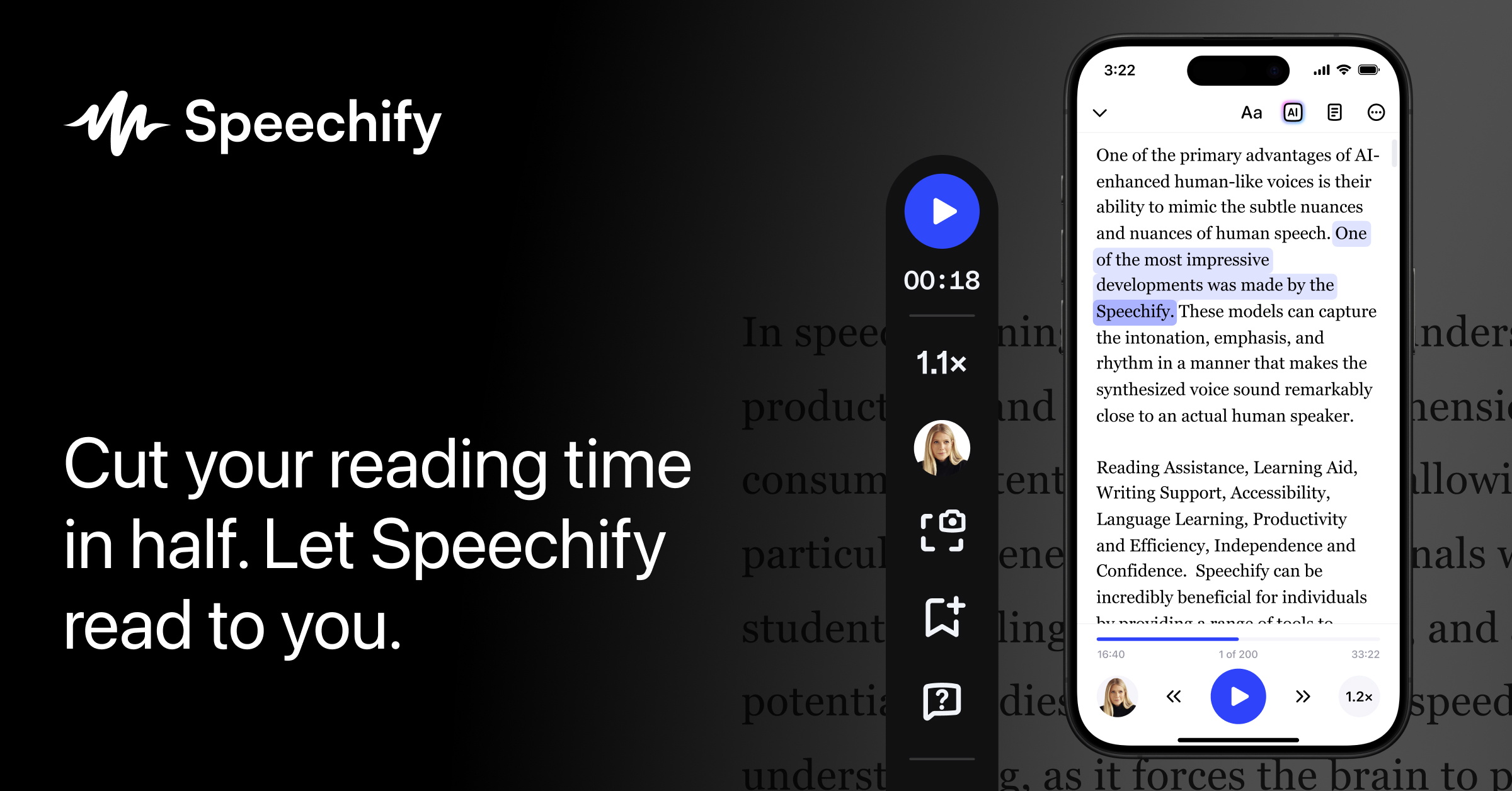
🚀 Quick Verdict
The speed control is the standout feature here. We pushed it to 4.5x and the audio stayed surprisingly clear without turning into high-pitched gibberish. It handles messy PDF layouts better than most browser extensions we’ve tried.
| Overall Score | 8.8/10 |
| Best For | Founders with heavy reading loads |
| Tested Plan | Premium Free Trial |
| Testing Period | 10 days |
| Biggest Strength | Natural voice quality at high speeds |
| Biggest Weakness | Occasional mid-sentence pauses |
| Best Alternative | NaturalReader |
🤔 What Is Speechify?
Speechify is an audio assistant that converts written text into spoken words. It’s built to help people consume information faster by listening instead of reading. It works across web browsers, mobile phones, and desktop computers.
The tool solves the problem of screen fatigue. It lets you turn a 50-page industry report or a long thread of emails into a private podcast. It’s especially popular with users who have dyslexia or ADHD, but it’s just as useful for busy founders who want to learn during a commute.
⚙️ How We Tested Speechify
We signed up for the Premium Free Trial (0 cost for the first 3 days) and used it on a Mac and an iPhone. Our testing focused on three tasks: listening to a 40-page PDF market report, proofreading a 1,200-word blog post for flow, and converting daily news articles into audio playlists.
✨ Key Features (What Actually Stood Out)
The tool goes beyond basic text-to-speech by focusing on speed and accessibility in our productivity workflow.
- Variable Speed Control — We found that the 4.5x speed is actually usable. Most tools distort the voice too much, but Speechify keeps the pitch consistent so you can still understand the content.
- Document Scanning — We used the mobile app to take a photo of a physical book page. It converted the text to audio in under five seconds with almost no errors in the transcription.
- Chrome Extension — This is the easiest way to use it. It adds a play button to every website, including Google Docs and Gmail, which makes proofreading emails much faster.
- Voice Library — There are over 1,000 voices. We found the celebrity-style voices are fun for a few minutes, but the standard “High Quality” natural voices are better for long-form listening.
- Voice Typing — The dictation feature is a nice addition. It removes filler words like “um” and “uh” automatically, which saved us time when drafting quick notes.
💰 Speechify Pricing — Is It Worth It?
The free version is fine for basic web reading, but the best voices are locked behind the Premium tier. If you’re using it for content creation or heavy research, the annual cost is a significant investment. Be aware that many users report difficulty canceling the trial before the annual charge hits.
| Plan | Price | Best For | Watch Out For |
| Free | 0 | Casual web reading | Basic voices only |
| Premium | Check site | Daily professional use | Billed annually only |
Our pick: Premium — The basic voices on the free plan sound robotic after 10 minutes, so the natural voices are necessary for long documents.
🧪 What We Found During Testing
We tried using the offline mode during a flight. It worked, but you have to remember to download the specific document while you still have a connection. If you just leave the app open without a hard download, the AI voices won’t load because they require an internet connection to process the high-quality audio.
A founder in our community who runs a marketing agency told us the mobile app is their primary way to get through newsletters. They said it turns their morning dog walk into a productive research session without needing to stare at a screen.
⚠️ Limitations We Found
- Punctuation Pauses — As of early 2025, the AI still occasionally pauses in the middle of a sentence if the text layout has a line break. It’s a small distraction but happens on dense PDFs.
- Offline Restrictions — You can’t use the best AI voices without a constant data connection unless you pre-render the file. This makes it less reliable for travel in areas with spotty service.
- Subscription Model — There’s no monthly option for the Premium plan. You have to commit to a full year upfront, which is a high barrier for casual users.
⚔️ Speechify vs Competitors
There are several tools that turn text into audio, but they differ in voice quality and platform support.
| Competitor | Pick it instead of Speechify if… |
| NaturalReader | You want a simpler interface and a one-time payment option for personal use. |
| ElevenLabs | You need the absolute highest emotional range for creative narration or video voiceovers. |
| Murf AI | You are building professional advertisements and need precise control over timing and pitch. |
👍 Pros & Cons
| ✅ Pros | ❌ Cons | No monthly payment option for Premium | Cancellation process is famously difficult | Requires internet for the best AI voices | Occasional glitches on line breaks |
🎯 Who Should Use Speechify (And Who Shouldn’t)
✅ Use it if you:
- Have to read long documents every day and want to save your eyes.
- Want to consume newsletters or articles while commuting or exercising.
- Need a tool that works across your laptop, phone, and browser.
❌ Skip it if you:
- Only need basic text-to-speech once a month — use the free version of NaturalReader instead.
- Are on a tight budget and can’t commit to a yearly subscription.
- Need to use it primarily in deep offline environments like long-haul flights without Wi-Fi.
❓ Frequently Asked Questions
Is Speechify actually free?
There is a free version with basic voices and limited features. To get the natural-sounding AI voices and higher speeds, you need a Premium subscription.
Can Speechify read PDFs?
Yes, you can upload PDFs directly to the web app or mobile app. It can even scan physical documents using your phone’s camera.
Does Speechify work offline?
It has a limited offline mode. You must download the document while online to listen to it later, but the highest quality voices might not work without a connection.
How do I cancel my Speechify trial?
You must cancel at least 24 hours before the trial ends through the same platform you signed up on (App Store, Google Play, or their website).
Is Speechify better than NaturalReader?
Speechify generally has a better mobile app and higher speed limits, while NaturalReader is often cited as having a simpler pricing structure.
Can I use Speechify for commercial projects?
The standard Premium plan is for personal use. You need a Speechify Studio or Enterprise account for commercial rights to the generated audio.
Looking for more tools like this? See all productivity tools we’ve reviewed →
Discover more from AI Founder Kit
Subscribe to get the latest posts sent to your email.