🚀 Quick Verdict
Lifestack stops you from scheduling high-stakes meetings when your body is in recovery mode. We were surprised by how often it correctly predicted our mid-afternoon slumps based on Oura sleep data. It’s a vital tool for founders who manage chronic stress or burnout.
| Overall Score | 8.4/10 |
| Best For | Founders with wearables (Oura/Whoop) |
| Tested Plan | Free Trial (No Credit Card) |
| Testing Period | 10 days |
| Biggest Strength | Energy-aware time blocking |
| Biggest Weakness | Sync lag with wearable data |
| Best Alternative | Sunsama |
🤔 What Is Lifestack AI?
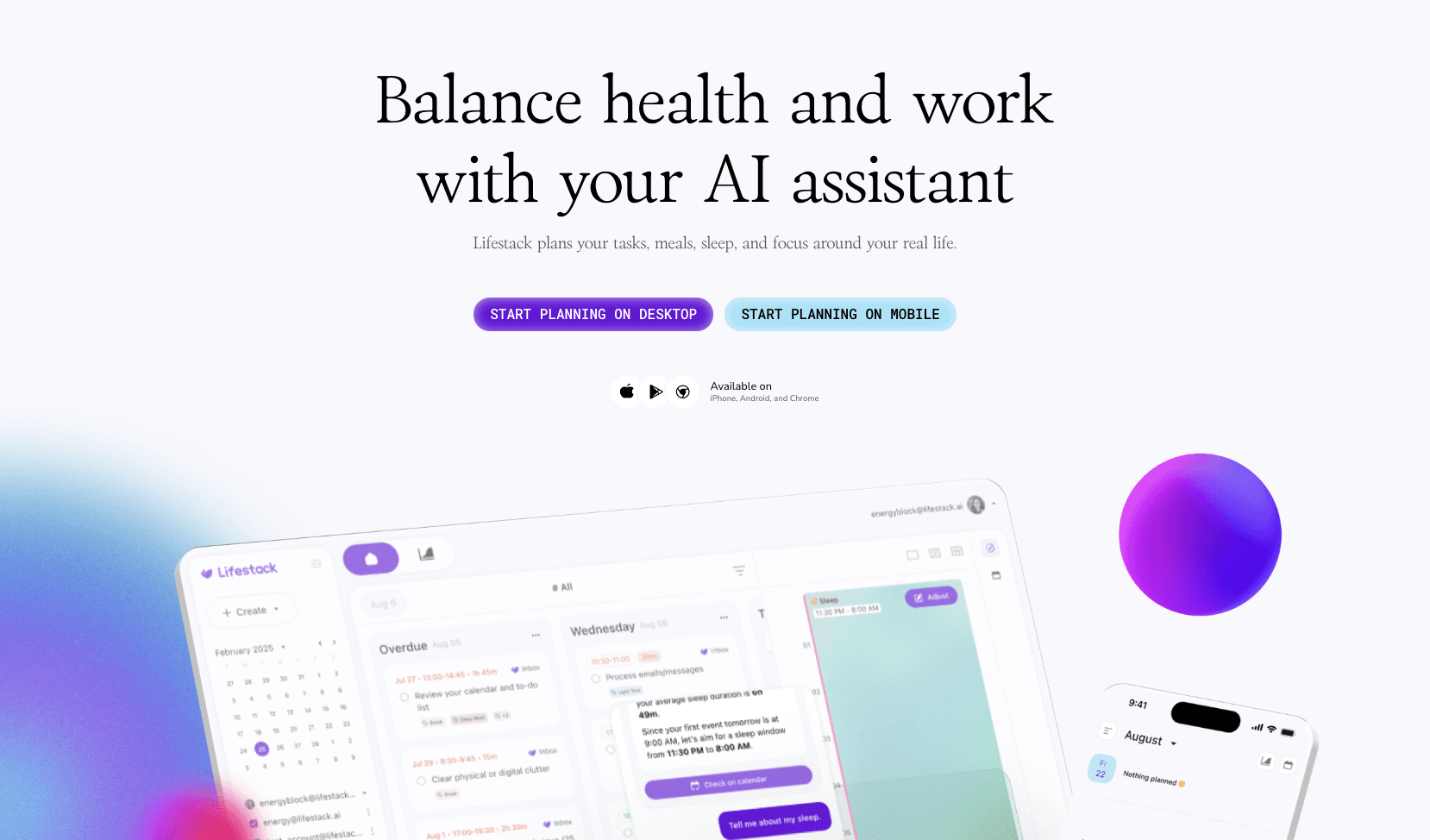
Lifestack is the first calendar built on the premise that you’re a biological animal, not a machine. Most planners treat every hour of the day as identical. This tool pulls data from your Apple Watch, Garmin, or Oura ring to map your biological rhythm directly onto your schedule.
Built by DeMind Inc., it aims to solve the “body problem” in productivity. It essentially acts as a buffer between your ambitious to-do list and your actual physiological capacity for that day.
⚙️ How We Tested Lifestack AI
We tested the trial version for 10 days without a credit card. Our testing involved three founder-level tasks: syncing an Oura ring to adjust a 9:00 AM pitch based on poor sleep, using the AI chat to re-schedule a marketing sprint, and mapping meal times around high-focus blocks.
✨ Key Features (What Actually Stood Out)
It brings a physiological layer to standard productivity workflows that we haven’t seen in other AI calendars.
- Energy Zones — During testing, the app highlighted our “Peak” and “Dip” windows, making us move deep work from 3:00 PM to 10:00 AM.
- Wearable Insights — It connects to Google Fit and Apple Health, translating raw sleep scores into a calendar layout you can actually use.
- AI Copilot Chat — We asked the chat to “schedule a workout tomorrow,” and it proactively suggested a low-intensity slot because of a busy morning.
- Todo Integrations — It pulled our tasks from Todoist and Notion efficiently into the daily view.
- Circadian Rhythm Mapping — The visual dashboard shows your natural wake/sleep cycles so you don’t fight your own biology.
💰 Lifestack AI Pricing — Is It Worth It?
Lifestack is currently in an early-access phase with no upfront paywall to start. If you’re looking for advanced automation for your schedule, the trial offers enough depth to see if your wearable data is actually accurate enough to plan your day.
| Plan | Price | Best For | Watch Out For |
| Standard Trial | $0 (Varies) | New users | No credit card needed upfront |
Our pick: Standard Trial — Use this to verify that your specific wearable (like Garmin or Whoop) syncs reliably before committing.
🧪 What We Found During Testing
The most useful moment came on a Tuesday after a night of poor sleep. Lifestack automatically flagged my 2:00 PM meeting as high-stress and suggested moving my energy-intensive marketing task to the following morning. It felt like having a chief of staff who actually knows you’re tired.
A founder in our community who runs a design agency told us Lifestack helped them stop the cycle of working through lunch and crashing at 4:00 PM by forcing movement blocks into the calendar.
⚠️ Limitations We Found
- Sync Latency — As of late 2025, health data sometimes takes a few seconds to refresh after opening the app, which can be annoying during a busy morning.
- Beta Stability — We encountered one occasion where a sub-task didn’t save correctly on the web interface.
- Hardware Dependent — The tool’s power is halved if you don’t own a high-end wearable to feed it heart rate and sleep data.
⚔️ Lifestack AI vs Competitors
Most AI calendars focus on external meetings, while Lifestack focuses on internal energy.
| Competitor | Pick it instead of Lifestack AI if… |
| Motion | You need complex project management and team task auto-scheduling. |
| Sunsama | You prefer a daily ritual approach without wearable sensor integration. |
| Akiflow | You want a unified inbox for 20+ different app integrations. |
👍 Pros & Cons
| ✅ Pros | ❌ Cons |
| Deep integration with Oura/Whoop/Garmin | Requires a wearable for best results |
| Visualizes energy peaks clearly | Mobile app occasionally lags on sync |
| AI chat handles multi-day reshuffling | Still in early-stage development |
| No credit card needed to start | Limited native project management |
🎯 Who Should Use Lifestack AI (And Who Shouldn’t)
✅ Use it if you:
- Are a founder struggling with burnout or chronic fatigue.
- Already use an Oura ring or Apple Watch to track your recovery.
- Want your calendar to stop you from overbooking your low-energy hours.
❌ Skip it if you:
- Don’t own a wearable; pick Motion for standard task automation instead.
- Need a strictly corporate enterprise calendar for large teams.
- Dislike AI-driven suggestions for your morning routine.
🔐 Data & Privacy
Lifestack handles sensitive health metrics. They state that health data is used only for personal scheduling insights and not shared with third parties. You can read their full policy on their website.
❓ Frequently Asked Questions
Does Lifestack work with Oura?
Yes, it syncs with Oura to pull sleep and readiness scores to adjust your daily plan.
Can I use it without a wearable?
You can, but you’ll lose the core benefit of energy-aware planning based on real physical data.
Is Lifestack better than Motion?
Motion is better for team project management; Lifestack is better for personal energy optimization.
Does it support Google Calendar?
Yes, it integrates with Google, Outlook, and Apple calendars to sync your existing events.
Is there a mobile app?
Yes, Lifestack is available on both iOS and Android platforms.
How does the AI chat work?
You can talk to the assistant to move tasks or check what you finished last week via natural language.
Looking for more tools like this? See all productivity tools we’ve reviewed →
Discover more from AI Founder Kit
Subscribe to get the latest posts sent to your email.