🚀 Quick Verdict
Sleek surprised us by generating three cohesive screens from a single prompt instead of just one isolated page. The Native Figma export actually keeps layers editable, which saved us hours of recreating elements. It is the fastest way for a founder to get investor-ready mobile screens without touching a canvas.
| Overall Score | 8.8/10 |
| Best For | Non-designers needing mobile MVPs |
| Tested Plan | Pro Plan ($20/mo) |
| Testing Period | 7 days |
| Biggest Strength | Multi-screen flow consistency |
| Biggest Weakness | Mobile-only focus limits web use |
| Best Alternative | ScreensDesign |
🤔 What Is Sleek?
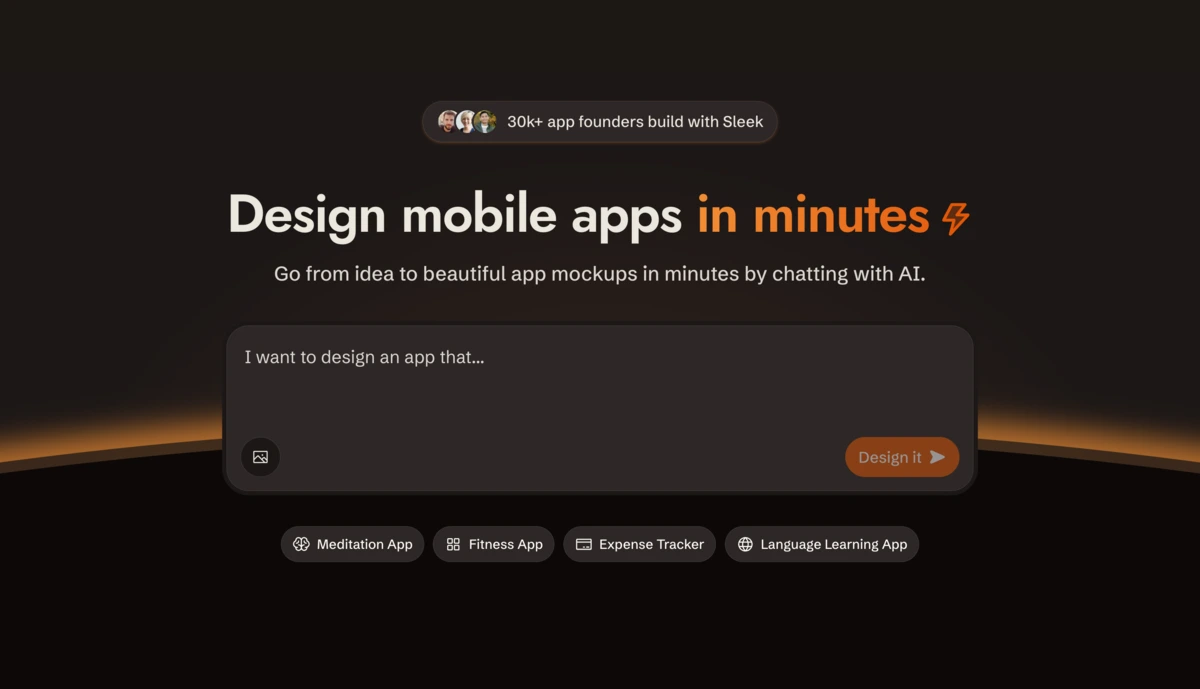
Sleek is an AI-powered design tool built exclusively for creating mobile app mockups through a chat interface. Developed by a small team of bootstrapped builders, it aims to replace the high cost of freelance designers for early-stage founders and developers.
The tool solves the blank-canvas problem by taking a plain English description and turning it into a polished, high-fidelity UI. Unlike generic site builders, it focuses entirely on mobile UX patterns like bottom navigation bars, pill-shaped buttons, and app-specific layouts.
⚙️ How We Tested Sleek
We signed up for the Pro Plan at $20 per month and spent a full week testing three specific founder tasks. First, we generated a 5-screen onboarding flow for a fitness app. Second, we took a screenshot of an existing grocery app and used the Generate with AI feature to redesign it. Finally, we exported a completed design to Figma to check if the layers remained organized for a developer handoff.
✨ Key Features (What Actually Stood Out)
Sleek feels more like a creative partner than a rigid editor. It simplifies the transition from concept to nocode planning by handling the visual heavy lifting automatically.
- Multi-Screen Generation — Most tools stop at one screen, but Sleek creates a cohesive flow (e.g., login, dashboard, and settings) in one go so the branding stays consistent.
- Chat-to-Edit — We changed a theme from Light Mode to “Modern Memphis” just by typing a message, and the AI updated all screens simultaneously.
- Native Figma Export — Unlike tools that export one flat image, this sends editable vectors directly into Figma, which is vital for professional refinement.
- Code Export — It produces React + Tailwind CSS code that we successfully dropped into a Claude window to generate a functional frontend.
- Image-to-Design — We uploaded a rough whiteboard sketch of an expense tracker and Sleek turned it into a high-fidelity mockup with realistic data.
💰 Sleek Pricing — Is It Worth It?
The free tier is good for a quick trial, but professional use requires a subscription to unlock the high-volume credit limits. If you’re currently hiring designers for basic design tasks, the Pro plan pays for itself in one session.
| Plan | Price | Best For | Watch Out For |
| Free | $0 | Personal testing | 1 project limit |
| Pro | $20/mo | Startups & Founders | Figma export included |
| Max | $200/mo | Agencies | High credit volume |
Our pick: Pro Plan — The $20 tier offers 7,000 credits, which is more than enough to iterate on a full app concept and export the results to Figma.
🧪 What We Found During Testing
The speed is the most impressive part. We described a “minimalist Swiss style stop-watch” and had three usable screens in under 60 seconds. The AI correctly guessed that a stop-watch needs a lap-tracking list and a circular timer, which shows it understands app logic rather than just painting pixels.
A founder in our community who runs a health startup told us Sleek helped them show investors a polished prototype in a week when they previously spent months stuck in Figma tutorials.
⚠️ Limitations We Found
- Mobile Only — As of mid-2024, Sleek does not support web or desktop layouts, which is a dealbreaker if your app needs a browser version.
- No Interactivity — You cannot build clickable prototypes within Sleek itself; you have to move the design to Figma or code to add logic.
- Beta Drift — Some complex prompts occasionally led to floating icons or overlapping text that required manual chat corrections.
⚔️ Sleek vs Competitors
While Figma is the industry standard for control, Sleek competes with rapid prototyping tools that focus on speed over manual tweaking.
| Competitor | Pick it instead of Sleek if… |
| Figma AI | You are a professional designer who needs full control over every pixel and layer. |
| ScreensDesign | You want a library of existing app patterns to browse before you start generating. |
| Uizard | You need to build a fully clickable, interactive prototype as well as the static design. |
👍 Pros & Cons
| ✅ Pros | ❌ Cons | No mobile app for the tool itself yet | Lacks a complex component library | Exporting code requires a paid tier | Cannot design desktop web apps |
🎯 Who Should Use Sleek (And Who Shouldn’t)
✅ Use it if you:
- Are a founder validating an MVP and need visuals for a pitch deck.
- Are a developer who hates “pixel pushing” in design software.
- Need to see 5+ different aesthetic directions for an app idea in minutes.
❌ Skip it if you:
- Need a responsive website design alongside your mobile app — use Relume instead.
- Require a tool with a built-in backend or database.
- Work in a corporate environment with strict proprietary design system requirements.
❓ Frequently Asked Questions
Is Sleek better than Figma AI?
Sleek is better for speed and non-designers, while Figma AI is better for those already working in the Figma ecosystem who need granular control.
Can I export Sleek designs to React?
Yes, the tool provides React and Tailwind CSS exports which can be used to build a functional frontend quickly.
Does Sleek offer a trial?
Sleek has a free plan that allows you to test the generation features on one project before upgrading.
What is the code PRODUCTHUNT for?
It provides a 20% discount on any paid plan for life, according to the current promotion.
Can Sleek design web apps?
No, Sleek is currently specialized only for mobile app mockups (iOS and Android styles).
Do I own the designs created with Sleek?
According to their terms, as a user, you hold the rights to the content you generate, though it is intended for design and informational purposes.
Looking for more tools like this? See all design tools we’ve reviewed →
Discover more from AI Founder Kit
Subscribe to get the latest posts sent to your email.