🚀 Quick Verdict
Aura stands out because it doesn’t just generate generic blocks; it creates “polished” layouts with complex effects like glassmorphism and bento grids. While many builders lock you into their platform, Aura’s ability to export clean code or move the design to Figma is a massive win for speed. We found the UI generation focuses heavily on modern SaaS aesthetics, which looks great but might feel repetitive for non-tech brands.
| Overall Score | 8.8/10 |
| Best For | Founders and software engineers |
| Tested Plan | Free version |
| Testing Period | 7 days |
| Biggest Strength | High-fidelity aesthetic quality |
| Biggest Weakness | High credit cost for top models |
| Best Alternative | Lovable |
🤔 What Is Aura?
Aura is an AI-powered design platform built specifically for creating landing pages and user interfaces. It skips the traditional drag-and-drop friction by allowing users to describe their vision in plain English, which the AI then converts into a fully responsive web design.
Created by the team at DesignCode, it bridges the gap between a rough idea and a production-ready frontend. It targets founders who want to “vibe code” their way to a professional site without getting stuck in Figma for hours or writing thousands of lines of CSS from scratch.
⚙️ How We Tested Aura
We signed up for a free account and spent a week testing the tool on three specific tasks: generating a multi-section homepage for a fictional SaaS, exporting a mobile-responsive hero section to Figma to test layer organization, and publishing a temporary live URL to check page load performance across different transitions.
✨ Key Features (What Actually Stood Out)
Aura feels less like a website builder and more like a high-speed design assistant that understands modern web trends.
- Prompt Builder — Instead of a blank text box, this guide helps you select styles, layouts (like Bento), and color modes to ensure the AI doesn’t hallucinate a messy layout.
- Figma Export — This isn’t just a flat image; it brings over actual layers and components, making it easier to hand off to a designer for final tweaks.
- Interactive Prototypes — We tested the built-in transitions like Blur and Slide, which made our static mockups feel like a real app immediately.
- Tailwind CSS Integration — The code it spits out isn’t “div soup” but uses standard Tailwind classes, which we verified by importing a generated section into a clean React project.
- Component Marketplace — You can browse and remix templates from other creators, which saved us time when building common sections like pricing tables.
💰 Aura Pricing — Is It Worth It?
Aura offers a generous entry point, but the credit system for advanced models like Claude 3.5 or GPT-4o can go quickly if you iterate often. It’s an excellent value for productivity because one successful generation replaces hours of manual design work.
| Plan | Price | Best For | Watch Out For |
| Free | 0 | Testing the waters | Daily credit limits |
| Pro | Varies | Active founders | Check current monthly caps |
Our pick: Free — Start here to see if the AI style matches your brand before committing to a paid tier for higher-resolution exports.
🧪 What We Found During Testing
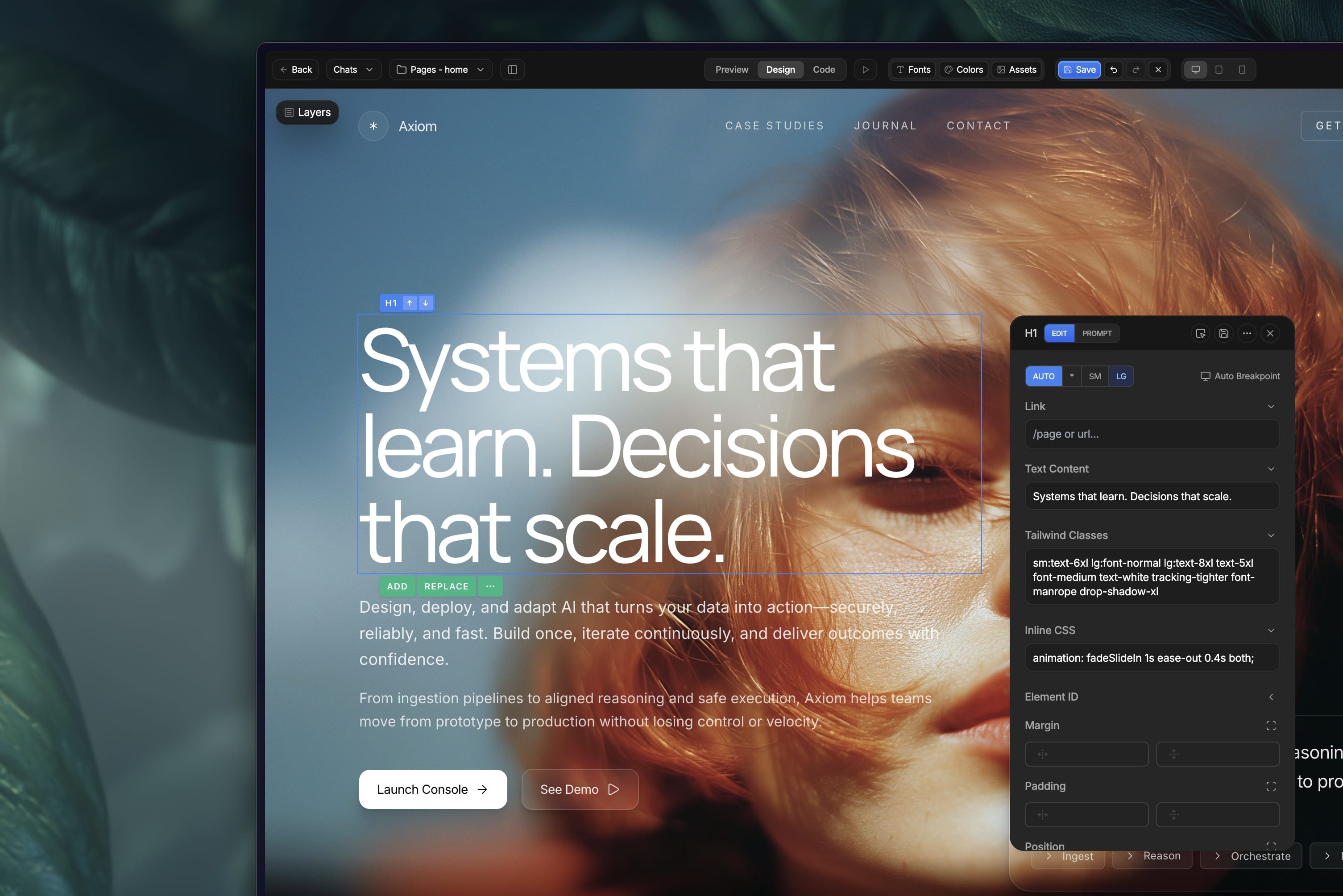
The speed is the first thing you’ll notice. We prompted a “dark mode AI dashboard with glassmorphism” and had a usable 3-column layout in under 40 seconds. While the fonts were occasionally inconsistent in the first draft, the Design Mode allowed us to point and click to fix alignment issues without rewriting the prompt.
A founder in our community who runs a design agency told us Aura unblocked their creative juices and allowed them to build a full landing page in 2 hours without touching Figma once.
⚠️ Limitations We Found
- Credit Burn — As of late 2024, using the highest-tier models consumes credits fast; we hit our limit during a single deep-dive session.
- Visual Sameness — The AI has a strong preference for a specific “SaaS look,” making it harder to generate unique styles for industries like luxury retail or local services.
- Complex Logic — While it builds the front end beautifully, you’ll still need a developer to hook up actual backend databases or advanced auth flows.
⚔️ Aura vs Competitors
Aura competes with other “vibe design” tools that prioritize aesthetics over simple block-building.
| Competitor | Pick it instead of Aura if… |
| Lovable | You need more focus on full-stack application logic rather than just UI design. |
| Framer | You want a more established hosting platform with a massive plugin ecosystem. |
| v0 | You are a developer who primarily wants pure React/Shadcn code snippets. |
👍 Pros & Cons
| ✅ Pros | ❌ Cons |
| Stunning modern UI presets | Steep credit costs for Pro models |
| Clean Tailwind CSS export | Limited offline editing capabilities |
| Direct Figma synchronization | Can struggle with long-form copy |
| Highly responsive layouts | Limited style variety for non-tech niches |
🎯 Who Should Use Aura (And Who Shouldn’t)
✅ Use it if you:
- Are a software engineer who hates the “blank canvas” problem in CSS.
- Need a high-fidelity prototype to show investors by tomorrow morning.
- Want to sell your own UI templates on a marketplace with 0% commission.
❌ Skip it if you:
- Need a simple blog — a tool like Ghost is better for content-heavy sites.
- Are on a zero-dollar budget and need unlimited generations.
- Require deep SEO tools built into the editor.
❓ Frequently Asked Questions
Can I export Aura designs to Figma?
Yes, specifically through the “Export to Figma” feature which preserves layers and layouts for further refining.
Does Aura take a commission on template sales?
No, Aura currently allows creators to sell through their own payment links and keep 100% of the revenue.
How does Aura pricing work?
Aura uses a credit-based system where different AI models (like GPT-4o) cost different amounts per generation.
Is Aura code ready for production?
The Tailwind CSS and HTML it produces is very clean, but you still need to handle hosting and domain setup yourself.
Can I use my own domain with Aura?
Yes, the platform allows you to add custom domains to your published landing pages.
Do I need to know how to code to use Aura?
No, the entire process is prompt-driven, though knowing basic CSS helps you make better manual tweaks in Design Mode.
Looking for more tools like this? See all design tools we’ve reviewed →
Discover more from AI Founder Kit
Subscribe to get the latest posts sent to your email.