🚀 Introduction & Quick Take
In today’s world, time is considered an invaluable source. We the businesses are always searching for ways to be faster and more efficient. Leap AI review appears to be a cut above the rest of the services on offer in the workflow automation segment given its ability to enable teams to leverage artificial intelligence to improve their performance on an excellent no code platform.
“Leap AI stands out as a revolutionary force in workflow automation, combining the power of AI with intuitive no-code functionality to deliver exceptional results.” – Industry Analysis
⚡ What is Leap AI?
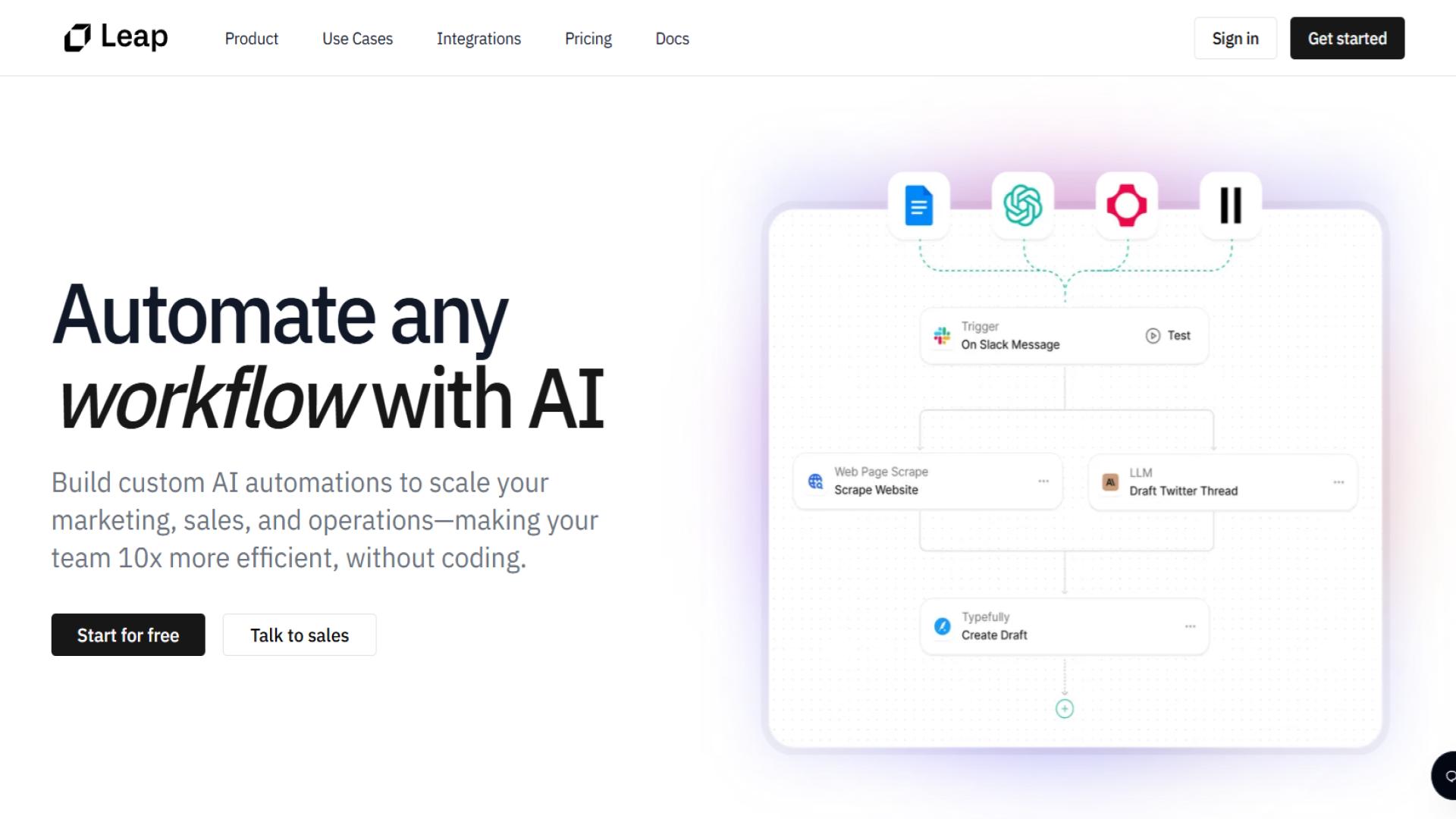
Leap AI is a no-code platform for automation that allows businesses to easily create and integrate highly complex AI-enhanced workflows, without writing a single line of code. The platform integrates with top business and AI tools allowing teams to implement different automation processes that boost productivity and eliminate manual work.
Most of the businesses are utilizing Leap AI features to access intricate tools and machines for automating manual tasks which would previously involve work from a human, that is by using artificial intelligence and machine learning features offered on the application. UI offered by the platform is so easy to use for everybody that it makes automation available for the majority of people.
🎯 Leap AI Features
Visual Workflow Builder
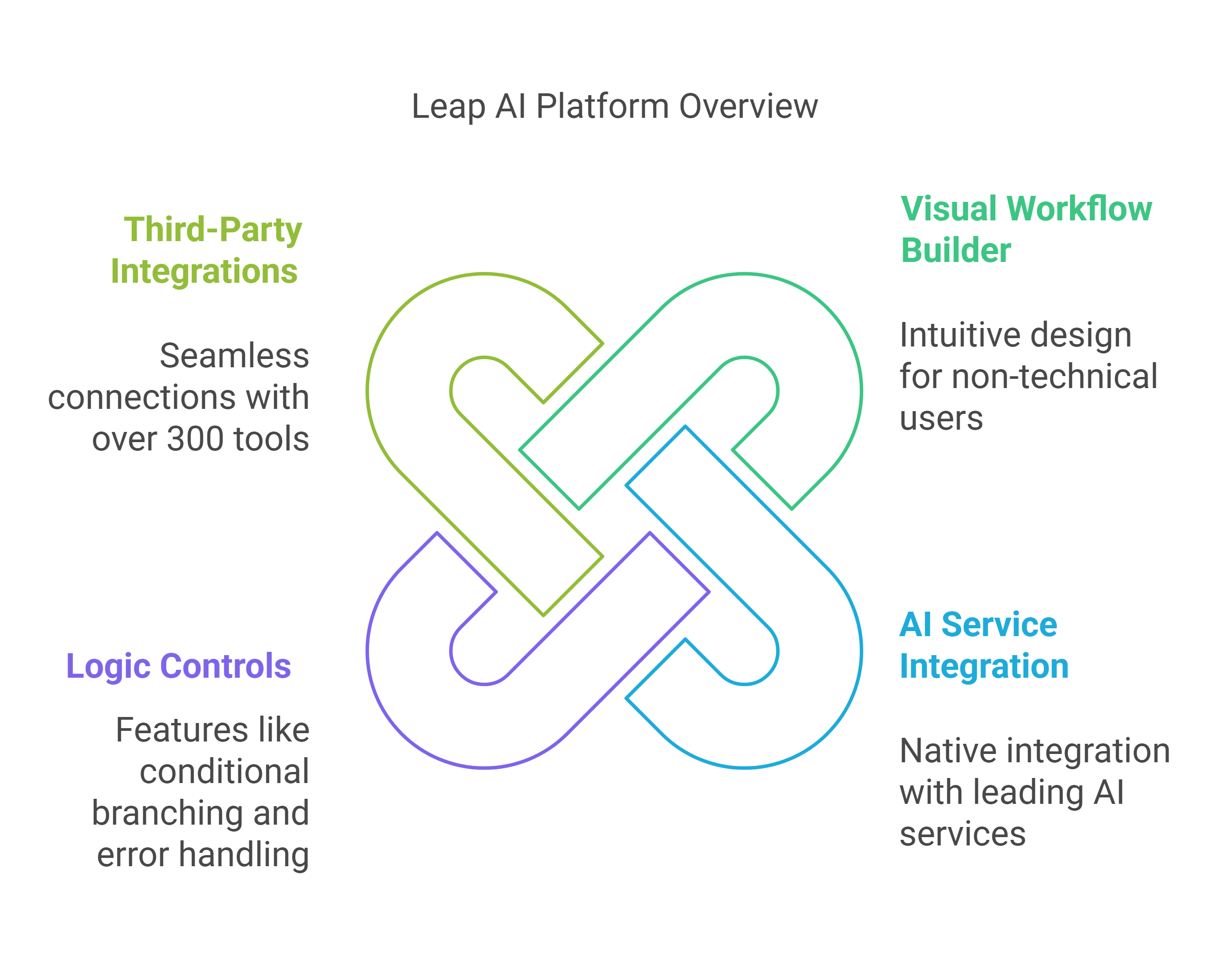
The heart of Leap AI’s functionality lies in its intuitive drag-and-drop interface. Users can easily design complex workflows by connecting different components, setting up conditions, and defining actions. This visual approach makes automation accessible to team members regardless of their technical expertise.
AI Service Integration
Leap AI excels in its native integration with popular AI services, including:
- OpenAI for natural language processing
- Anthropic for advanced AI capabilities
- Fal.ai for specialized AI functions
- Perplexity and Ragie for enhanced automation
Logic Controls and Conditional Statements
The platform offers robust logic controls that enable users to create sophisticated workflows with:
- Conditional branching
- Loop structures
- Error handling
- Custom variables
- Dynamic data mapping
Third-Party Integrations
Connect seamlessly with over 300 popular tools and services:
- Communication tools (Slack, Gmail)
- Project management platforms (Trello, GitHub)
- CRM systems (Salesforce)
- Marketing tools (Mailchimp)
- Content management systems (Ghost)
💫 What Does Leap AI Do Well?
Intuitive No-Code Experience
Leap AI excels in making complex automation accessible through its user-friendly interface. The platform’s visual workflow builder enables users to create sophisticated automation pipelines without any coding knowledge, significantly reducing the technical barrier to entry.
AI-Powered Automation
The platform’s deep integration with leading AI services sets it apart from traditional automation tools. Users can easily incorporate advanced AI capabilities into their workflows, enabling intelligent decision-making and process optimization.
Extensible Platform
Leap AI features’s extensive integration ecosystem allows businesses to connect their existing tools and services seamlessly. The platform’s API-first approach enables custom integrations and extensions, making it highly adaptable to specific business needs.
🎯 Leap AI Use Cases
Content Creation and Management
- Automated content generation and optimization
- Multi-platform content distribution
- Social media management
- SEO content optimization
Marketing Automation
- Lead generation and qualification
- Email marketing campaigns
- Social media scheduling
- Customer engagement tracking
Sales Process Automation
- Lead scoring and prioritization
- Sales outreach automation
- Follow-up scheduling
- Deal pipeline management
Customer Support
- Ticket routing and prioritization
- Automated response generation
- Customer feedback analysis
- Support workflow optimization
🚀 How to Get Started with Leap AI
- Sign Up and Account Creation
- Visit the Leap AI website
- Choose a pricing plan
- Complete the registration process
- Verify your email address
- Platform Onboarding
- Take the interactive tutorial
- Explore pre-built templates
- Connect your tools and services
- Set up team members and permissions
- Create Your First Workflow
- Select a template or start from scratch
- Configure AI services and integrations
- Set up logic and conditions
- Test and deploy your workflow
- Optimization and Scaling
- Monitor workflow performance
- Gather user feedback
- Optimize for efficiency
- Scale across teams and departments
👥 Who Is Leap AI For?
Business Size and Types
- Startups and small businesses seeking efficiency
- Mid-sized companies scaling operations
- Enterprise organizations implementing AI automation
- Digital agencies managing multiple clients
Roles and Departments
- Marketing teams automating campaigns
- Sales teams streamlining processes
- Customer support teams improving response times
- Operations teams optimizing workflows
- Content teams scaling production
🏢 Who is Using Leap AI?
Success Stories
Thirdweb
- Implementation: Content automation and research
- Results: 300% increase in content production
- ROI: 50% reduction in manual tasks
Paraform
- Implementation: Creative workflow automation
- Results: 200% improvement in process efficiency
- ROI: 40% cost reduction in operations
🌟 What Makes Leap AI Unique?
AI-First Approach
Unlike traditional automation platforms, Leap AI prioritizes AI integration, making advanced capabilities accessible through a no-code interface.
Community-Driven Templates
The platform features a growing library of community-contributed templates, accelerating implementation and sharing best practices.
Flexible Architecture
Leap AI’s modular design allows for custom extensions and integrations, making it adaptable to specific business needs.
🔗 Compatibilities and Integrations
AI Services
- OpenAI
- Anthropic
- Fal.ai
- Perplexity
- Ragie
Business Tools
- Communication: Slack, Gmail, Loom
- Project Management: Trello, GitHub, Notion
- Marketing: Mailchimp, Salesforce
- Content: Ghost, WordPress
- Analytics: Google Analytics, Mixpanel
💰 Leap AI Pricing
| Plan | Price | Features |
|---|---|---|
| Free | $0/month | – Basic workflow automation – Community templates – Limited runs per month – Email support |
| Pro | $99/month | – Unlimited workflow runs – Priority support – Team collaboration – Advanced integrations |
| Business | Custom | – Custom solutions – Dedicated support – SLA guarantees – Enterprise features |
🆚 Leap AI Alternatives
If Leap AI is not what you are looking for then Just go with these Leap AI alternatives….
| Feature | Leap AI | Zapier | Make | n8n |
|---|---|---|---|---|
| Starting Price | Free | $0 | $9 | Free |
| AI Integration | Native | Limited | Limited | Via API |
| No-Code Editor | Yes | Yes | Yes | Yes |
| Templates | 1000+ | 2000+ | 1000+ | 200+ |
| Enterprise Support | Yes | Yes | Yes | Self-hosted |
⚖️ Leap AI Pros ✅ and Cons ❎
- Intuitive no-code interface
- Powerful AI integration
- Extensive third-party integrations
- Active community and templates
- Robust security features
- Premium features require paid plans
- Learning curve for complex workflows
- Limited customization in free plan
- AI service costs not included
🤔 Why Leap AI May Not Be the Best Choice?
Technical Requirements
Organizations requiring deep customization or specific coding implementations might find the no-code approach limiting.
Budget Constraints
Small businesses with limited budgets might find the paid plans expensive, especially when combined with AI service costs.
Integration Needs
Companies heavily invested in specific ecosystems might prefer platform-specific automation tools.
👨💼 Expert Opinion
Leap AI reflects an important improvement in the realm of workflow automation, especially with respect to its approach towards integrating AI capabilities. The platform successfully reconciles the powerful automation with easy to implement making it a good fit for any firm that is seeking to effectively utilize AI within their operations.
📝 Summary
Looking for a versatile, easy-to-use workflow automation tool? Leap AI offers no-code integration and, most importantly, AI functionality. You will get all the important features, endless integrations, and plenty of active users that will help improve your business with automation functionalities.
Company Information
- Founded: 2022
- Location: San Francisco, California
- Company Size: 50-100 employees
Social Media & Support
- Twitter: @leapai
- LinkedIn: Leap AI
- Instagram: @leap.ai
- Support Email: [email protected]
Affiliate Program
- Signup URL: https://leap.ai/affiliates
- Affiliate Support: [email protected]
- Commission Rate: 30% recurring commission
- Cookie Duration: 30 days
Leap AI FAQ❓
How secure is Leap AI?
Leap AI implements enterprise-grade security measures, including encryption, role-based access control, and regular security audits.
Can I try Leap AI before purchasing?
Yes, Leap AI offers a free plan with basic features to test the platform’s capabilities.
Does Leap AI require coding knowledge?
No, Leap AI is designed as a no-code platform, though technical users can extend functionality through APIs.
How does pricing work for AI services?
AI service costs are separate from Leap AI subscription fees and depend on usage of integrated services.
Can I migrate existing workflows to Leap AI?
Yes, Leap AI provides tools and support for migrating workflows from other platforms.
What kind of support does Leap AI offer?
Support options range from community forums to dedicated account management, depending on the plan.
🌐 External Resources
- Leap AI Blog: https://blog.leap.ai
- Leap AI Documentation: https://docs.leap.ai
- Leap AI Community Forum: https://community.leap.ai
- Leap AI YouTube Channel: https://youtube.com/@leapai
- Leap AI GitHub: https://github.com/leap-ai
- Leap AI Developer Portal: https://developers.leap.ai
Discover more from AI Founder Kit
Subscribe to get the latest posts sent to your email.