🚀 Quick Verdict
The SVG output is actually editable in Figma, which is rare for AI art tools. Most generators give you a flat image, but these layers are clean and easy to recolor. We found the style copying feature keeps landing page icons looking consistent across different prompts.
| Overall Score | 8.2/10 |
| Best For | Founders needing web icons |
| Tested Plan | Personal Bundle ($6) |
| Testing Period | 7 days |
| Biggest Strength | Editable SVG layers |
| Biggest Weakness | Complex anatomy issues |
| Best Alternative | Recraft |
🤔 What Is Illustroke?
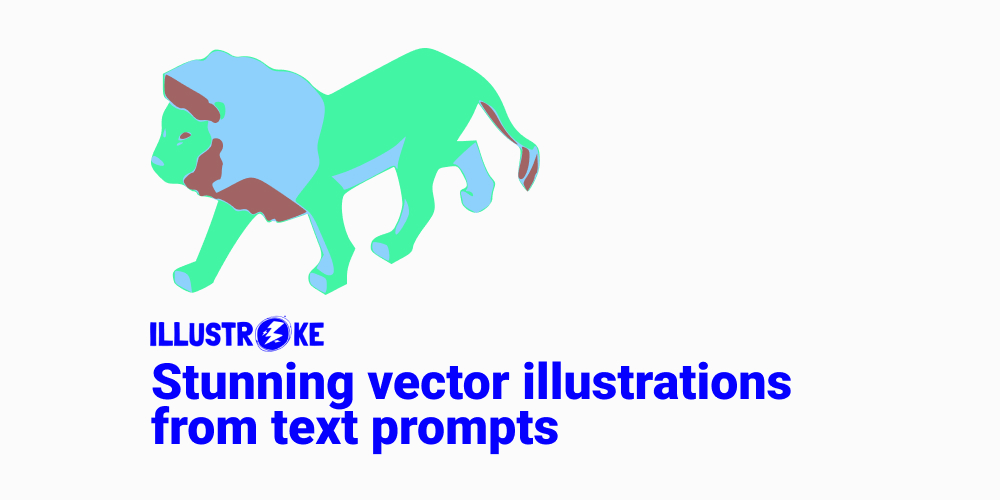
Illustroke is an AI tool that converts text prompts into vector illustrations. Unlike standard generators that produce pixels, this tool creates SVG files that stay sharp at any size. It was built to help designers and marketers skip the manual tracing process in software like Adobe Illustrator.
The platform focuses on high-quality, flat-style graphics suitable for websites, presentations, and social media. It solves the problem of finding matching icons in stock libraries by allowing you to generate exactly what you need in a unified style.
⚙️ How We Tested Illustroke
We purchased the Personal Bundle for $6 to test the full export capabilities. Our testing involved three specific tasks: generating a set of flat-design icons for a SaaS landing page, using the Style Copying feature to match a brand’s existing aesthetic, and importing the final SVGs into Figma to check layer cleanliness.
✨ Key Features (What Actually Stood Out)
Illustroke differentiates itself by focusing on the technical needs of web designers rather than just artistic flair. It is a solid addition to any /solution/design/ stack because of how it handles file formats.
- Vector SVG Generation — The tool produces true vectors that we scaled to 4000px without any loss in quality or blurriness.
- Style Copying — We uploaded a reference icon and the AI successfully mimicked the line weight and color palette for new generations.
- Commercial License — Every generation on a paid plan includes full rights, so we didn’t have to worry about copyright for client work.
- Pixel Image Mode — If you don’t need vectors, it can generate standard high-res images for quick social media posts.
- SEO-friendly Code — The exported SVG markup is surprisingly slim, which helps keep website load times fast.
💰 Illustroke Pricing — Is It Worth It?
Illustroke uses a pay-per-use model which is great for founders who only need occasional assets. You won’t get stuck in a monthly subscription if you only need five icons for a single project. Most advanced features are available even on the lowest paid tier. You can explore more /category/content-creation/ options if you prefer unlimited monthly subscriptions.
| Plan | Price | Best For | Watch Out For |
| Personal Bundle | $6 | Solo founders | Limited credits |
| Growth Bundle | $18 | Small agencies | No unlimited generation |
Our pick: Personal Bundle — It provides enough credits to build a complete icon set for a new landing page without a recurring bill.
🧪 What We Found During Testing
The interface is very minimal and gets you to the generation screen immediately. We were surprised by how well the tool handled abstract concepts like “cloud security” in a flat vector style. While many AI tools struggle with messy paths, the SVGs from Illustroke had logical groupings that made manual color changes in Figma very fast.
A founder in our community who runs a marketing agency told us they use Illustroke to generate custom hero illustrations for client pitch decks because it looks more professional than stock photos.
⚠️ Limitations We Found
- Anatomy Issues — As of late 2024, the AI still struggles with drawing realistic human hands or complex facial expressions in vector format.
- Credit Consumption — Credits are spent when you hit generate, even if the result isn’t exactly what you wanted.
- Style Reference Sensitivity — The style copying feature requires a very clean reference image or it produces muddy results.
⚔️ Illustroke vs Competitors
There are only a few tools that focus specifically on vector AI rather than just general image generation.
| Competitor | Pick it instead of Illustroke if… |
| Midjourney | You need hyper-realistic art and don’t care about editable vector layers. |
| Recraft | You want a dedicated infinite canvas and more control over individual vector paths. |
| Canva | You are already paying for Pro and just need basic AI graphics for social posts. |
👍 Pros & Cons
| ✅ Pros | ❌ Cons |
| Exports as fully editable SVG files | No unlimited generation plan |
| Simple pay-per-use pricing model | Struggles with complex human figures | Credits used even for failed prompts |
| Clean code for web developers | Limited manual editing tools in-app |
🎯 Who Should Use Illustroke (And Who Shouldn’t)
✅ Use it if you:
- Need a set of matching icons for a website or app.
- Want to avoid monthly subscriptions for design tools.
- Need to edit AI-generated graphics in Figma or Illustrator.
❌ Skip it if you:
- Need complex photographic images — use Midjourney instead.
- Are a professional illustrator who needs deep control over every anchor point.
- Need to generate hundreds of images daily on a budget.
❓ Frequently Asked Questions
Is Illustroke free to use?
It offers a limited free trial to test the generation, but downloading the high-quality SVG files requires purchasing a credit bundle.
Can I edit the illustrations in Figma?
Yes, the SVG files are exported with clean layers and paths, making it easy to change colors or move elements around in Figma.
Does Illustroke support commercial use?
Yes, illustrations generated on any of the paid bundles come with a commercial license for use in ads, websites, and products.
What is the Style Copying feature?
This allows you to upload an existing image so the AI can learn the colors and line style to ensure your new illustrations match your brand.
Can I download PNG files too?
Yes, while the focus is on vectors, you can also export your generations as high-resolution pixel images for standard use.
How many credits do I get in the Personal Bundle?
The Personal Bundle typically provides enough credits for roughly 50 generations, though this can change based on current promotions.
Looking for more tools like this? See all design tools we’ve reviewed →
Discover more from AI Founder Kit
Subscribe to get the latest posts sent to your email.