🚀 Quick Verdict
The speed of the multi-source search surprised us during our tests. It pulled data from a PDF and a YouTube transcript simultaneously without any lag. It’s much faster than manually searching through separate apps.
| Overall Score | 8.4/10 |
| Best For | Founders managing deep research |
| Tested Plan | Free Plan |
| Testing Period | 7 days |
| Biggest Strength | Fast multi-format cross-referencing |
| Biggest Weakness | Occasional errors in technical video summaries |
| Best Alternative | NotebookLM |
🤔 What Is IKI?
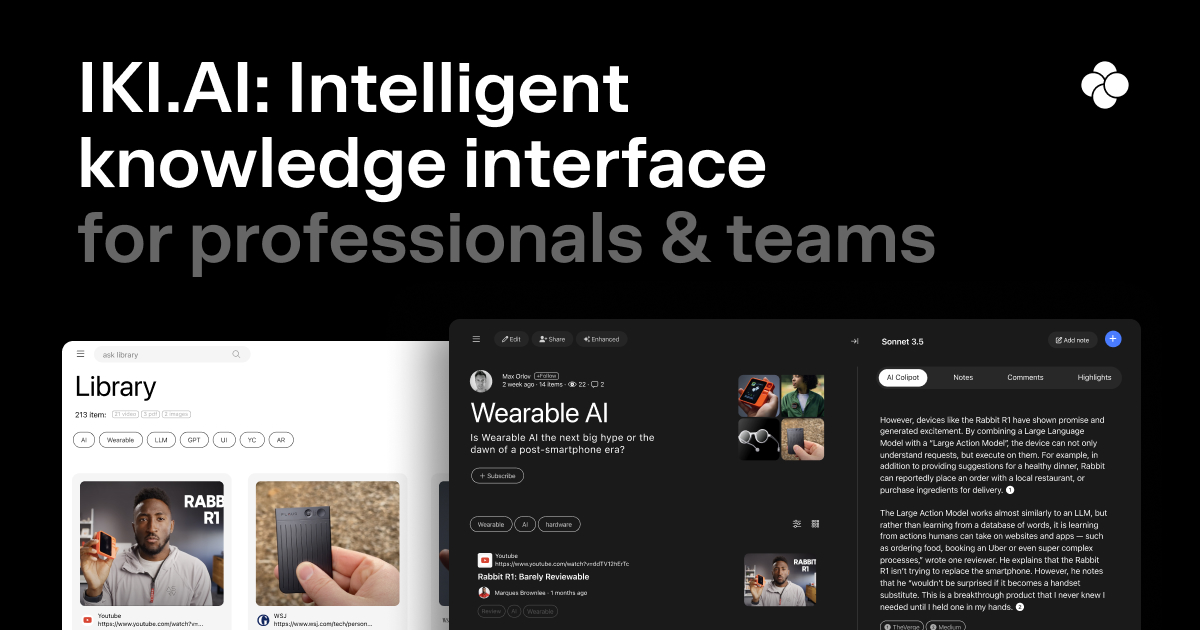
IKI is a knowledge interface that acts as a central hub for your professional information. It lets you save links, documents, and videos into one searchable space.
The tool uses AI to help you find specific answers across everything you’ve saved. It was built to solve the problem of information overload for researchers and founders. You can use it to build a personal library that learns from your data.
⚙️ How We Tested IKI
We used the Free Plan over 7 days to manage a new project launch. Our team performed 3 tasks: cross-referencing data from 5 industry PDFs, summarizing a 20-minute YouTube strategy video, and organizing 15 browser bookmarks into a single workspace.
✨ Key Features (What Actually Stood Out)
IKI stands out by merging a digital library with a chat interface. It lets you find connections across different media types in a single /category/productivity/ workflow.
- Multi-source querying — We asked questions that required data from both a PDF and a web link. The AI successfully pulled facts from both sources in one answer.
- OCR technology — We uploaded a scanned document with handwriting. The tool correctly identified the text and made it searchable within seconds.
- Browser extension — This allowed us to save articles directly while browsing. It’s a quick way to build a library without leaving your current tab.
- AI Digest — The tool generates summaries of your saved content automatically. We found it helpful for getting a quick overview of long reports we hadn’t read yet.
- Team spaces — We set up a shared folder for collaboration. It kept our project resources in one place so everyone could query the same data set.
💰 IKI Pricing — Is It Worth It?
The pricing structure is built for growth. You can start with the free tier to test the /usecase/productivity/ features before committing to a paid plan.
| Plan | Price | Best For | Watch Out For |
| Free Plan | 0 | Individuals | Limited monthly uploads |
| Pro Plan | Check Site | Power users | Higher usage limits |
Our pick: Free Plan — It’s the best way to see if the AI co-pilot fits your specific research style.
🧪 What We Found During Testing
During our tests, the speed of the search was the highlight. We didn’t experience the usual delay when querying large PDF files. The YouTube summary feature was accurate, though it missed some detail in very technical videos. We liked how the interface stays clean even with dozens of sources. It’s much easier than using a traditional folder system on a hard drive.
A founder in our community who runs a content agency told us that the ability to query across both YouTube transcripts and PDFs at the same time saved them from manual note-taking.
⚠️ Limitations We Found
- Video detail — The AI sometimes misses subtle points in highly technical or long videos as noted during our test in early 2024.
- OCR limits — Very messy handwriting or low-quality scans can lead to occasional text errors.
- Mobile experience — The web app is great on desktop but feels a bit cramped when managing large libraries on a phone.
⚔️ IKI vs Competitors
Founders often compare IKI against tools that manage browser history or document libraries.
| Competitor | Pick it instead of IKI if… |
| Heyday | You want an automated browser memory that resurfaces past tabs without manual saving. |
| Perplexity | You need real-time web search rather than a private library of your own documents. |
| NotebookLM | You are already deep in the Google ecosystem and only need document-based chat. |
👍 Pros & Cons
| ✅ Pros | ❌ Cons |
| Fast multi-source search | Occasional errors in technical video summaries |
| Excellent OCR for scans | Mobile interface feels cramped |
| Simple browser extension | Free tier has upload limits |
| Clean and minimal UI | No offline mode available |
🎯 Who Should Use IKI (And Who Shouldn’t)
✅ Use it if you:
- Are a founder who needs to cross-reference data from multiple reports and videos.
- Are a researcher who wants a searchable library of your own bookmarks.
- Work in a team that needs a central hub for project-specific knowledge.
❌ Skip it if you:
- Only need a simple web search tool like Perplexity.
- Prefer to keep your notes in a dedicated app like Notion.
- Need a research tool that works entirely offline.
❓ Frequently Asked Questions
Is IKI AI free to use?
Yes, there’s a free plan available for individual users to test the core features.
Can IKI AI read scanned PDFs?
Yes, it uses OCR to read and index both digital and scanned PDF documents.
What is the IKI co-pilot?
It’s an AI assistant that answers questions based on the documents and links you’ve saved.
Does IKI AI support YouTube videos?
Yes, it can summarize and query information directly from YouTube video transcripts.
Is there an IKI browser extension?
Yes, you can use the extension to save content to your library with one click.
Can teams use IKI for collaboration?
Yes, there are team spaces designed for collaborative research and shared knowledge management.
Looking for more tools like this? See all productivity tools we’ve reviewed →
Discover more from AI Founder Kit
Subscribe to get the latest posts sent to your email.