🚀 Quick Verdict
The screenshot scanner is the standout feature because it actually turns a static image into editable components. We found the text-to-design results often need manual cleanup for overlapping text and alignment. It’s a solid choice for founders who can’t use complex design software.
| Overall Score | 7.8/10 |
| Best For | Non-designers and founders |
| Tested Plan | Pro ($19/month) |
| Testing Period | 7 days |
| Biggest Strength | Converting sketches to digital layouts |
| Biggest Weakness | Messy AI layout generation |
| Best Alternative | Visily |
🤔 What Is Uizard?
Uizard is an AI design tool built for people who don’t have formal training in UI or UX. Miro Labs acquired the company in 2024 to bring more generative features to their visual workspace. It helps teams move from a rough idea to a clickable prototype without hiring a freelancer for every iteration.
The platform solves the blank canvas problem by letting you describe an app in plain English. It also includes scanners that digitize whiteboard drawings or existing app screenshots. This makes it a bridge between a founder’s vision and a developer’s requirements.
⚙️ How We Tested Uizard
We signed up for the Pro plan at $19 for one month to test the premium AI features. Our team completed three specific tasks: generating a multi-screen food delivery app from a text prompt, converting a notebook sketch into a wireframe, and exporting a button component to CSS. We used the web browser version for all tests.
✨ Key Features (What Actually Stood Out)
Uizard focuses on speed rather than pixel-perfect control found in design tools like Figma. It feels more like a smart presentation tool than a heavy graphics editor.
- Autodesigner 2.0 — This tool creates several screens based on a prompt. During our test, it generated a logical user flow for a login and dashboard, though the icons were inconsistent.
- Screenshot Scanner — You can upload a picture of any app you like. It breaks the image into editable parts so you can change the text or colors immediately.
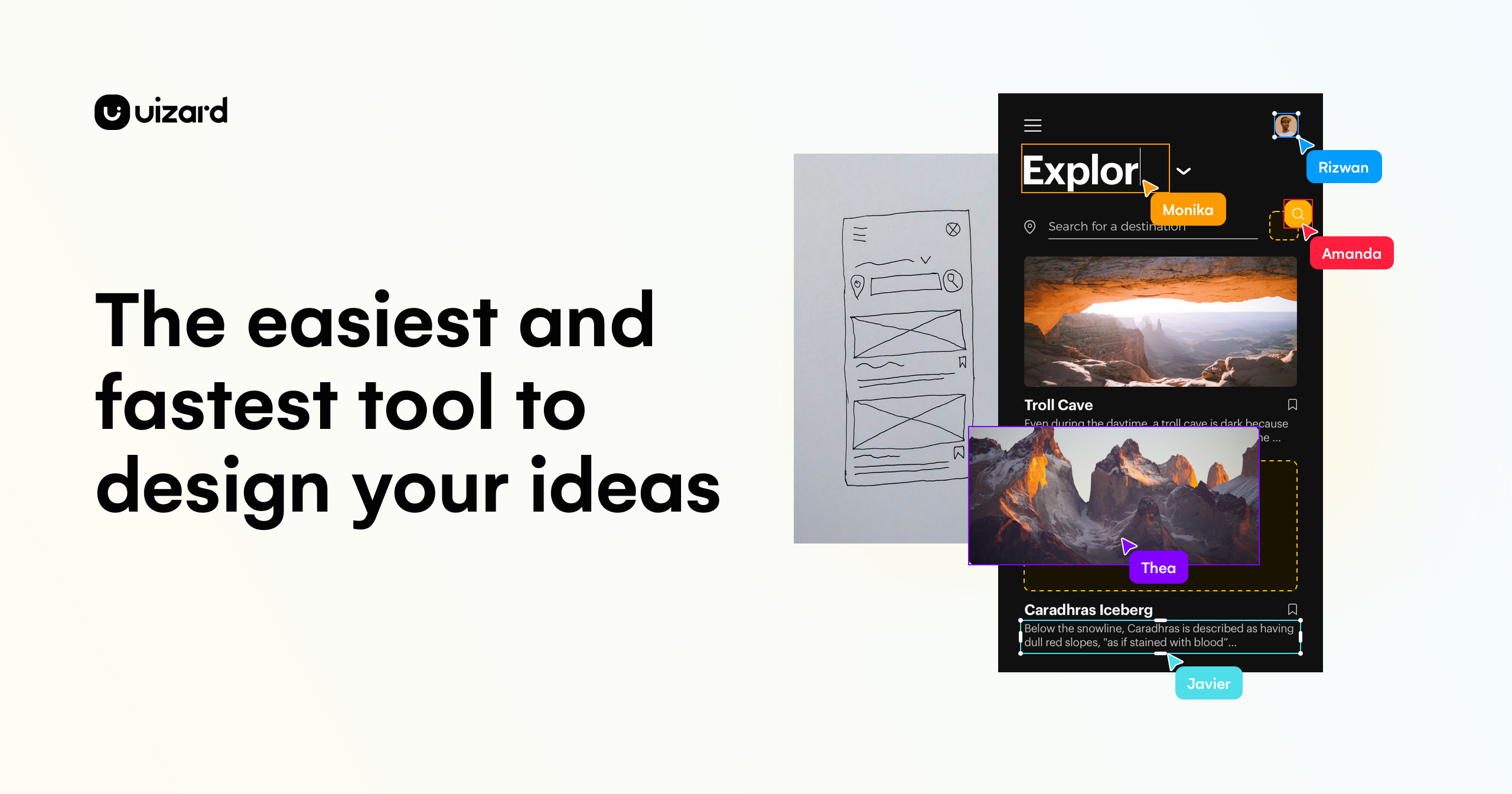
- Wireframe Scanner — We drew a messy landing page on a napkin and scanned it. The AI identified the header, image blocks, and buttons with surprising accuracy.
- Focus Predictor — This generates a heatmap showing where a user might look first. It’s a helpful way to check if your call-to-action button is visible enough.
- Theme Generator — You can pull colors and fonts from a URL or image. It’s the fastest way to match your mockup to your existing brand assets.
💰 Uizard Pricing — Is It Worth It?
The free plan is very restricted since you only get two projects and limited AI generations. If you’re building a nocode project, the Pro plan is usually necessary to get the full export options. Be aware that the $12 price point requires an annual commitment.
| Plan | Price | Best For | Watch Out For |
| Free | $0 | Testing the editor | Only 2 projects allowed |
| Pro | $12/mo (Annual) | Early-stage founders | AI credits are limited |
| Business | $49/mo (Annual) | Larger teams | Expensive for solo users |
Our pick: Pro Plan — It gives you the necessary access to the Autodesigner and allows for more than two projects.
🧪 What We Found During Testing
When we asked the AI to build a fitness app, it produced five screens in under a minute. The layout was clean, but we noticed the AI placed text on top of other elements on the signup screen. We had to spend ten minutes moving boxes around to make it readable. The component library is helpful because you can drag in pre-made buttons that already look professional.
A founder in our community who runs a marketing agency told us the screenshot scanner helped them show clients new layout ideas without starting from zero.
⚠️ Limitations We Found
- Figma Export Issues — Moving designs to Figma often results in broken layers. As of late 2024, this remains a common complaint for teams moving to high-fidelity production.
- AI Credit Caps — Even on paid plans, you can run out of AI generations quickly if you’re experimenting with different prompts.
- Limited Customization — It lacks the advanced vector tools that professional designers use for custom icon work or complex illustrations.
⚔️ Uizard vs Competitors
Uizard sits between simple whiteboarding tools and professional design suites. It’s faster than manual tools but less precise.
| Competitor | Pick it instead of Uizard if… |
| Figma | You need pixel-perfect control and industry-standard handoff for developers. |
| Visily | You want a similar AI experience but with a more generous free tier for multiple projects. |
| v0 | You want to generate actual React code rather than just a visual prototype. |
👍 Pros & Cons
| ✅ Pros | ❌ Cons |
| Fastest way to turn a sketch into a digital mockup | AI often generates overlapping or messy text layers |
| Very easy for people with zero design background | Free plan is too limited for real project work | Exporting to Figma is often a frustrating process |
| Great library of pre-made UI components | Monthly pricing is high compared to competitors |
🎯 Who Should Use Uizard (And Who Shouldn’t)
✅ Use it if you:
- Are a founder who needs to show a visual idea to investors quickly.
- Want to digitize hand-drawn wireframes from a brainstorming session.
- Need to create a basic mockup but don’t want to learn Figma.
❌ Skip it if you:
- Are a professional UI designer who needs full control over every layer. Use Figma instead.
- Need to generate production-ready code. Use v0 for that.
- Have a zero-dollar budget for more than two small projects.
❓ Frequently Asked Questions
Is Uizard free to use?
There’s a free plan that lets you create two projects and use basic components, but the AI Autodesigner requires a paid subscription.
Can Uizard export to Figma?
Yes, there’s an export feature, but we found it often requires significant manual fixing once the file opens in Figma.
Does Uizard generate real code?
It provides CSS and React code snippets for individual components, but it doesn’t build a full functional codebase for your app.
Is Uizard better than Figma for beginners?
Yes, because it removes the complex tools and uses AI to handle the layout, making it much easier for non-designers to start.
Can I use Uizard for mobile app design?
Yes, it has specific templates and screen sizes for iOS and Android, and the Autodesigner can build full mobile user flows.
How many projects can I have on the free plan?
You’re limited to two active projects on the free tier, which makes it hard to use for more than one idea at a time.
Looking for more tools like this? See all design tools we’ve reviewed →
Discover more from AI Founder Kit
Subscribe to get the latest posts sent to your email.