🚀 Quick Verdict
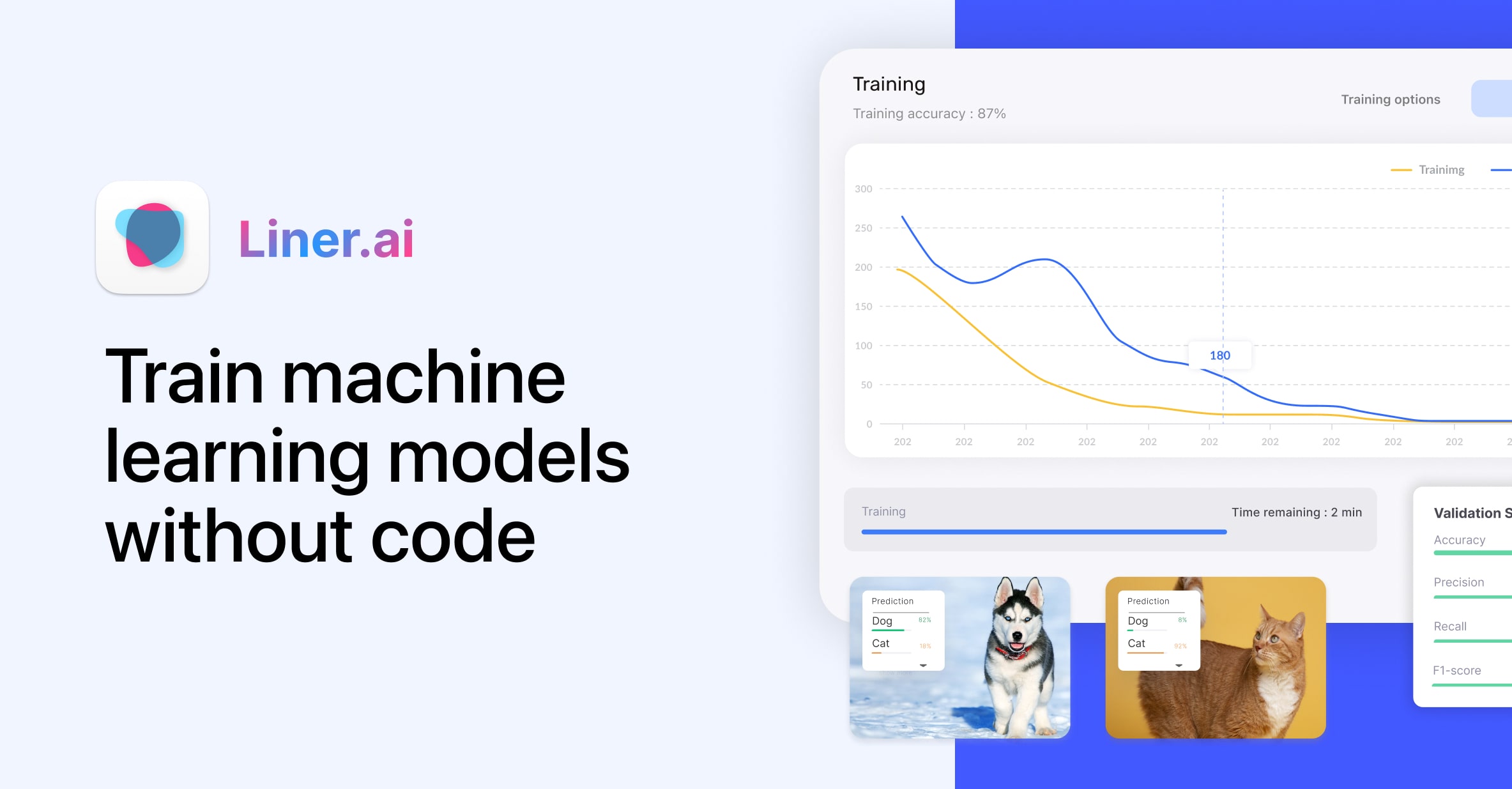
Liner makes training machine learning models accessible by removing the need for a cloud subscription or a high-end GPU. We successfully trained a custom image classifier on a standard laptop in under ten minutes. It’s a great starting point for founders who want to add smart features to their apps without high costs.
| Overall Score | 8.5/10 |
| Best For | Founders building custom ML prototypes |
| Tested Plan | Free Desktop App |
| Testing Period | 7 days |
| Biggest Strength | Local processing for data privacy |
| Biggest Weakness | No cloud-based collaboration features |
| Best Alternative | Lobe |
🤔 What Is Liner AI Model Builder?
Liner is a desktop application designed to help people build machine learning models without writing code. It handles the complex math and setup in the background, allowing you to focus on your data. You can train models to recognize images, sounds, or text by simply dragging and dropping files into the interface.
The tool was built for speed and privacy. Unlike cloud-based tools, it runs entirely on your computer, so your proprietary business data never leaves your machine. It’s particularly useful for founders who need to build a proof-of-concept for an AI-driven product quickly.
⚙️ How We Tested Liner AI Model Builder
We tested the free desktop version on a Mac for 7 days. We performed three specific founder tasks: training an image classifier for product inventory, setting up text intent classification for customer emails, and exporting a trained model for a mobile app prototype.
✨ Key Features (What Actually Stood Out)
Liner stands out because it doesn’t require a specialized graphics card to work. You can find more tools for building apps in our nocode category.
- Local Training — Your training data stays on your hard drive. We appreciated that we didn’t have to wait for large video files to upload to a server before starting.
- CPU Optimization — The app is built to run fast on standard processors. Our laptop didn’t overheat even when training a model with several hundred images.
- Multi-Modal Support — It handles more than just images. We tested the audio classification feature by training it to recognize specific machinery sounds, and it worked with high accuracy.
- One-Click Export — Once your model is ready, you can export it to formats like TensorFlow or CoreML. This makes it easy to hand off the final file to a developer for integration.
- Public Datasets — If you don’t have enough data yet, you can use their built-in library. We used their yoga pose dataset to test the pose classification feature in seconds.
💰 Liner AI Model Builder Pricing — Is It Worth It?
Liner is completely free with no hidden subscriptions or usage caps. This makes it an excellent choice for automation projects where you want to experiment without a financial commitment.
| Plan | Price | Best For | Watch Out For |
| Desktop App | $0 | Everyone | Requires local storage space |
Our pick: Desktop App — It’s the only way to use the tool and provides the best performance by using your own hardware.
🧪 What We Found During Testing
We found the setup process to be very straightforward. After downloading the app, we were able to start our first project immediately without creating an account. The interface uses a simple drag-and-drop system that feels more like a design tool than a technical development environment.
During our text classification test, we imported a CSV of customer feedback. The tool categorized the intents correctly in less than a minute. We were surprised that the accuracy remained high even with a relatively small dataset of fifty entries per category.
A founder in our community who runs a small manufacturing business told us they used it to build a prototype for identifying part numbers on a conveyor belt without hiring a data scientist.
⚠️ Limitations We Found
- Desktop Only — As of 2024, there is no web-based version. You have to download and install the software to use it.
- Hardware Limits — While it’s optimized for CPUs, very large datasets with thousands of high-resolution videos will still be slow on older laptops.
- Fixed Architectures — You can’t change the deep layers of the neural networks. This makes it great for beginners but limited for advanced engineers who want total control.
⚔️ Liner AI Model Builder vs Competitors
Liner competes with other no-code ML tools that aim to simplify the training process for non-technical users.
| Competitor | Pick it instead of Liner AI Model Builder if… |
| Teachable Machine | You want to train a simple model in your browser without downloading any software. |
| Lobe | You only need image classification and want a tool backed by Microsoft. |
| Create ML | You are building exclusively for Apple devices and want deep integration with Xcode. |
👍 Pros & Cons
| ✅ Pros | ❌ Cons |
| Completely free to use | Must download desktop software |
| Runs locally for total privacy | No cloud storage for datasets |
| Supports images, text, and audio | Limited advanced configuration |
| Fast training on standard CPUs | Large datasets require high RAM |
🎯 Who Should Use Liner AI Model Builder (And Who Shouldn’t)
✅ Use it if you:
- Need to build a custom AI prototype quickly for a pitch or MVP.
- Handle sensitive data that cannot be uploaded to the cloud.
- Want to learn the basics of machine learning without learning to code first.
❌ Skip it if you:
- Need a browser-based tool for quick sharing — try Teachable Machine.
- Are a data scientist who needs to fine-tune specific neural network hyperparameters.
- Want a tool that manages your data in the cloud for team collaboration.
🔐 Data & Privacy
Liner is one of the few AI tools that prioritizes local privacy. Your training data and the resulting models never leave your computer. There is no cloud sync, meaning you have total control over your intellectual property. You can find more details on their official site.
❓ Frequently Asked Questions
Is Liner AI really free to use?
Yes, the tool is completely free to download and use for both personal and commercial projects without any subscription fees.
Do I need a high-end GPU for Liner?
No, Liner is optimized to run efficiently on standard CPUs, though better hardware will speed up training for very large datasets.
Where is my data stored when using Liner?
All data is stored locally on your Windows or Mac computer. Nothing is sent to the cloud during the training process.
Can I export models from Liner to mobile?
Yes, you can export your trained models to formats that work on mobile and edge devices, including TensorFlow and CoreML.
Does Liner work on both Windows and Mac?
Yes, Liner is available for Windows and both Intel and Apple Silicon versions of macOS.
What types of AI models can I build?
You can build models for image classification, text classification, audio classification, object detection, and pose classification.
Looking for more tools like this? See all nocode tools we’ve reviewed →
Discover more from AI Founder Kit
Subscribe to get the latest posts sent to your email.