🚀 Quick Verdict
The OCR correctly identified a blurry merchant name on a crumpled coffee receipt that our phone’s native scanner missed. It caught a duplicate invoice we uploaded twice during our stress test. The recent shift to the Doxis brand makes the interface feel geared toward larger enterprises rather than small startups.
| Overall Score | 8.4/10 |
| Best For | Finance teams and logistics firms |
| Tested Plan | Custom Demo Environment |
| Testing Period | 7 days |
| Biggest Strength | Fraud detection for manipulated docs |
| Biggest Weakness | No public transparent pricing |
| Best Alternative | Rossum |
🤔 What Is Klippa?
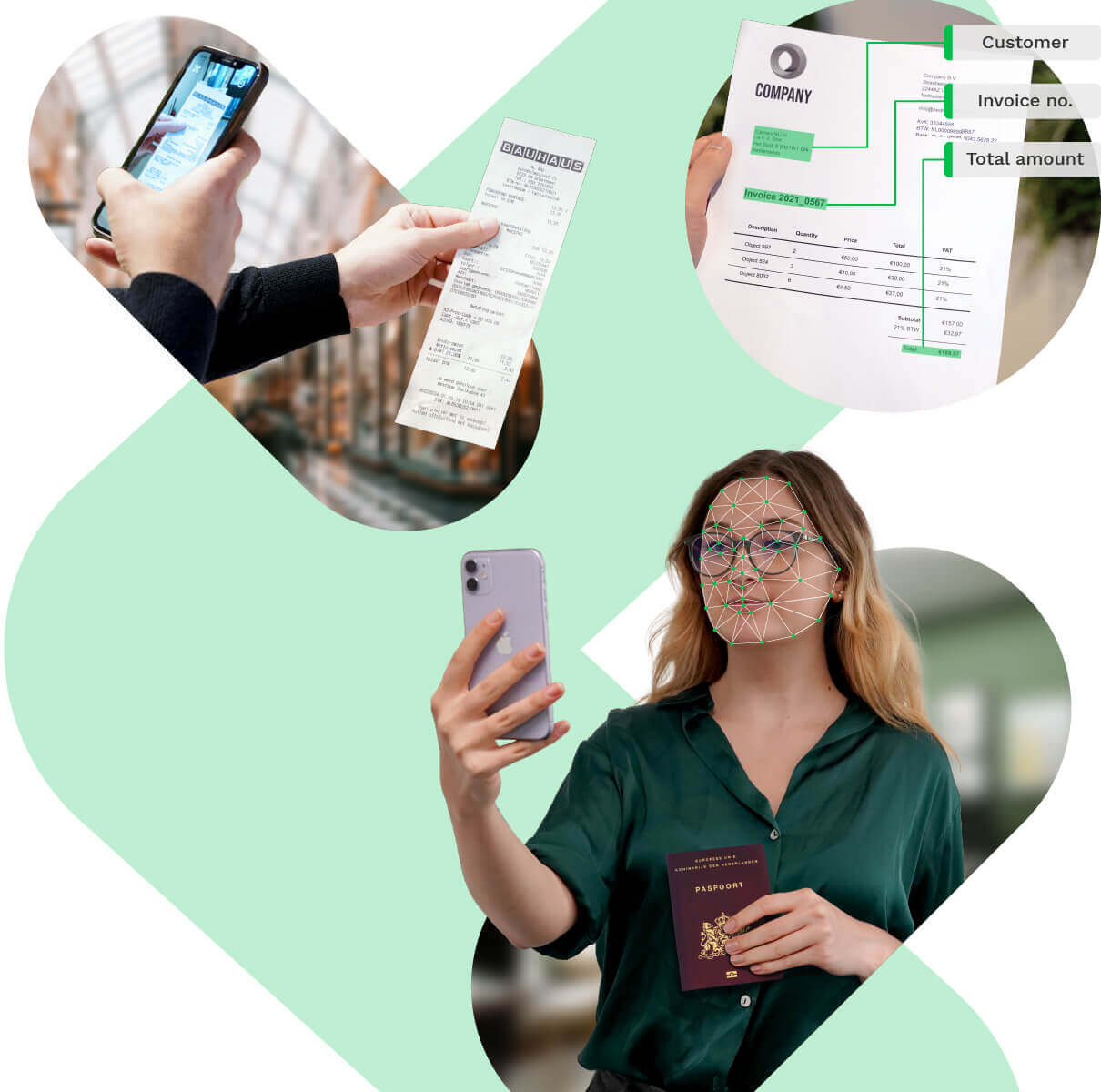
Klippa is a tool that turns physical documents into structured digital data. It uses optical character recognition to read text from invoices, receipts, and passports. The company recently joined the SER Group and rebranded its core tech as Doxis AI.dp.
It solves the problem of manual data entry in accounting and compliance departments. Founders use it to handle high volumes of paperwork without hiring extra administrative staff. It also includes tools to spot fake bank statements or altered invoices.
⚙️ How We Tested Klippa
We used a custom demo account to process 30 documents over one week. Our testing focused on three specific tasks: extracting line items from five international invoices, setting up an automated rule to flag duplicate receipts, and testing the SpendControl mobile app for employee expense claims.
✨ Key Features (What Actually Stood Out)
The tool goes beyond simple scanning by adding a layer of logic to every document. You can explore more automation tools in our full directory.
- Fraud Detection — This flagged a bank statement where we manually changed a digit in a PDF editor. It looks for metadata inconsistencies and pixel manipulation.
- Workflow Builder — We used the drag-and-drop interface to route high-value invoices to a specific manager for approval. It didn’t require any coding to set up the logic.
- KYC Verification — The system extracted data from a passport and cross-checked it against a selfie in under ten seconds. It’s useful for businesses that need to verify customer identities quickly.
- SpendControl — This mobile app lets employees snap photos of receipts on the go. It automatically matched the receipts to credit card transactions in our test.
- Line Item Extraction — It pulled individual tax rates and item descriptions from a complex invoice with 15 different entries. Most basic tools only grab the total amount.
💰 Klippa Pricing — Is It Worth It?
Klippa doesn’t publish fixed prices on its website because costs depend on your document volume. This is a common hurdle for founders who want to know their costs upfront. You’ll need to book a demo to get a quote tailored to your productivity needs.
| Plan | Price | Best For | Watch Out For |
| Custom | Quote Based | Scale-ups | Volume commitments |
Our pick: Custom Quote — Since there’s no self-serve tier, you should ask for a pilot project to test your specific document types before signing a long contract.
🧪 What We Found During Testing
The speed of extraction was the most impressive part of the test. Most documents were processed and turned into JSON data in less than five seconds. We tried to trick the system with a receipt that had coffee stains over the date, and it still managed to read the year correctly. The mobile app felt stable, though the interface for the web dashboard has a slight learning curve for new users.
A founder in our community who runs a logistics firm told us the fraud detection caught three duplicate invoices in one month. They mentioned it saved them from paying the same vendor twice for the same shipment.
⚠️ Limitations We Found
- Rebrand Confusion — As of March 2025, the transition to Doxis means some documentation still uses the old Klippa names. This makes finding help articles slightly harder.
- No Self-Serve Setup — You can’t just sign up with a credit card and start. You have to talk to a sales rep, which slows down the onboarding process for small teams.
- Custom Model Training — Training the AI for highly specialized or unique document formats takes more time and data than we expected.
⚔️ Klippa vs Competitors
Klippa competes with other enterprise-grade document tools that focus on high accuracy and compliance.
| Competitor | Pick it instead of Klippa if… |
| Rossum | You need a more modern, cloud-native interface for high-volume invoice queues. |
| Docsumo | You want a tool that is easier to set up for niche financial documents without a sales call. |
| ABBYY | You are a legacy enterprise requiring on-premise deployment options for strict security. |
👍 Pros & Cons
| ✅ Pros | ❌ Cons |
| High accuracy on blurry or stained documents | No public pricing or free-to-start tier |
| Built-in fraud detection for security | Sales-led onboarding takes more time | Dashboard UI feels a bit dated |
| GDPR and ISO certified for data safety | Documentation is currently split between brands |
🎯 Who Should Use Klippa (And Who Shouldn’t)
✅ Use it if you:
- Handle hundreds of invoices or expense claims every month.
- Need to verify customer IDs for compliance or KYC.
- Want to automate the detection of fraudulent documents.
❌ Skip it if you:
- Are a solo founder only processing ten receipts a month. Link to Expensify instead.
- Need a tool you can set up and pay for in five minutes.
- Don’t want to go through a sales demo to see the product.
🔐 Data & Privacy
Klippa is ISO 27001 and GDPR compliant. They host data on secure servers in the EU and offer options for data anonymization. You can find their full privacy policy on the Doxis website.
🔌 Integrations
We tested the integrations with QuickBooks and NetSuite. Both worked well for syncing extracted invoice data directly into the accounting ledger. They also support SAP, Salesforce, and Microsoft 365.
❓ Frequently Asked Questions
Is Klippa the same as Doxis?
Yes, Klippa was acquired by the SER Group in 2025. Its document processing tools are now sold under the Doxis AI.dp brand.
Does Klippa work with handwritten receipts?
It can read clear handwriting, but accuracy drops compared to printed text. It works best on standard machine-printed invoices and receipts.
Can I use Klippa for KYC?
Yes, it has a specific module for identity documents like passports and driver’s licenses. It can extract data and check for signs of forgery.
What languages does Klippa support?
It supports all languages that use the Latin alphabet. This includes English, Spanish, French, German, and Dutch.
Is there a free version of Klippa?
No, there’s no free tier. You must contact their team for a demo and a custom price quote.
How does Klippa detect fraud?
It uses AI to check for edited text, duplicate submissions, and inconsistencies in document metadata that suggest manipulation.
Looking for more tools like this? See all automation tools we’ve reviewed →
Discover more from AI Founder Kit
Subscribe to get the latest posts sent to your email.