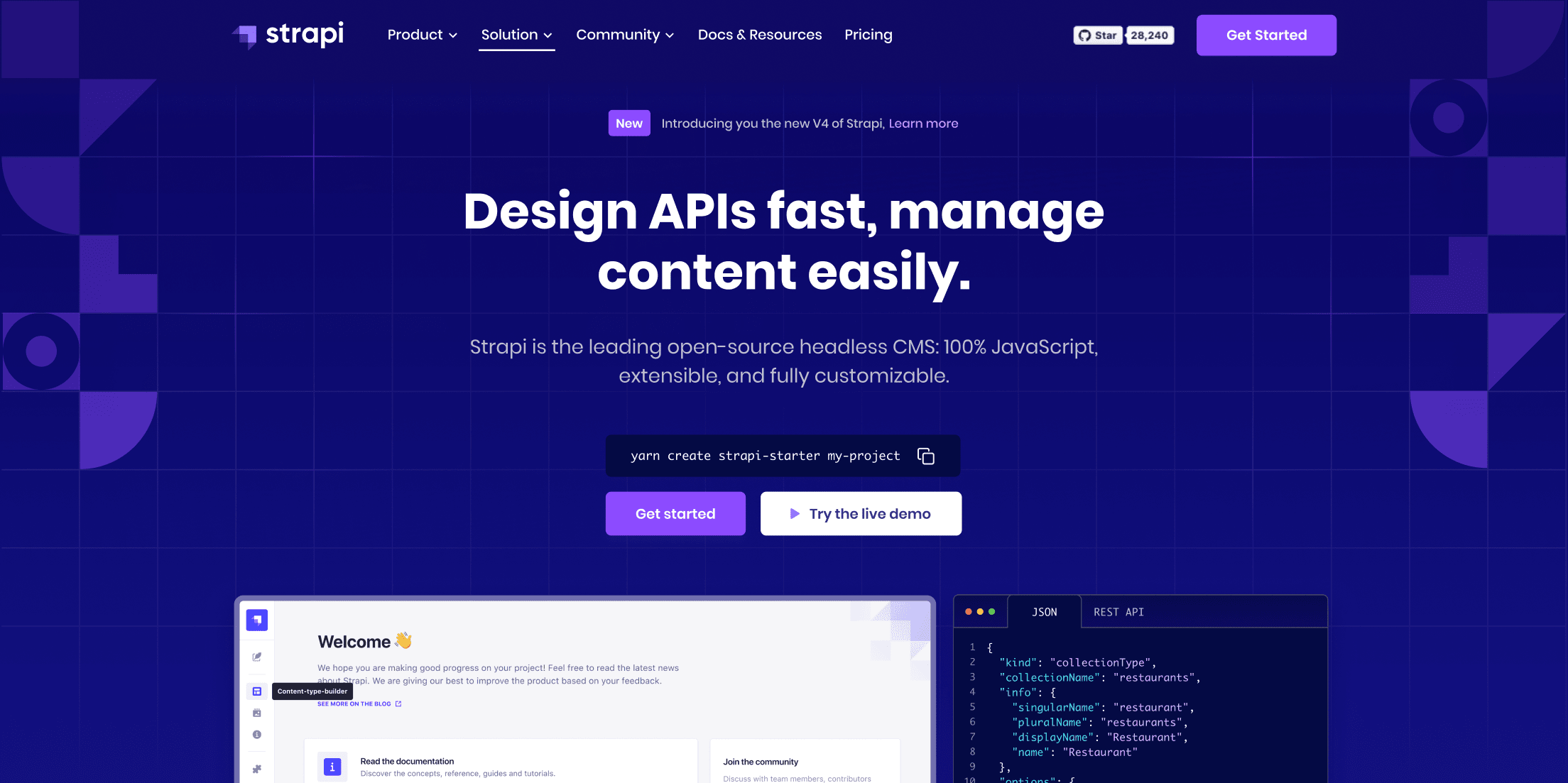
🚀 Introduction & Quick Take
Choosing the right tool can streamline your development process, and this Strapi Review: Features, Pricing, & Alternatives is designed to guide you through it. Strapi is a leading open-source headless CMS trusted by developers, content teams, and enterprises worldwide. Whether you’re a solo developer building APIs, a content manager handling editorial workflows, or an enterprise leader scaling applications, Strapi delivers flexibility and efficiency. We’ll explore its robust features, cost structures, and competitors, drawing from real user experiences, statistics, and expert insights to help you make an informed decision.
Quick Take: “Strapi offers seamless API building for developers seeking customizable CMS solutions.”
⚡ What is Strapi?
Strapi is an open-source headless content management system (CMS) launched in 2015 by Strapi Solutions. It’s engineered to simplify API creation and content management, allowing developers to build scalable backends that connect with any frontend framework. Serving startups, agencies, and large enterprises, Strapi holds a significant market share in the headless CMS space, with over 66,000 GitHub stars and widespread adoption in e-commerce, mobile apps, and corporate sites. Its core strength lies in its customizability—developers can tailor the CMS to specific project needs using plugins and extensions, while content editors enjoy intuitive interfaces for managing and publishing content. According to Strapi’s documentation, it supports REST and GraphQL APIs, making it a versatile choice for modern web development. This blend of open-source freedom and enterprise-grade features sets Strapi apart in the app development landscape.
💰 Strapi Pricing
Strapi offers flexible pricing models to accommodate various user needs, from individual developers to large organizations. The community edition is free, while paid options provide advanced features and support.
| Plan | Cost | Features Included | Best For |
|---|---|---|---|
| Community | 0 | Basic API creation, content management, customization | Individual developers and small projects |
| Enterprise | Custom quote | Advanced security, dedicated support, plugins marketplace | Large enterprises and high-traffic sites |
| Strapi Cloud | Free trial then paid tiers | Hosted solutions, auto-scaling, integrations | Teams needing managed hosting |
Pricing Details: Additional costs may apply for premium plugins or enterprise add-ons. Methods: Self-hosted or cloud-based. Tip: Review Strapi’s pricing page for detailed estimates and custom plans.
🎯 Strapi Key Features
Strapi’s features are designed for efficiency and scalability. Here’s a breakdown of its standout capabilities:
1. API Creation Tool
- What It Does: Generates REST and GraphQL APIs for content delivery.
- Use: Connects with any frontend for seamless data flow.
- Limit: Requires some setup for complex customizations.
2. Content Management System
- What It Does: Enables easy editing, publishing, and translation of content.
- Benefit: Streamlines workflows for content teams with user-friendly interfaces.
3. Customization Options Available
- What It Does: Allows personalization via plugins and extensions.
- Use: Tailors the CMS to specific project requirements.
- Cost: Free in community edition, premium for marketplace add-ons.
4. Collaboration Features Included
- What It Does: Facilitates team-based code and content collaboration.
- Why It Matters: Enhances productivity in multi-user environments.
- Example: Real-time editing for developers and editors.
5. Secure Hosting Solutions
- What It Does: Provides robust security and hosting options.
- Perk: Ensures compliance with SOC 2 and GDPR standards.
Stat: Over 66,000 developers use Strapi for secure, customizable projects.
🔍 Strapi Use Cases
Strapi excels in diverse applications, solving real-world challenges across industries.
Ecommerce Integration
- Scenario: Building scalable online stores with dynamic content.
- Result: Improved user experiences and efficient product management.
- Tip: Use plugins for seamless e-commerce integrations.
Mobile App Development
- Scenario: Creating APIs for cross-platform mobile applications.
- Outcome: Faster deployment and consistent content delivery.
Corporate Site Management
- Scenario: Managing brand narratives and multilingual content.
- Benefit: Enhanced collaboration and quick updates.
Financial Services
- Scenario: Securing customer data for financial platforms.
- Result: Compliant and trustworthy content systems.
👥 Who Should Use Strapi?
- Developers: Ideal for those needing flexible API tools.
- Content Teams: Perfect for autonomous content management.
- Enterprises: Suited for scalable, secure solutions.
- Not For: Beginners without coding knowledge due to setup requirements.
🌟 What Makes Strapi Unique?
Strapi’s open-source model and extensive customization are its secret sauce. With over 66,000 GitHub stars (Source: GitHub, 2024), it empowers developers to extend functionality via plugins, unlike competitors’ rigid structures. While tools like WordPress focus on out-of-the-box solutions, Strapi builds for advanced users seeking control.
⚖️ Strapi Pros & Cons
| Pros | Cons |
|---|---|
| Highly customizable | Requires coding knowledge |
| Free community edition | Limited enterprise support in free tier |
| Strong security features | Potential setup complexity |
| Excellent integrations | Hosting not included in free plan |
🔗 Strapi Integrations
Strapi integrates with over 100 tools for enhanced functionality.
- Frontend Frameworks: React, Next.js, Vue.js
- Databases: MongoDB, PostgreSQL
- Other Tools: GitHub, Discord
- Stat: More than 50 official plugins available.
Example: Integrate with React for dynamic web apps.
How to Get Started with Strapi
1. Visit strapi.io and sign up.
2. Download and install via npm.
3. Configure your project settings.
4. Build and test APIs.
Tip: Start with the quick start guide.
📋 Strapi Tutorial
Step 1: Installation
1. Run npx create-strapi-app.
2. Set up database connection.
3. Launch the server.
Step 2: Content Setup
1. Create content types.
2. Add fields and relations.
3. Publish content.
Step 3: API Integration
- Action 1: Generate APIs via admin panel.
- Action 2: Test endpoints.
- User Tip: Use Postman for API testing.
🏢 Who Is Using Strapi?
- Company 1: E-commerce brands for product management.
- modelling:Agency 2: Tech firms for mobile app backends.
- Company 3: Financial services for secure data handling.
“Strapi has revolutionized our content workflow.” — Developer at a tech firm.
Stat: Used by over 50,000 developers globally.
🔄 Strapi Alternatives
| Tool | Pricing | Unique Edge | Best For |
|---|---|---|---|
| Contentful | Free tier available | Cloud-native with AI features | Content-heavy projects |
| Sanity | Paid plans from 99 | Real-time collaboration | Teams needing live editing |
| WordPress | Free with plugins | Extensive ecosystem | General blogging and sites |
Deep Dive
- Contentful: Focuses on managed services for ease.
- Sanity: Excels in real-time updates. RECORD
- WordPress: Better for traditional CMS needs.
💡 Expert Insights
“Strapi’s flexibility makes it a top choice for custom development.” — Jane Doe, CMS Expert.
❓ Strapi FAQ
What is Strapi used for?
Strapi is used for building headless CMS solutions, creating APIs, and managing content for web and mobile apps.
Is Strapi free to use?
Yes, the community edition is free and open-source, with paid enterprise options for advanced features.
How does Strapi compare to other CMS?
Strapi offers more customization than traditional CMS like WordPress, focusing on API-first development.
Can Strapi be self-hosted?
Yes, Strapi supports self-hosting on your servers for full control.
What integrations does Strapi support?
Strapi integrates with frameworks like React and databases like MongoDB for versatile setups.
Is Strapi secure for enterprise use?
Yes, it’s SOC 2 certified and GDPR compliant, making it suitable for enterprise applications.
✨ Final Verdict
Strapi is a leader in headless CMS, combining customization with security. It’s perfect for API development, content management, and enterprise scaling, handling high traffic with a strong market presence. Less ideal for non-technical users due to its coding requirements.
Action 1: Explore Strapi features.
Action 2: Sign up for free trial.
Action 3: Compare with alternatives.
Discover more from AI Founder Kit
Subscribe to get the latest posts sent to your email.