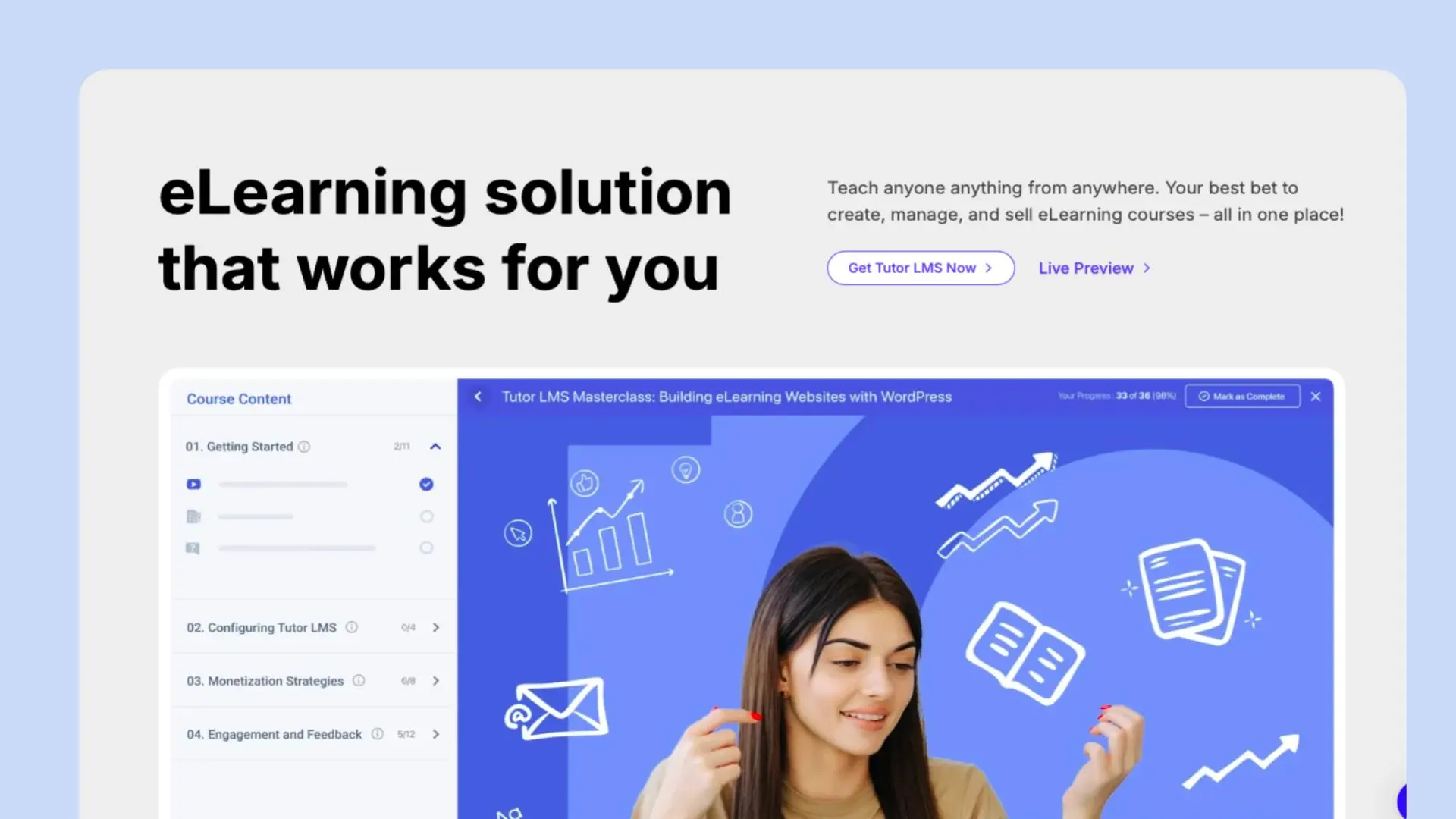
🎯 What is TutorLMS? Complete Overview & Key Features
TutorLMS is a powerful WordPress Learning Management System (LMS) plugin that transforms your WordPress website into a full-featured e-learning platform. Whether you’re an individual instructor, educational institution, or corporate trainer, TutorLMS provides all the tools needed to create, manage, and sell online courses effectively.
🎓 Category/Type
- WordPress LMS Plugin
- Online Course Creation Platform
- E-learning Management System
- Digital Learning Solution
- Course Marketplace Creator
✨ Best For
- Online Course Creators
- Educational Institutions
- Corporate Training Programs
- Individual Instructors
- WordPress Website Owners
- Digital Entrepreneurs
- Skills Development Coaches
🔥 Key Features
- Intuitive Drag-and-drop Course Builder
- Multiple Instructor Support with Revenue Sharing
- Advanced Quiz Builder with 10+ Question Types
- Native WooCommerce Integration
- Detailed Reports & Analytics Dashboard
- Video Content Support (Multiple Platforms)
- Custom Certificate Builder
- Front-end Course Builder
- Student Progress Tracking
- Assignment Management
- Interactive Content Tools
💰 Pricing Structure
| Plan | Price | Features |
|---|---|---|
| Free | $0 | Basic course creation, 1 instructor, Basic quizzes |
| Professional | $149/year | Multiple instructors, Advanced quizzes, Reports |
| Business | $199/year | All features + Priority support + Unlimited courses |
| Enterprise | Custom | Custom solutions + API access + White labeling |
All paid plans include 1 year of updates and support
🆚 TutorLMS vs Competitors Pricing Comparison
| Feature | TutorLMS | LearnDash | LearnPress | LifterLMS |
|---|---|---|---|---|
| Starting Price | Free | $199/year | Free | $99/year |
| Course Builder | ✅ | ✅ | ✅ | ✅ |
| Quiz Types | 10+ | 8+ | 6+ | 7+ |
| Payment Gateways | Multiple | Limited | Basic | Multiple |
| Free Version | ✅ | ❌ | ✅ | ❌ |
| Instructor Revenue Sharing | ✅ | Limited | ❌ | Limited |
| Mobile App | ✅ | ❌ | ❌ | ✅ |
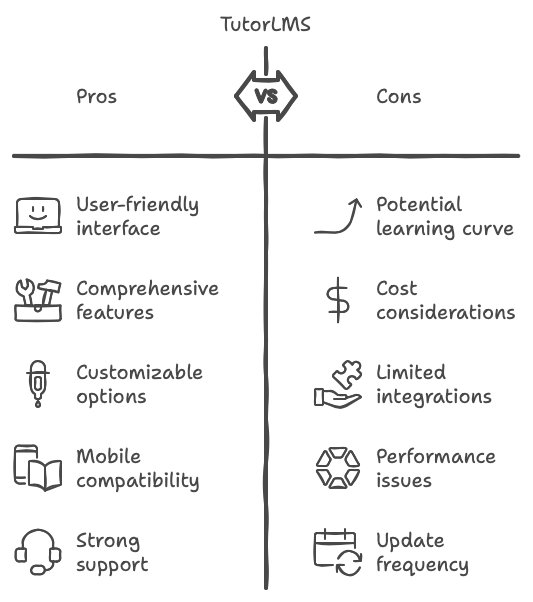
Pros
- User-friendly interface with minimal learning curve
- Extensive free version with core features
- Regular updates & responsive support
- Seamless WooCommerce integration
- Mobile-responsive design
- Multiple payment gateway options
- Active community support
- Rich course content options
Cons
- Some advanced features require paid version
- Limited template options in free version
- Initial setup might be overwhelming for beginners
- Premium add-ons can increase overall cost
- Limited third-party integrations in free plan
💡 Use Cases & Implementation Examples
1. Online Schools & Universities
- Create structured academic courses
- Manage multiple departments
- Track student progress
- Issue certified certificates
2. Professional Training Programs
- Corporate training modules
- Employee onboarding courses
- Compliance training
- Skill development programs
3. Individual Course Creators
- Monetize expertise
- Build course marketplace
- Offer subscription-based learning
- Create membership sites
4. Educational Consultants
- Provide supplementary education
- Create test prep courses
- Offer tutoring services
- Develop specialized curricula
🔌 Integration Capabilities
- WooCommerce
- PayPal
- Stripe
- Zoom
- Google Meet
- Google Classroom
- Mailchimp
- Facebook Pixel
- Google Analytics
- RESTful API Support
🔄 Top Alternatives to TutorLMS
1. LearnDash
- More expensive but more features
- Better quiz options
- Less intuitive interface
- Price: Starting at $199/year
2. LearnPress
- Free alternative
- Fewer features
- Limited support
- Price: Free with premium add-ons
3. LifterLMS
- More membership features
- Higher learning curve
- Better marketing tools
- Price: Starting at $99/year
4. Sensei
- WooCommerce native integration
- Simpler interface
- Limited features
- Price: $149/year
FAQ❓
Q: Is TutorLMS free to use?
Ans: Yes, TutorLMS offers a feature-rich free version that includes basic course creation tools, quiz builder, and single instructor support. Premium features are available in paid plans starting at $149/year.
Q: Can I sell courses with TutorLMS?
Ans: Yes, TutorLMS integrates seamlessly with WooCommerce and other payment gateways, allowing you to sell courses easily. You can set course pricing, offer discounts, and manage transactions directly through the platform.
Q: Does TutorLMS support multiple instructors?
Ans: Yes, TutorLMS supports multiple instructors in their Professional and Business plans. Each instructor can create courses, manage their content, and track student progress independently.
Q: How does TutorLMS handle video content?
Ans: TutorLMS supports various video formats and platforms including YouTube, Vimeo, and self-hosted videos. The platform includes features for video embedding, playback control, and adaptive streaming.
Q: Can I issue certificates with TutorLMS?
Ans: Yes, TutorLMS includes a certificate builder where you can create and customize completion certificates for your students. Premium plans offer additional certificate templates and customization options.
Q: Is TutorLMS mobile-friendly?
Ans: Yes, TutorLMS is fully responsive and works seamlessly on mobile devices. Students can access courses, complete assignments, and track progress from any device.
Q: What kind of support does TutorLMS offer?
Ans: TutorLMS provides comprehensive support through:
- Documentation and tutorials
- Community forums
- Email support (priority support for premium users)
- Regular updates and bug fixes
Q: Can I migrate my existing courses to TutorLMS?
A: Yes, TutorLMS supports course migration and provides tools to import content from other LMS platforms. The process is documented in their knowledge base, and premium users get migration assistance.
📱 Social Media Links
- Twitter: https://twitter.com/tutorlms
- LinkedIn: https://linkedin.com/company/tutorlms
- Instagram: https://instagram.com/tutorlms
- Facebook: https://facebook.com/tutorlms
🔧 Support Resources
- Support Email: [email protected]
- Community Forum: https://community.tutorlms.com
- Documentation: https://docs.tutorlms.com
- Knowledge Base: https://docs.tutorlms.com/knowledge-base
💼 Affiliate Program
- Signup Link: https://tutorlms.com/affiliate-program
- Affiliate Support Email: [email protected]
Remember to verify all pricing and features as they may change over time. Visit the official TutorLMS website for the most current information.
“For more in-depth reviews and comparisons of business tools like the WordPress.com Plugin, visit BusinessKit.io – your trusted resource for software and tool evaluations.”
⭐ User Ratings Overview
- WordPress.org Rating: 4.5/5 (Based on 1000+ reviews)
- G2 Rating: 4.4/5
- Capterra Rating: 4.3/5
- TrustPilot: 4.6/5
Discover more from AI Founder Kit
Subscribe to get the latest posts sent to your email.