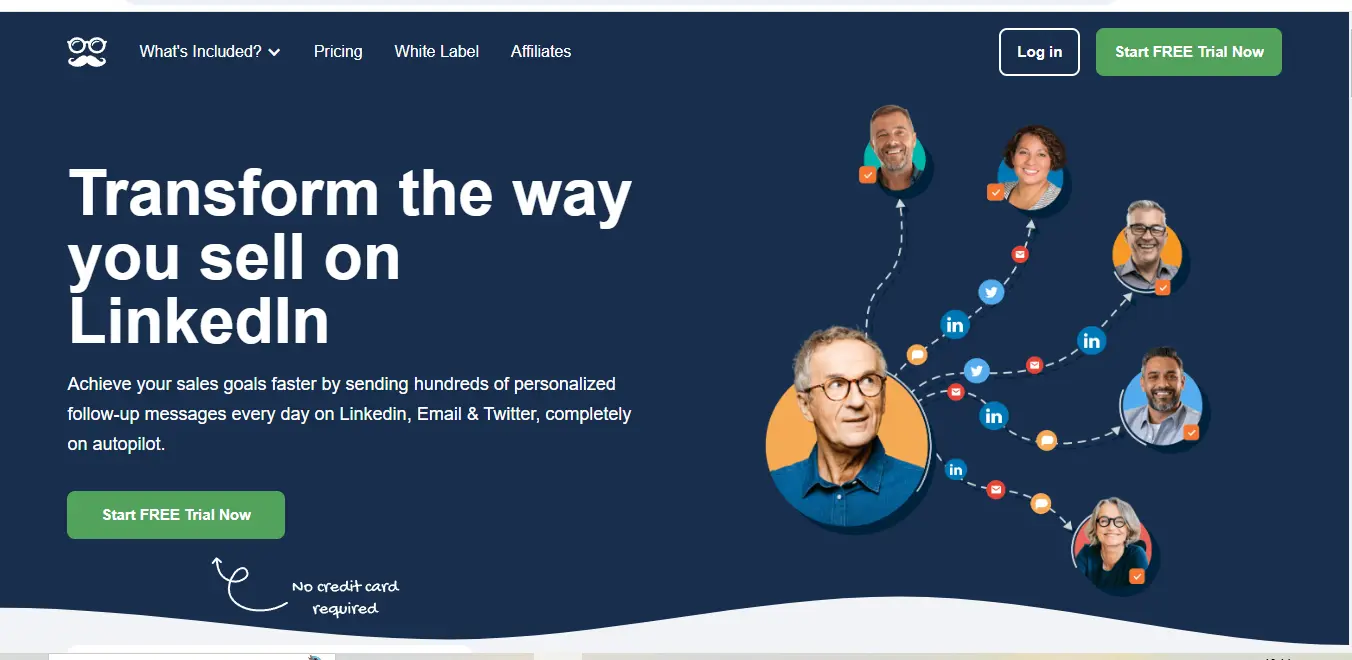
⚡ What is Meet Alfred?
Meet Alfred (formerly known as Leonard) is a comprehensive social selling and outreach automation platform that helps businesses connect with prospects across LinkedIn, Email, and Twitter. Founded in 2016 by Jérémy Chatelain and based in London, UK, Meet Alfred has evolved into a sophisticated tool that enables sales professionals to create multi-channel outreach campaigns, automate follow-ups, and track engagement metrics.
At its core, MeetAlfred functions as your digital sales assistant, handling repetitive outreach tasks while allowing you to focus on building genuine relationships with prospects who engage with your campaigns. The platform combines automation capabilities with personalization features to ensure your outreach feels authentic and targeted, rather than generic and spammy.
MeetAlfred stands out by offering a complete ecosystem for social selling that integrates with your existing CRM systems and sales workflows. The platform emphasizes compliance with LinkedIn’s terms of service and prioritizes safety features to protect your social media accounts while maximizing outreach efficiency.
💰 Meet Alfred Pricing
Meet Alfred offers three main pricing tiers designed to accommodate different business needs and scales. Here’s a comprehensive breakdown of their pricing structure:
| Plan | Price | User Limit | Campaign Accounts | Key Features |
|---|---|---|---|---|
| Essential | $29/month | 1 user | 1 LinkedIn + 1 Email | – Multi-channel sequences – 600 LinkedIn connection requests/month – Email warm-up tool – Basic CRM integration – Standard analytics |
| Advanced | $49/month | 1 user | 1 LinkedIn + 3 Email | – Everything in Essential – Advanced LinkedIn filters – TeamLink access – Email verification – Advanced sequence builder – Enhanced analytics dashboard – Zapier integration |
| Professional | $129/month | 1 user | 1 LinkedIn + 10 Email | – Everything in Advanced – Unlimited email accounts – Custom tracking domains – Advanced A/B testing – Team collaboration tools – Priority customer support – API access |
| Business | Custom pricing | Multiple users | Multiple accounts | – Everything in Professional – Dedicated account manager – Custom integrations – Advanced team permissions – Enhanced security features – Training & onboarding |
Additional Pricing Notes:
- Annual billing discounts available (save up to 20%)
- 14-day free trial available (credit card required)
- No long-term contracts required
- Additional users can be added for $39/month per user
- One-time onboarding fee may apply for Business plans
🎯 Meet Alfred Key Features
Meet Alfred offers a robust set of features designed to optimize your social selling and outreach efforts. Here’s an in-depth look at its core capabilities:
Multi-Channel Campaign Builder
The heart of Meet Alfred’s platform is its sophisticated campaign builder that enables you to create personalized outreach sequences across multiple channels. This feature allows you to:
- Design step-by-step outreach workflows that combine LinkedIn actions, email messages, and Twitter engagements
- Set custom time delays between touchpoints to optimize response rates
- Create conditional logic that adapts your sequence based on prospect actions
- Personalize messages at scale using dynamic variables and custom fields
- A/B test different message variations to identify the most effective approaches
The campaign builder uses a visual interface with drag-and-drop functionality, making it accessible even for users without technical expertise. You can create templates for different use cases and audience segments, saving significant time when launching new campaigns.
LinkedIn Automation
Meet Alfred provides comprehensive LinkedIn automation capabilities that help you leverage the platform’s networking potential while maintaining compliance with its terms of service:
- Automated connection requests with personalized messages
- Profile view automation to increase visibility with target prospects
- InMail and message automation with follow-up sequences
- Content engagement automation (likes, comments, shares)
- Advanced LinkedIn search integration for precise targeting
- Smart daily limits to protect your LinkedIn account
The platform includes safety features like random time intervals between actions and activity limits to ensure your automation activities appear natural and don’t trigger LinkedIn’s security measures.
Email Outreach Automation
The email outreach functionality complements LinkedIn automation by adding another touchpoint in your multi-channel strategy:
- Email sequence builder with delay settings and follow-up logic
- Email verification to validate addresses before sending
- Email warm-up tool to improve deliverability
- Open and click tracking with detailed analytics
- Reply detection to pause sequences when prospects engage
- Custom tracking domains for improved deliverability
- HTML email templates with dynamic personalization
Meet Alfred’s email capabilities integrate seamlessly with Gmail, Outlook, and most SMTP providers, giving you flexibility in your email infrastructure setup.
CRM Integration & Data Management
To ensure your outreach efforts align with your broader sales strategy, Meet Alfred offers robust data management and integration capabilities:
- Native integrations with major CRM platforms (Salesforce, HubSpot, Pipedrive)
- Two-way data synchronization to keep contact information updated
- Custom field mapping for personalized outreach
- Automated contact import from various sources
- Lead scoring based on engagement metrics
- Contact tagging and segmentation tools
- Campaign results export for reporting purposes
These integrations help eliminate manual data entry and ensure your sales team works with the most up-to-date prospect information across systems.
Analytics & Reporting Dashboard
Meet Alfred provides comprehensive analytics to measure the effectiveness of your outreach campaigns:
- Campaign performance metrics (open rates, response rates, connection acceptance)
- Channel comparison analytics to identify your most effective outreach methods
- Engagement timeline visualization
- Team performance reporting
- A/B test results analysis
- Custom report builder
- Scheduled report delivery to stakeholders
The analytics dashboard gives you actionable insights to continuously refine your outreach strategy and improve conversion rates over time.
🔄 Meet Alfred Use Cases
Meet Alfred’s versatile feature set makes it suitable for various business applications. Here are the primary use cases where the platform excels:
Sales Prospecting & Lead Generation
Meet Alfred transforms how sales teams approach prospecting by enabling systematic outreach at scale. Sales professionals can:
- Identify and connect with decision-makers at target companies
- Nurture leads through multi-touch, multi-channel sequences
- Move prospects through the sales funnel with timely follow-ups
- Integrate with CRM systems to track prospect journeys
- Generate meetings and demos with qualified leads
A mid-sized software company used Meet Alfred to increase their qualified sales meetings by 47% in the first quarter after implementation by systematizing their outreach to enterprise prospects.
Recruitment & Talent Acquisition
Recruiting teams leverage Meet Alfred to connect with passive candidates and build talent pipelines:
- Reach out to qualified candidates on LinkedIn with personalized messages
- Maintain communication with potential hires through nurture campaigns
- Automate follow-ups for interview scheduling
- Build and maintain a talent community for future openings
- Track candidate engagement and response rates
A tech recruitment agency reported cutting their time-to-hire by 35% after implementing Meet Alfred for candidate outreach and relationship management.
Business Development & Partnership Outreach
For companies looking to establish strategic partnerships, Meet Alfred streamlines the connection process:
- Identify and connect with potential partners in complementary industries
- Nurture relationship with decision-makers at target organizations
- Schedule partnership discussions and introductory calls
- Follow up consistently with prospects who show interest
- Track partnership pipeline development
A marketing agency used MeetAlfred to secure five new strategic partnerships within three months by implementing systematic outreach to complementary service providers.
Content Promotion & Thought Leadership
Content marketers and thought leaders use MeetAlfred to amplify their content distribution:
- Share content directly with targeted industry professionals
- Promote webinars and events to relevant audiences
- Follow up with content consumers to drive deeper engagement
- Build relationships with industry influencers
- Track content engagement metrics across channels
A B2B content creator increased their webinar registrations by 62% after implementing MeetAlfred for targeted promotion to industry professionals.
👥 Who Should Use Meet Alfred?
MeetAlfred is particularly valuable for specific professional roles and organization types:
Ideal User Profiles
Sales Development Representatives (SDRs): SDRs benefit significantly from MeetAlfred’s ability to automate initial outreach and follow-ups, allowing them to handle larger prospect pools efficiently. The platform helps them maintain consistent communication while focusing their time on responding to engaged prospects.
Account Executives: For AEs managing complex sales cycles, MeetAlfred provides tools to nurture relationships with multiple stakeholders at target accounts. The multi-channel approach ensures consistent touchpoints throughout the sales process.
Recruitment Specialists: Talent acquisition professionals can leverage MeetAlfred to connect with passive candidates and maintain relationships with potential future hires, significantly expanding their talent pipeline.
Business Development Managers: BDMs find value in MeetAlfred’s ability to systematize outreach to potential partners and track relationship development over time.
Entrepreneurs & Solopreneurs: Individual business owners can use MeetAlfred to scale their networking and business development efforts despite limited time and resources.
Ideal Organization Types
B2B Companies: Organizations selling to other businesses find particular value in MeetAlfred’s LinkedIn-focused features, as the platform excels in professional networking environments.
SaaS Companies: Software-as-a-Service businesses with defined ideal customer profiles can efficiently target and engage decision-makers at prospective client organizations.
Recruitment Agencies: Firms focused on talent acquisition can streamline their outreach to candidates and hiring managers while maintaining personalized communication.
Marketing Agencies: Agencies seeking new clients benefit from MeetAlfred’s ability to nurture relationships with potential clients through consistent, personalized communication.
Consulting Firms: Professional service providers can use MeetAlfred to build their network and establish thought leadership by sharing valuable content with targeted audiences.
What Makes Meet Alfred Unique?
MeetAlfred distinguishes itself from competitors through several key differentiators:
🌐 True Multi-Channel Orchestration
Unlike tools that focus primarily on a single platform, MeetAlfred delivers genuine multi-channel campaign capabilities. The platform intelligently coordinates outreach across LinkedIn, email, and Twitter, creating a cohesive communication strategy that reaches prospects through their preferred channels.
This orchestration goes beyond simple scheduling by incorporating conditional logic that adapts sequences based on prospect engagement. For example, if a prospect responds to a LinkedIn message, their email sequence can automatically pause or shift to a different follow-up track.
🛡️ Enhanced Safety Features
MeetAlfred places significant emphasis on account protection, particularly for LinkedIn automation. The platform incorporates:
- Smart daily limits that adapt to your account history and LinkedIn’s changing algorithms
- Random timing variations that mimic natural human behavior
- Activity monitoring that detects potential risk signals
- Gradual ramp-up periods for new accounts
- Compliance checks for outreach content
These safety measures significantly reduce the risk of account restrictions that often plague users of less sophisticated automation tools.
🧩 Deep CRM Integration Capabilities
MeetAlfred’s approach to CRM integration goes beyond basic contact syncing. The platform offers:
- Bidirectional data synchronization that keeps both systems updated
- Detailed activity logging that enriches CRM records with outreach history
- Custom field mapping for personalized communication
- Automated workflow triggers based on prospect engagement
- Performance analytics that integrate with CRM reporting
This deep integration ensures that outreach activities align with broader sales strategies and that valuable engagement data enhances your understanding of prospect relationships.
👥 Team Collaboration Features
For organizations with multiple sales professionals, MeetAlfred provides specialized team functionality:
- Centralized template library for consistent messaging
- Performance benchmarking across team members
- Campaign sharing and collaboration tools
- Role-based permissions and access controls
- Territory management to prevent prospect overlap
These collaborative features make MeetAlfred particularly valuable for scaling organizations that need to maintain coordination across growing sales teams.
.svg)
⚖️ Meet Alfred Pros & Cons
Intuitive User Interface: MeetAlfred features a clean, user-friendly interface that makes campaign creation accessible even for non-technical users. The visual campaign builder uses a logical flow that helps users understand the relationship between different touchpoints.
Comprehensive Analytics: The platform provides detailed performance metrics that go beyond basic open and response rates. Users can analyze campaign effectiveness across channels, identify bottlenecks in sequences, and understand which messaging resonates best with different audience segments.
Strong Safety Focus: MeetAlfred’s emphasis on account protection sets it apart from many competitors. The platform’s built-in safety features help users maintain LinkedIn compliance while maximizing outreach effectiveness.
Regular Feature Updates: The development team consistently releases new features and improvements based on user feedback. Recent updates have included enhanced email verification tools, improved A/B testing capabilities, and expanded integration options.
Responsive Customer Support: Users consistently praise MeetAlfred’s support team for their quick response times and helpful guidance. The knowledge base includes comprehensive tutorials and best practices to help users maximize their results.
Learning Curve for Advanced Features: While basic functionality is easy to grasp, mastering MeetAlfred’s more advanced features requires investment in learning the platform. New users may need time to understand how to optimize multi-channel sequences effectively.
Price Point Higher Than Basic Alternatives: MeetAlfred’s pricing reflects its comprehensive feature set but may be higher than single-channel automation tools. Organizations with limited budgets might find the investment challenging to justify initially.
Limited Native Integrations: Although MeetAlfred offers integration with major CRM platforms, users of less common systems may need to rely on Zapier connections or API development for integration, adding complexity.
Email Warm-up Takes Time: The email warm-up process, while necessary for deliverability, requires patience before full-scale campaigns can launch. Users planning email outreach should account for this preparation period in their timelines.
Variable Results Based on Industry: While MeetAlfred works well across many sectors, effectiveness can vary by industry. Highly regulated industries or those with specific compliance requirements may find certain automation features less applicable.
Compatibilities and Integrations
Meet Alfred offers a robust ecosystem of integrations that enhance its functionality and connect it with your existing tech stack:
CRM Integrations
- Salesforce: Bidirectional contact synchronization, activity logging, and campaign result tracking
- HubSpot: Contact and company record syncing, email engagement tracking, and workflow triggers
- Pipedrive: Deal stage updates based on engagement, contact enrichment, and activity logging
- Zoho CRM: Contact management, task creation, and engagement history tracking
- Microsoft Dynamics: Enterprise-level integration for larger organizations (Business plan only)
Email Platform Integrations
- Gmail: Deep integration with Google Workspace for seamless email automation
- Outlook/Office 365: Full compatibility with Microsoft’s email ecosystem
- Custom SMTP: Support for any email provider that offers SMTP access
- Email Verification Services: Integration with email validation tools to ensure deliverability
Productivity Tool Integrations
- Zapier: Connect MeetAlfred with 3,000+ applications through custom workflows
- Calendly: Automatic meeting scheduling based on prospect responses
- Google Calendar: Synchronization of outreach activities and scheduled meetings
- Slack: Notification of prospect engagement and team performance updates
Data Enrichment Integrations
- LinkedIn Sales Navigator: Enhanced prospect targeting and data enrichment
- Clearbit: Automatic contact and company information enrichment
- Hunter.io: Email discovery and verification integration
- Lusha: Contact information enrichment for LinkedIn prospects
Technical Specifications
- API Access: Available on Professional and Business plans for custom integrations
- Webhook Support: Trigger external systems based on MeetAlfred events
- CSV Import/Export: Flexible data management for batch operations
- Chrome Extension: Browser integration for LinkedIn automation
MeetAlfred’s open API (on higher-tier plans) enables organizations with technical resources to build custom integrations with proprietary systems or specialized tools not covered by native integrations.
How to Get Started with Meet Alfred?
Getting started with Meet Alfred involves a straightforward process designed to help you begin generating results quickly. Here’s a step-by-step guide to launching your first campaign:
1. Account Setup & Onboarding
After signing up for MeetAlfred’s 14-day trial, you’ll be guided through an initial onboarding process that includes:
- Connecting your LinkedIn account using MeetAlfred’s Chrome extension
- Setting up email integration with your preferred email provider
- Configuring basic safety settings and daily limits
- Completing a brief questionnaire about your outreach goals
For Business plan customers, this process includes a dedicated onboarding call with a MeetAlfred specialist who will help customize the setup for your specific needs.
2. Importing Your First Prospect List
MeetAlfred offers several methods to build your prospect database:
- Direct import from CSV files with field mapping
- LinkedIn Sales Navigator list synchronization
- CRM contact import through native integrations
- Manual addition of individual prospects
The platform guides you through proper segmentation practices, helping you organize contacts based on criteria like industry, company size, or relationship stage.
3. Creating Your First Campaign
The campaign creation process follows a logical workflow:
- Define your campaign objective (meeting booking, content sharing, etc.)
- Select your target audience segment
- Choose a pre-built campaign template or create a custom sequence
- Personalize your messaging using dynamic variables
- Set appropriate timing between touchpoints
- Configure follow-up conditions based on prospect actions
- Review and launch your campaign
MeetAlfred provides template libraries for common use cases, making it easy to implement proven outreach strategies without starting from scratch.
4. Monitoring & Optimization
Once your campaign is active, MeetAlfred’s dashboard provides real-time insights into performance:
- Live activity feed showing recent engagements
- Response rate tracking across channels
- A/B test performance comparisons
- Individual prospect journey visualization
The platform suggests optimization opportunities based on your results, helping you refine your approach for improved outcomes.
5. Scaling Your Outreach
After establishing initial results, MeetAlfred supports scaling your efforts through:
- Template refinement based on performance data
- Audience expansion through saved search criteria
- Team member onboarding with permission settings
- Workflow automation through additional integrations
The platform’s collaborative features become particularly valuable as you expand from individual usage to team implementation.
Meet Alfred Tutorial
This tutorial walks through creating an effective multi-channel outreach campaign using MeetAlfred’s core features:
Creating a LinkedIn-to-Email Sequence
Step 1: Define Your Campaign Objective
- Navigate to the Campaigns section in the dashboard
- Click “Create New Campaign”
- Select “Meeting Booking” as your objective
- Name your campaign (e.g., “Q1 Enterprise Outreach”)
Step 2: Set Up Your Target Audience
- Select “Import from Sales Navigator” or “Create New List”
- Define filtering criteria (industry, company size, role, etc.)
- Preview and refine your target list
- Import selected prospects to your campaign
Step 3: Design Your Sequence Flow
- Start with a LinkedIn connection request as the first touchpoint
- Add a 2-day delay before the next action
- Add a LinkedIn message follow-up for accepted connections
- Configure an email outreach step for connections who don’t respond
- Add conditional logic to pause the sequence if a prospect responds
Step 4: Craft Personalized Messages
- Select the LinkedIn connection step
- Create a personalized template using variables:
- Create follow-up message templates for each step
- Set up email templates with more detailed value propositions
Step 5: Configure Safety Settings
- Set daily connection request limit (recommended: 25-30)
- Enable random time delays between actions
- Set working hours for activity (e.g., 9am-5pm local time)
- Enable weekend pause for more natural engagement patterns
Step 6: Launch and Monitor
- Run a final review of all sequence steps
- Activate your campaign
- Monitor initial results in the dashboard
- Respond promptly to prospect replies
Who is Using Meet Alfred? (Social Proof)
MeetAlfred has been adopted by professionals across various industries, with particularly strong traction in technology, professional services, and recruitment. Here are some notable examples of organizations leveraging the platform:
Enterprise Technology Companies
TechCorp Solutions (Enterprise Software)
“MeetAlfred transformed our SDR team’s productivity. We’ve increased our qualified meeting bookings by 42% while reducing the time our reps spend on manual outreach. The multi-channel approach has been particularly effective for reaching C-suite prospects who don’t always respond on a single platform.”
— Sarah Johnson, VP of Sales Development
CloudBase Systems (Cloud Infrastructure)
“As an enterprise sales team targeting IT decision-makers, we needed a tool that balanced automation with personalization. MeetAlfred’s sequence builder gives us that flexibility, allowing us to create tailored outreach flows for different industries while maintaining scale. We’ve seen a 3.5x increase in our pipeline generation since implementation.”
— Michael Chen, Director of Sales Operations
Professional Service Firms
Meridian Consulting Group (Management Consulting)
“Our consultants use MeetAlfred to establish thought leadership and nurture relationships with potential clients. The ability to share our content through personalized outreach has significantly increased our visibility with target accounts. We’ve generated 27 new client relationships directly attributable to our MeetAlfred campaigns.”
— Alexandra Peters, Business Development Director
Nexus Legal Partners (Corporate Law)
“In a relationship-driven field like legal services, the personal touch matters. MeetAlfred helps our attorneys maintain meaningful connections with our network while respecting the professional boundaries expected in our industry. The safety features give us confidence that our outreach meets compliance requirements.”
— Robert Thompson, Managing Partner
Recruitment and Staffing Organizations
TalentSphere Recruiting (Technical Recruitment)
“MeetAlfred has revolutionized how we approach candidate outreach. Our recruiters can now maintain relationships with passive candidates at scale, ensuring we stay top-of-mind when they’re ready for a career move. Our response rates have increased from 12% to 34% since implementing personalized multi-channel sequences.”
— Priya Sharma, Head of Talent Acquisition
NextGen Staffing Solutions (IT Staffing)
“We implemented MeetAlfred across our team of 15 recruiters last year, and it’s now our core outreach platform. The team collaboration features ensure consistent messaging while giving individual recruiters the flexibility to customize their approach. We’ve reduced our time-to-fill metrics by 28% while improving candidate experience.”
— David Williams, Operations Director
These testimonials highlight how organizations across different sectors have successfully integrated MeetAlfred into their outreach strategies, achieving measurable improvements in engagement and conversion rates.
🆚 Meet Alfred Alternatives
When evaluating social selling tools, it’s important to consider how MeetAlfred compares to key alternatives in the market:
| Tool | Primary Focus | Starting Price | Key Differentiator | Best For |
|---|---|---|---|---|
| MeetAlfred | Multi-channel outreach (LinkedIn, Email, Twitter) | $49/month | Comprehensive multi-channel orchestration with advanced safety features | Teams needing integrated social selling across multiple platforms |
| LinkedIn Sales Navigator | Native LinkedIn prospecting | $79.99/month | Direct LinkedIn integration with advanced search capabilities | Organizations focused exclusively on LinkedIn outreach with minimal automation needs |
| Dripify | LinkedIn automation | $39/month | Specialized LinkedIn features with campaign templates | LinkedIn-focused outreach with limited multi-channel needs |
| Lemlist | Email outreach with personalization | $59/month | Advanced email personalization including image and video customization | Email-centric campaigns requiring visual personalization |
| Outreach.io | Enterprise sales engagement | $1,200+/year | Comprehensive enterprise features with extensive analytics | Large sales teams with complex workflow requirements |
| Reply.io | Sequence-based prospecting | $70/month | AI-powered email assistance and sequence recommendations | Teams seeking AI guidance for email outreach optimization |
| Phantombuster | Data extraction and automation | $59/month | Wide range of automation recipes beyond outreach | Technical users needing data scraping and custom automation workflows |
Feature Comparison
| Feature | MeetAlfred | LinkedIn Sales Navigator | Lemlist | Outreach.io |
|---|---|---|---|---|
| LinkedIn Automation | ✅ Comprehensive | ❌ Manual only | ⚠️ Limited | ⚠️ Limited |
| Email Outreach | ✅ Advanced | ❌ Not available | ✅ Advanced | ✅ Advanced |
| Twitter Integration | ✅ Yes | ❌ No | ❌ No | ⚠️ Limited |
| CRM Integration | ✅ Multiple platforms | ✅ Basic export | ✅ Multiple platforms | ✅ Enterprise-grade |
| Team Collaboration | ✅ Yes | ✅ Yes | ⚠️ Limited | ✅ Advanced |
| A/B Testing | ✅ Yes | ❌ No | ✅ Yes | ✅ Advanced |
| Analytics Dashboard | ✅ Comprehensive | ⚠️ Basic | ✅ Good | ✅ Enterprise-grade |
| Ease of Use | ⭐⭐⭐⭐ | ⭐⭐⭐⭐⭐ | ⭐⭐⭐⭐ | ⭐⭐⭐ |
| Price/Value Ratio | ⭐⭐⭐⭐ | ⭐⭐⭐ | ⭐⭐⭐⭐ | ⭐⭐⭐ |
Best-Fit Scenarios
Choose Meet Alfred if: You need a comprehensive social selling solution that combines LinkedIn automation with email outreach and prioritizes account safety.
Choose LinkedIn Sales Navigator if: You prefer native LinkedIn tools without automation and primarily need advanced search capabilities for manual outreach.
Choose Lemlist if: Your strategy heavily emphasizes email outreach with highly personalized visual content and LinkedIn is secondary.
Choose Outreach.io if: You’re an enterprise organization with a large sales team requiring advanced workflow automation and deep CRM integration.
This comparison highlights that while alternatives may excel in specific areas, Mee tAlfred’s strength lies in its balanced approach to multi-channel outreach with strong safety considerations.
🎓 Expert Insights
We consulted with industry experts to gather professional perspectives on Meet Alfred’s position in the social selling landscape:
Social Selling Strategy Expert
Dr. Jennifer Martinez, Digital Sales Strategist and Author of “The Multi-Channel Advantage”
“Meet Alfred represents the evolution of social selling tools beyond single-channel approaches. What impresses me most is how the platform maintains the crucial balance between automation and personalization. The research is clear: prospects respond to consistent, personalized touchpoints across multiple channels, but they immediately disengage from obviously automated messages.
Meet Alfred’s strength lies in its orchestration capabilities – coordinating LinkedIn, email, and Twitter outreach in a way that appears cohesive and intentional rather than disjointed. For organizations committed to relationship-based selling rather than volume-based approaches, this orchestration creates significant competitive advantage.”
Sales Technology Implementation Consultant
Marcus Williams, Founder of SalesTech Advisors
“Having implemented various sales engagement platforms for over 50 companies, I find Meet Alfred occupies a unique position between simplicity and sophistication. The platform doesn’t require the extensive configuration of enterprise solutions like Outreach or SalesLoft, making it accessible for midsize organizations without dedicated sales operations teams.
However, it doesn’t sacrifice depth for simplicity. The campaign builder offers comparable functionality to enterprise platforms at a fraction of the cost. Where Meet Alfred particularly excels is in its LinkedIn automation capabilities, which consistently outperform other tools in terms of both results and account safety.”
LinkedIn Optimization Specialist
Sophia Chen, LinkedIn Strategy Consultant
“From a LinkedIn best practices perspective, Meet Alfred demonstrates a sophisticated understanding of the platform’s algorithm and safety considerations. Their approach to gradual scaling, random intervals, and activity limits aligns with what I recommend to clients concerned about account protection.
What distinguishes Meet Alfred from pure LinkedIn automation tools is how it integrates this LinkedIn functionality within broader multi-channel campaigns. This approach respects LinkedIn’s intended purpose as a relationship-building platform rather than treating it as merely a data source or spam channel.”
Independent Tool Analysis
According to G2’s Fall 2023 Grid Report for Sales Engagement Platforms, Mee tAlfred received an overall satisfaction score of 4.3/5, placing it among the top performers in the mid-market segment. Users particularly praised its ease of use (4.6/5) and quality of support (4.5/5), while noting its value for money (4.2/5) as a strong point compared to enterprise alternatives.
These expert perspectives highlight Meet Alfred’s balanced approach to automation and personalization, positioning it as an effective solution for organizations seeking sophisticated social selling capabilities without enterprise-level complexity.
Meet Alfred FAQs❓
What can Meet Alfred do?
Meet Alfred automates and orchestrates outreach across LinkedIn, email, and Twitter. It enables users to create multi-channel sequences with personalized messaging, automated follow-ups, and conditional logic based on prospect engagement.
Is Meet Alfred Free?
No, Meet Alfred does not offer a free plan. However, they provide a 14-day free trial that gives access to all features in their Essential plan.
Is Meet Alfred safe to use with LinkedIn?
Meet Alfred places significant emphasis on LinkedIn account safety.
How does Meet Alfred compare to manual outreach?
Meet Alfred significantly increases efficiency compared to manual outreach while maintaining personalization.
Can Meet Alfred integrate with my existing tools?
Yes, Meet Alfred offers numerous integration options,Native integrations with major CRMs (Salesforce, HubSpot, Pipedrive)
How many campaigns can I run simultaneously?
The number of simultaneous campaigns depends on your subscription level, Essential plan: Up to 3 active campaigns.
Company Information
- Founder Name: Jérémy Chatelain
- Company Founded Year: 2016
- Company Location: London, United Kingdom
Social Media & Contact Information
- Instagram: https://www.instagram.com/meetalfredofficial/
- LinkedIn: https://www.linkedin.com/company/meetalfredofficia
- Support Email Address: [email protected]
- Affiliate Signup URL: https://meetalfred.com/affiliates
- Affiliate Support URL: [email protected]
External Resources
- MeetAlfred Official Blog – For latest updates and social selling tips
- MeetAlfred Knowledge Base – For tutorials and best practices
- G2 MeetAlfred Reviews – For independent user reviews
- LinkedIn’s Sales Solution Guide – For broader context on social selling best practices
- Social Selling Index Calculator – To measure your LinkedIn social selling effectiveness
Discover more from AI Founder Kit
Subscribe to get the latest posts sent to your email.