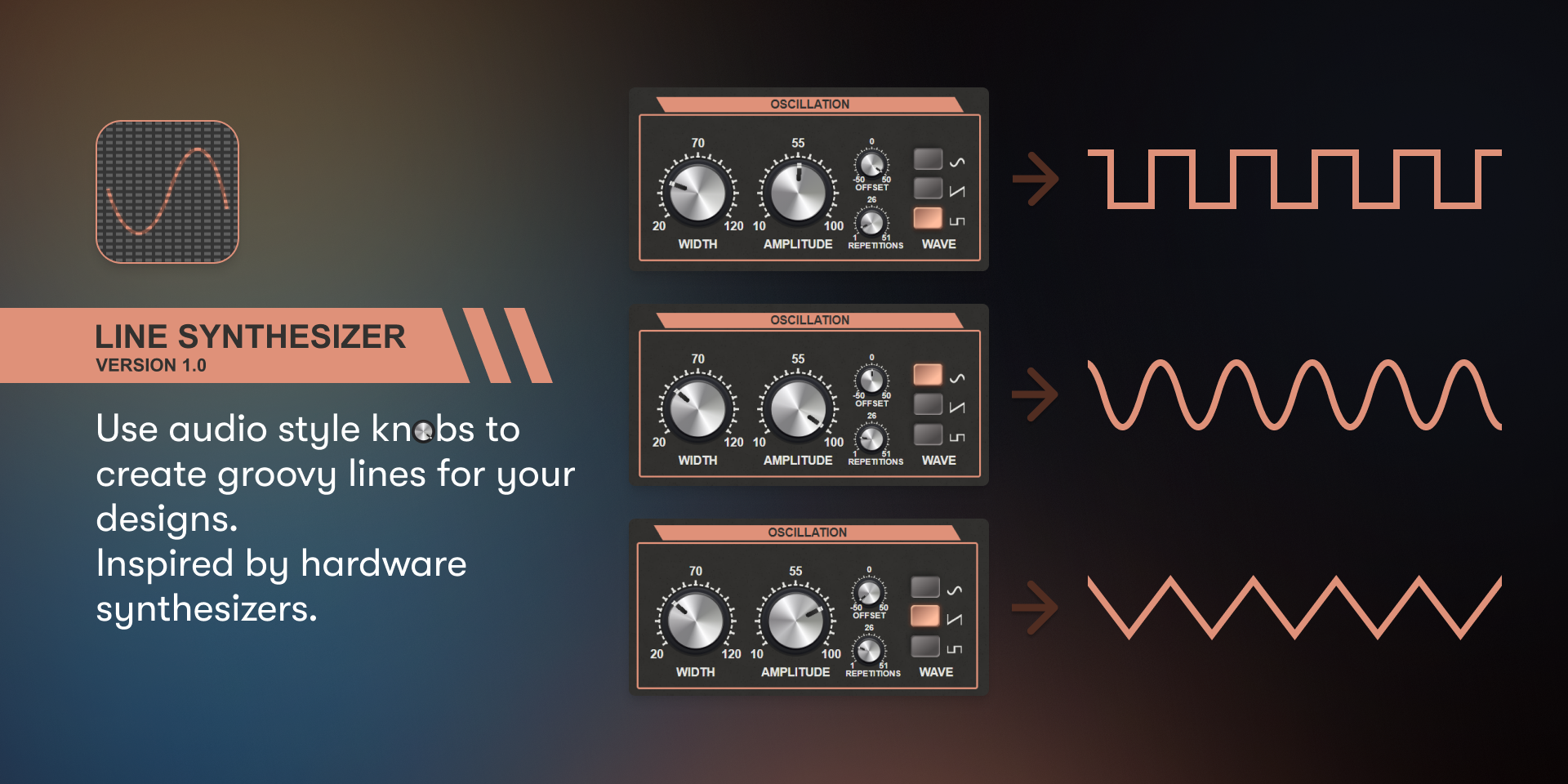
What is Line Synthesizer? 🤔
Line Synthesizer is a game-changing Figma plugin that automates the creation of complex line patterns and geometric shapes. It’s like having a personal assistant dedicated to crafting stunning visual elements for your web designs. Whether you’re working on backgrounds, decorative elements, or unique illustrations, Line Synthesizer has got you covered.
Why You Need Line Synthesizer in Your Toolkit 💼
- Time-Saving Magic: Wave goodbye to hours spent manually drawing intricate patterns. Line Synthesizer generates complex designs in seconds, allowing you to focus on the bigger picture.
- Endless Creativity: With its vast array of customization options, you’ll never run out of inspiration. From simple grids to mind-bending fractals, the possibilities are limitless.
- Consistency is Key: Maintain a cohesive look across your projects by easily replicating and modifying patterns. Your brand identity will thank you!
- Responsive Design Ready: Create scalable vector patterns that look crisp on any device, from smartphones to giant desktop monitors.
- Collaborate with Ease: Share your Line Synthesizer creations with team members, ensuring everyone’s on the same page (or pattern, in this case 😉).
How to Use Line Synthesizer Like a Pro 🏆
Getting started with Line Synthesizer is a breeze. Here’s a step-by-step guide to unleash its full potential:
- Installation: Head to the Figma Community and search for “Line Synthesizer.” Click “Install” and watch the magic unfold in your plugins panel.
- Launch the Plugin: With your Figma project open, right-click on the canvas and select Plugins > Line Synthesizer.
- Choose Your Pattern: Browse through the preset patterns or start from scratch. The world is your oyster!
- Customize to Your Heart’s Content: Adjust parameters like line thickness, spacing, rotation, and color. Don’t be afraid to experiment – that’s where the fun begins!
- Generate and Iterate: Click “Generate” to see your pattern come to life. Not quite right? Tweak the settings and try again. It’s that simple!
- Apply and Enjoy: Once you’re happy with your creation, apply it to your design elements. Voilà! You’ve just leveled up your design game.
Real-World Use Cases 🌍
Line Synthesizer isn’t just a one-trick pony. Here are some fantastic ways designers are putting it to work:
- Website Backgrounds: Create subtle textures or bold statement patterns that set the tone for your entire site.
- Logo Design: Generate unique shapes and patterns to incorporate into memorable logos.
- Social Media Graphics: Craft eye-catching visuals that stop scrollers in their tracks.
- UI Elements: Design custom icons, buttons, and decorative elements that give your interfaces a distinctive flair.
- Print Materials: From business cards to posters, Line Synthesizer patterns translate beautifully to physical media.
Pro Tips for Line Synthesizer Mastery 🎓
- Layer It Up: Combine multiple patterns for depth and complexity.
- Color Theory: Use the plugin’s color options to create harmonious palettes.
- Negative Space: Sometimes, what you don’t generate is just as important as what you do.
- Animation Potential: Create sequence patterns for smooth CSS animations.
- Keep It Accessible: Ensure sufficient contrast for patterns used behind text.
The Bottom Line 📊
Line Synthesizer is more than just a Figma plugin – it’s a powerhouse of creativity and efficiency. By automating complex pattern creation, it frees you to focus on the broader aspects of your design vision. Whether you’re a seasoned pro or just starting out, Line Synthesizer has something to offer everyone in the web design world.
Don’t let your designs fall flat. Embrace the power of Line Synthesizer and watch your productivity soar to new heights. Your clients (and your sanity) will thank you! 🙌
Ready to dive in? Install Line Synthesizer today and join the ranks of designers who are revolutionizing their workflows, one pattern at a time. Remember, in the world of web design, it’s the little details that make a big impact – and Line Synthesizer is here to help you nail every single one of them. 💯
Discover more from AI Founder Kit
Subscribe to get the latest posts sent to your email.