Font Scale: Boost Your Figma Designs with Perfect Text Proportions 🎨
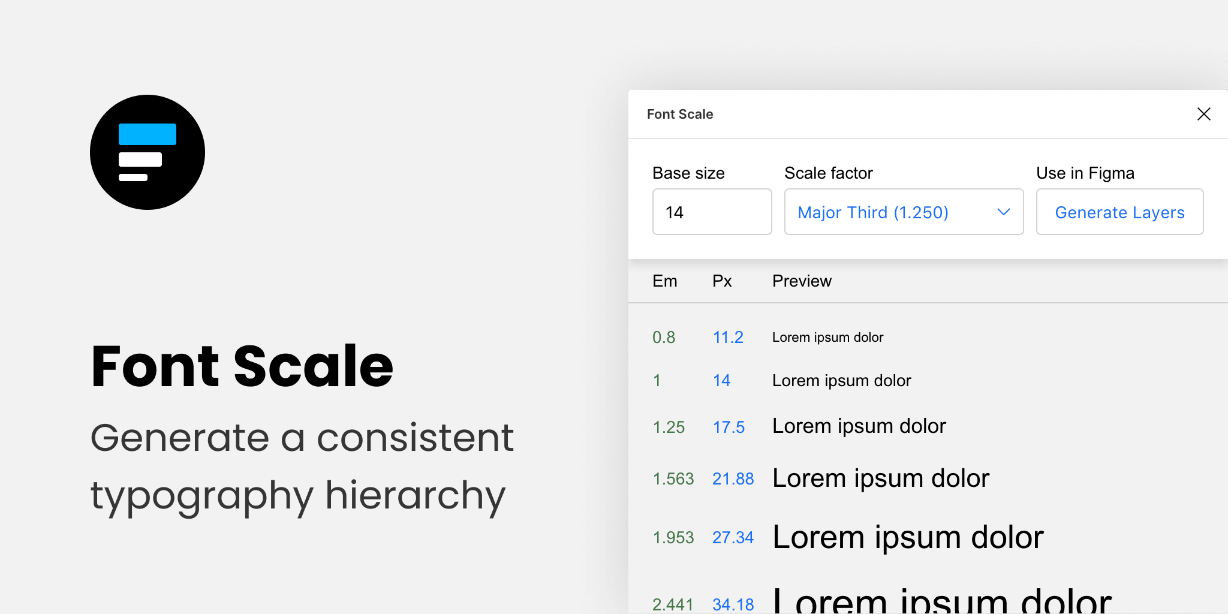
Designing user interfaces can be challenging, especially when it comes to typography. The Font Scale Figma Plugin simplifies this process, allowing designers to create scalable, well-proportioned text that enhances user experience (UX) across all screen sizes. Whether you’re working on a mobile app or a website, having a consistent and balanced font scale is crucial to making your designs more visually appealing and accessible.
Use Case: Font Scale is a perfect tool for designers and developers who want to ensure their text sizes are harmonious and visually balanced throughout a design. This plugin is ideal for anyone working on responsive designs where text needs to adapt seamlessly to different screen sizes. It’s especially useful for UI/UX designers who emphasize readability and aesthetics.
How to Use Font Scale in Figma 🛠️
- Install the Plugin: Open Figma and head to the Plugins tab. Search for “Font Scale” and click “Install”.
- Select Your Text Elements: Choose the text layers you want to adjust.
- Apply the Scale: Open the Font Scale plugin, and choose from a range of predefined scales (like perfect fourth, golden ratio, etc.).
- Adjust and Fine-tune: You can further tweak the font sizes manually or keep using the plugin’s scale options for consistency.
- Save & Export: Once satisfied, save your design and apply it across different elements for cohesive typography.
Key Takeaways 💡
- Consistency: Font Scale ensures that all text elements in your design are proportionate and balanced, enhancing the overall UI.
- Time-Saving: No more manual adjustments of font sizes – just pick a scale and go!
- Professional Results: Give your designs a polished, harmonious look by adhering to professional typography scales.
- Customizable: You can adjust the scale as per your specific needs, offering flexibility for unique designs.
- Scalable for All Screens: The plugin makes it easy to ensure that your typography works across different screen sizes.
Why Font Scale is Essential for Figma Users 💼
Typography is one of the most important aspects of a great design. Poorly balanced text can make an interface difficult to use, whereas well-scaled fonts improve readability and visual appeal. With Font Scale, you can streamline this process by applying preset font scales, ensuring all of your text elements look professional and uniform.
Key Features:
- Predefined Font Scales: Choose from various predefined scales (major third, perfect fourth, golden ratio, etc.).
- Customizable Scales: Create custom font scales to suit your specific design needs.
- Responsive Typography: Ensure text scales perfectly on different screen sizes.
- Easy to Use: A user-friendly interface that integrates seamlessly with your Figma workflow.
- Professional Results: Get polished, balanced typography every time.
Conclusion: Perfectly Scaled Typography for Professional Designs 🔍
In today’s design world, font consistency is key to creating polished, user-friendly interfaces. The Font Scale Figma Plugin helps you achieve just that by applying proportional text scaling that works across all platforms. It saves time, reduces manual adjustments, and ensures that your designs always have the perfect font balance. If you’re serious about elevating your typography game, this plugin is a must-have for your toolkit.
Discover more from AI Founder Kit
Subscribe to get the latest posts sent to your email.