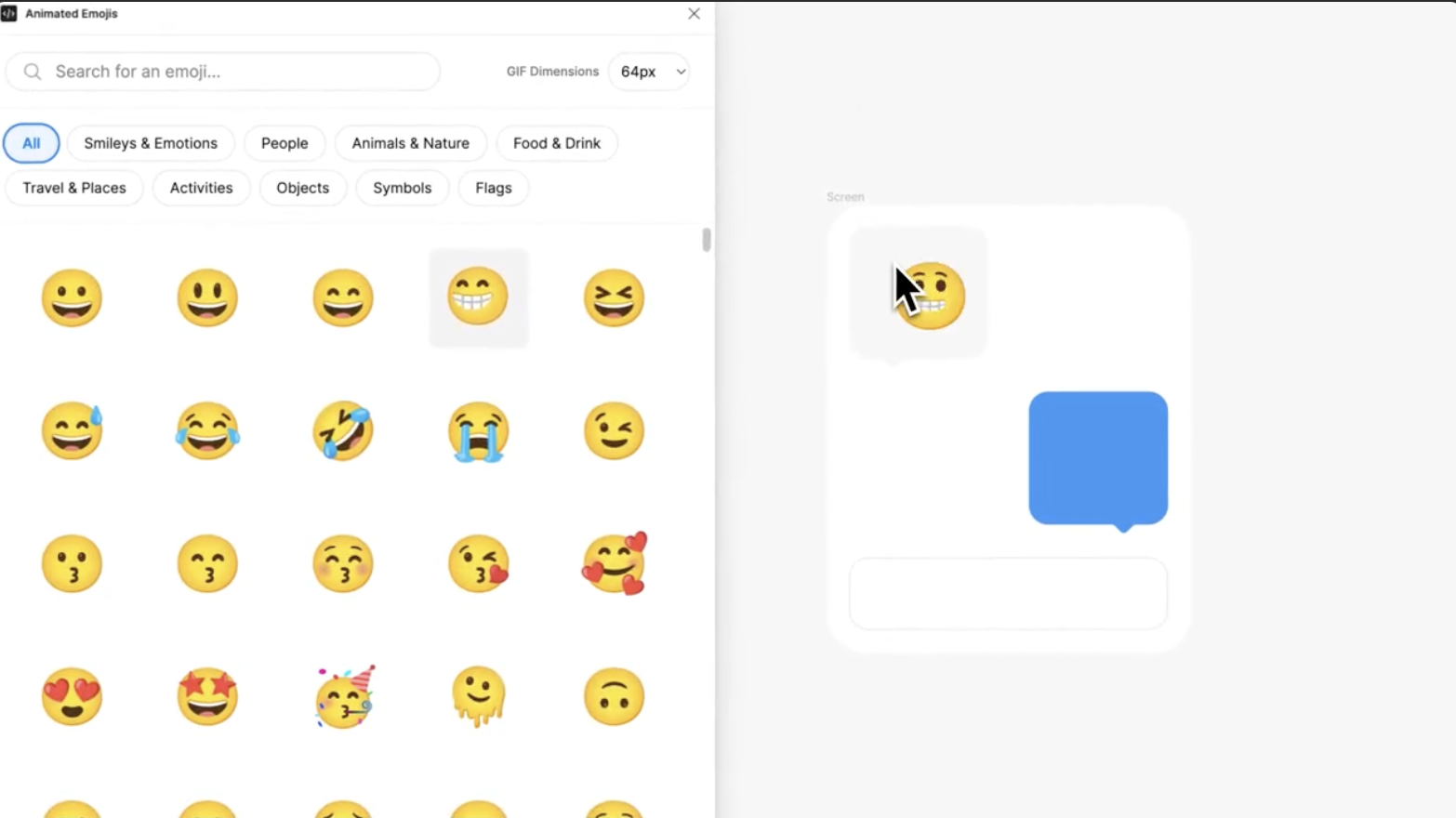
What is Animated Emoji?
The Animated Emoji plugin for Figma is designed to bring fun and emotion to your designs. With a variety of animated emojis available, you can easily add personality to your blog posts, making your content more relatable and engaging. 🚀 Whether you’re creating social media graphics or enhancing your blog visuals, this plugin is a must-have.
Use Case: Adding Personality to Your Blog Posts
Imagine you’re writing a light-hearted blog post about travel. Using the Animated Emoji plugin, you can add emojis that reflect excitement, joy, or even a bit of humor throughout your content. This not only captures your audience’s attention but also encourages them to connect with your message on a more personal level. 🌍
How to Use the Animated Emoji Plugin in Figma
Getting started with the Animated Emoji plugin is simple! Here’s a quick guide to help you integrate this tool into your design workflow:
Step 1: Install the Plugin
- Open Figma: Start your Figma application.
- Access Plugins: Click on the menu icon in the top-left corner and navigate to “Plugins.”
- Search for Animated Emoji: Type “Animated Emoji” in the search bar.
- Install: Click the “Install” button to add it to your plugin list.
Step 2: Insert Animated Emojis
- Open the Plugin: Right-click on your canvas, hover over “Plugins,” and select “Animated Emoji.”
- Browse Emojis: A panel will open displaying a range of animated emojis. You can scroll through or search for specific ones using keywords (e.g., “happy,” “celebrate”).
- Drag and Drop: Once you find an emoji you like, simply drag it onto your design canvas.
Step 3: Customize and Export
- Resize and Position: Adjust the size and placement of the emoji to fit your design.
- Export: When you’re happy with your design, export it as a PNG, GIF, or SVG, ready to upload to your WordPress blog. 🎨
Key Takeaways
- Wide Range of Emojis: Access countless animated emojis to enhance your content.
- Easy to Use: The simple interface allows for quick integration into designs.
- Customizable: Tailor emojis to match your branding and design style.
- Increases Engagement: Animated elements draw attention and encourage interaction.
- Perfect for All Levels: Suitable for both beginners and seasoned designers.
Discover more from AI Founder Kit
Subscribe to get the latest posts sent to your email.