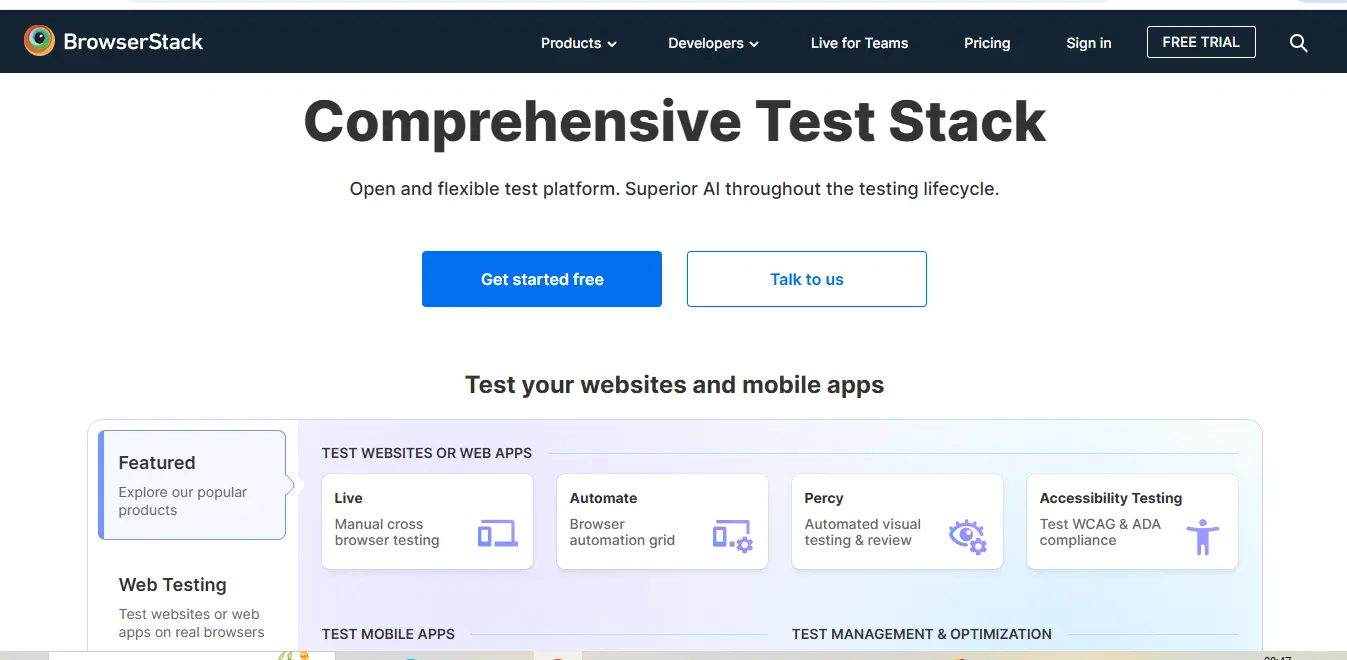
⚡ What is BrowserStack?
BrowserStack is a cloud-based cross-browser testing platform that allows developers and QA professionals to test websites and mobile applications across various browsers, operating systems, and real devices. Founded in 2011 by Ritesh Arora and Nakul Aggarwal in Mumbai, India (now headquartered in Dublin, Ireland), BrowserStack has grown to become an essential tool in the development workflow of over 50,000 customers worldwide, including industry giants like Microsoft, Twitter, and AirBnB.
The platform eliminates the need for setting up and maintaining an in-house testing infrastructure by providing instant access to:
- 3,000+ real mobile devices and desktop browsers
- Live, interactive testing environments
- Automated testing capabilities
- Debugging tools and screenshot functionality
- Integrations with popular development tools
At its core, BrowserStack solves a fundamental challenge in web and mobile development: ensuring consistent performance and user experience across the fragmented landscape of browsers, devices, and operating systems. Whether you’re developing a responsive website, native mobile app, or hybrid application, BrowserStack provides the testing infrastructure to verify your product works as intended for all users.
💰 BrowserStack Pricing
BrowserStack offers multiple products with different pricing tiers to accommodate various testing needs. Here’s a comprehensive breakdown of their pricing structure:
Live (for real-time manual testing)
| Plan | Price | Features |
|---|---|---|
| Free Trial | $0 (limited time) | – Access to 1 real mobile device and desktop browser – 1 parallel test – Limited minutes |
| Professional | $29/month (billed annually) | – Access to 25+ mobile devices & browsers – 1 parallel test – Unlimited testing minutes |
| Team | $99/month (billed annually) | – Access to 25+ mobile devices & browsers – 5 parallel tests – Unlimited testing minutes – Basic team management |
| Business | Custom pricing | – Full access to all devices & browsers – Custom parallel tests – Advanced team management – Enterprise features |
Automate (for automated browser testing)
| Plan | Price | Features |
|---|---|---|
| Free Trial | $0 (limited time) | – 100 automation minutes – 1 parallel test |
| Team | $129/month (billed annually) | – Unlimited testing minutes – 5 parallel tests – Integrations with testing frameworks |
| Business | $299/month (billed annually) | – Unlimited testing minutes – 10 parallel tests – Advanced debugging – Priority support |
| Enterprise | Custom pricing | – Custom parallel capacity – Dedicated support – IP allowlisting – Custom integrations |
App Live (for mobile app testing)
| Plan | Price | Features |
|---|---|---|
| Free Trial | $0 (limited time) | – Limited access to real devices – Basic testing features |
| Team | $199/month (billed annually) | – Full access to mobile devices – 5 parallel tests – Geolocation testing |
| Business | $399/month (billed annually) | – Full device access – 10 parallel tests – Advanced debugging – Team management |
App Automate (for mobile app automation)
| Plan | Price | Features |
|---|---|---|
| Free Trial | $0 (limited time) | – 100 automation minutes – Basic testing features |
| Team | $199/month (billed annually) | – Unlimited testing minutes – 5 parallel tests – Framework integrations |
| Business | $399/month (billed annually) | – Unlimited testing minutes – 10 parallel tests – Advanced features |
Note: All prices are subject to change and may not include applicable taxes. For the most current pricing, visit the BrowserStack pricing page.
BrowserStack also offers volume discounts for larger teams and custom enterprise plans that include dedicated account management, priority support, and custom integrations.
🎯 BrowserStack Key Features
BrowserStack offers a comprehensive suite of testing tools designed to cover every aspect of web and mobile application testing. Here’s an in-depth look at its key features:
Real Device Cloud
BrowserStack’s most significant advantage is access to its extensive real device lab, which includes:
- Over 3,000 real mobile devices and desktop browsers
- Latest iPhone, iPad, Samsung, Google, OnePlus, and other Android devices
- Older legacy devices for backward compatibility testing
- Up-to-date browser versions (Chrome, Safari, Firefox, Edge, IE, Opera)
- Multiple operating system versions (Windows, macOS, iOS, Android)
Unlike emulators or simulators, these are actual physical devices maintained in BrowserStack’s data centers, providing authentic testing environments that accurately replicate real-world conditions and performance characteristics.
Live Interactive Testing
BrowserStack Live enables developers to perform manual testing in real-time:
- Instant access to any browser-device combination without installation
- Interactive testing with native gestures and interactions
- Real-time developer tools for debugging
- Local testing capabilities for development and staging environments
- Collaborative testing features for team environments
The platform’s interactive console allows developers to inspect elements, modify CSS, debug JavaScript, and access network information directly within the testing environment.
Automated Testing
BrowserStack Automate supports automated testing across browsers:
- Seamless integration with testing frameworks like Selenium, Cypress, and Playwright
- Parallel testing capabilities to reduce execution time
- Video recordings of test sessions for debugging
- Screenshots at different test stages
- Custom network conditions simulation
The platform supports multiple programming languages (Java, Python, Ruby, Node.js, C#) and testing frameworks, making it adaptable to various development stacks.
Mobile App Testing
For mobile applications, BrowserStack offers:
- Native app testing on real iOS and Android devices
- Hybrid app testing capabilities
- App debugging tools
- Geolocation testing
- Biometric authentication testing
- Network simulation for testing under various connectivity conditions
Screenshot and Visual Testing
BrowserStack’s Screenshot API enables:
- Automated screenshots across multiple browsers simultaneously
- Visual regression testing
- Responsive design verification
- PDF testing capabilities
- Custom viewport settings
Advanced Testing Features
For enterprise-level testing needs, BrowserStack provides:
- Parallel testing to accelerate test execution
- Integration with CI/CD pipelines
- Advanced security features including IP whitelisting
- Enterprise-grade user management
- Custom network conditions simulation
- Comprehensive analytics and reporting
🔄 BrowserStack Use Cases
BrowserStack serves a wide range of testing scenarios across different development stages and team structures. Here are the primary use cases where the platform excels:
Cross-Browser Compatibility Testing
One of the most common use cases for BrowserStack is verifying that websites and web applications perform consistently across different browsers. Development teams use BrowserStack to:
- Test responsive designs across various screen sizes and resolutions
- Verify JavaScript compatibility across browser versions
- Ensure CSS rendering is consistent
- Check font rendering and typography
- Validate form submissions and interactive elements
For example, an e-commerce company might use BrowserStack to ensure their checkout process works flawlessly across Chrome, Safari, Firefox, and Edge, preventing potential revenue loss from browser-specific issues.
Mobile Responsiveness Testing
With mobile traffic accounting for over half of web traffic globally, testing mobile responsiveness is critical:
- Verify responsive layouts across various mobile devices
- Test touch interactions and gestures
- Validate mobile-specific features like click-to-call
- Ensure appropriate font sizes and tap target areas
- Test under various screen orientations (portrait/landscape)
A media company, for instance, might use BrowserStack to ensure their content is readable and their video players function correctly across iOS and Android devices of different screen sizes.
Legacy Browser Support
For organizations that must support older browser versions due to enterprise clients or specific market demographics:
- Test compatibility with Internet Explorer 11 and older versions
- Verify graceful degradation of modern features
- Ensure critical functions work in legacy environments
- Test polyfills and fallback mechanisms
Government agencies or healthcare organizations often use BrowserStack to ensure their applications remain accessible to users with older technology.
Continuous Integration Testing
Development teams integrate BrowserStack into their CI/CD pipelines to:
- Automatically test each code commit across multiple environments
- Receive immediate feedback on cross-browser issues
- Prevent browser-specific bugs from reaching production
- Document compatibility across builds
- Generate testing reports for compliance requirements
For example, a SaaS company might configure their GitHub Actions or Jenkins pipeline to automatically run cross-browser tests via BrowserStack whenever code is pushed to certain branches.
Debugging in Production Environments
When issues arise in production, BrowserStack helps teams:
- Replicate user-reported bugs on specific browser-device combinations
- Debug JavaScript errors in environments not accessible to developers
- Verify fixes across all affected platforms
- Document the resolution process for future reference
Geolocation Testing
For applications with location-based features:
- Test how applications behave in different geographic regions
- Verify localization and internationalization features
- Test location-based restrictions and content
- Validate maps and navigation functionality
Travel websites or food delivery apps, for example, use BrowserStack to test how their services appear and function when accessed from different countries.
Enterprise-Scale Testing
Large organizations use BrowserStack for:
- Coordinating testing across distributed teams
- Maintaining consistent testing environments across departments
- Implementing standardized testing procedures
- Meeting security and compliance requirements
- Scaling testing capacity during release cycles
👥 Who Should Use BrowserStack?
BrowserStack’s versatile platform serves various professionals involved in web and mobile application development. Here’s a breakdown of who benefits most from using this tool:
Web Developers
Frontend and full-stack developers find BrowserStack invaluable for:
- Verifying cross-browser compatibility during development
- Debugging JavaScript, CSS, and HTML issues in specific environments
- Testing responsive designs across multiple screen sizes
- Ensuring consistent performance across browsers
- Developing progressive web applications (PWAs)
Developers appreciate the ability to quickly switch between environments without maintaining multiple devices or virtual machines, significantly accelerating the development process.
QA Engineers and Testing Teams
Quality Assurance professionals rely on BrowserStack to:
- Execute comprehensive test plans across multiple platforms
- Automate regression testing for browser compatibility
- Document and reproduce platform-specific bugs
- Validate fixes across numerous environments
- Integrate testing into CI/CD pipelines
BrowserStack enables QA teams to expand their testing coverage without expanding their physical testing lab, resulting in more thorough quality assurance with fewer resources.
UX/UI Designers
Design professionals use BrowserStack to:
- Verify design implementations across browsers
- Ensure consistent user experiences regardless of platform
- Test interactive prototypes in realistic environments
- Validate accessibility features across browsers
- Refine responsive designs based on real-device testing
Designers can confirm their visions translate accurately across the fragmented landscape of web browsers and devices.
Product Managers
Product teams leverage BrowserStack for:
- Making informed decisions about browser/device support
- Understanding user experience across different platforms
- Prioritizing fixes based on platform popularity
- Validating feature parity across environments
- Ensuring product quality before releases
Digital Agencies
Web development agencies find BrowserStack essential for:
- Testing client websites across required browser specifications
- Demonstrating cross-platform compatibility to clients
- Reducing client support issues related to browser compatibility
- Streamlining development and QA workflows
- Scaling testing capabilities based on project requirements
Enterprise IT Departments
Corporate IT teams use BrowserStack to:
- Test internal applications across corporate-approved browsers
- Validate applications against legacy systems
- Ensure compatibility with specific enterprise environments
- Test during browser update rollouts
- Support large-scale application deployments
Startups and Small Teams
Resource-constrained organizations benefit from BrowserStack by:
- Eliminating the need for expensive device labs
- Accessing enterprise-grade testing capabilities at scale
- Accelerating development with efficient testing workflows
- Focusing development resources on product features rather than testing infrastructure
- Ensuring quality across platforms despite limited QA resources
🌟 What Makes BrowserStack Unique?
In the competitive landscape of testing platforms, several factors distinguish BrowserStack from alternatives:
Extensive Real Device Coverage
Unlike many competitors that rely heavily on emulators or simulators, BrowserStack maintains one of the largest collections of actual physical devices in their data centers. This approach provides:
- Authentic testing on real hardware with genuine characteristics
- Access to manufacturer-specific quirks and behaviors
- Accurate performance testing that reflects real-world conditions
- Testing on actual mobile networks rather than simulated conditions
- Access to device-specific features like biometric sensors
This commitment to real devices rather than virtual environments ensures tests reveal genuine issues that users might encounter.
Comprehensive Testing Ecosystem
BrowserStack offers a complete testing ecosystem that covers:
- Cross-browser compatibility testing (Live)
- Automated browser testing (Automate)
- Mobile app testing (App Live)
- Automated app testing (App Automate)
- Screenshot and visual testing
- Accessibility testing
This integrated approach eliminates the need for multiple testing platforms, streamlining workflows and reducing complexity.
Superior Local Testing Capabilities
BrowserStack’s LocalTesting feature stands out for its reliability and ease of setup:
- Secure tunneling to test development environments
- Support for complex networking configurations
- Enterprise-grade security features
- Minimal setup requirements compared to competitors
- Stable connections with automatic reconnection capabilities
Developers particularly value the ability to test local development environments without complex proxy configurations or exposing internal networks.
Enterprise-Ready Infrastructure
For large organizations, BrowserStack provides:
- SOC2 Type 2 compliance
- GDPR compliance
- IP allowlisting for enhanced security
- Single Sign-On (SSO) support
- Detailed audit logs
- Role-based access control
- Enterprise-grade support SLAs
These features make BrowserStack suitable for organizations with strict security and compliance requirements.
Developer-Centric Approach
BrowserStack’s interface and features are designed with developers in mind:
- Native integration with development workflows and tools
- Support for multiple programming languages and frameworks
- Developer-friendly API documentation
- Intuitive debugging tools
- Quick setup and minimal learning curve
This focus on developer experience distinguishes BrowserStack from more QA-centric alternatives.
Continuous Innovation
BrowserStack consistently expands its platform capabilities:
- Regular addition of new devices and browsers
- Support for emerging testing frameworks
- Feature enhancements based on customer feedback
- Performance improvements to reduce test execution time
- Expanded integration capabilities
This commitment to evolution keeps the platform relevant as web technologies advance.
⚖️ BrowserStack Pros & Cons
Pros:
Extensive Device and Browser Coverage
- Access to 3,000+ real devices and browsers
- Regular updates with latest device models and browser versions
- Covers both popular and niche browser-device combinations
- Includes legacy browsers for backward compatibility testing
Reliable Testing Infrastructure
- Stable and consistent testing environments
- High uptime and availability
- Fast session initialization
- Dependable local testing functionality
- Robust security features
Seamless Integration Capabilities
- Works with major testing frameworks (Selenium, Cypress, Playwright)
- CI/CD integration (Jenkins, GitHub Actions, CircleCI)
- Bug tracking system integration (Jira, Trello)
- IDE plugin support
- Comprehensive API for custom integrations
Intuitive User Experience
- Clean, easy-to-navigate interface
- Minimal setup requirements
- Quick learning curve for new users
- Helpful documentation and tutorials
- Responsive support team
Time and Cost Efficiency
- Eliminates need for in-house device lab
- Reduces testing time with parallel execution
- Minimizes device maintenance overhead
- Scales testing capacity as needed
- Accelerates release cycles
Cons:
Premium Pricing
- Higher cost compared to some competitors
- Significant price jump between tiers
- Parallel testing limitations on lower tiers
- Premium features restricted to higher-priced plans
- Can be cost-prohibitive for small teams or individual developers
Occasional Performance Issues
- Session slowdowns during peak usage periods
- Device availability constraints at times
- Occasional network latency with local testing
- Some devices may experience connectivity issues
- Resource-intensive tests can face timeout limitations
Learning Curve for Advanced Features
- Automation setup requires technical expertise
- Advanced configurations can be complex
- Debugging automated tests requires experience
- Integration with complex CI/CD pipelines needs specialized knowledge
- Custom network configurations can be challenging
Mobile App Testing Limitations
- Upload size restrictions for mobile applications
- Session timeouts for long-running tests
- Limited access to certain device hardware features
- Some native app testing scenarios require workarounds
- Testing complex app integrations can be challenging
Support Response Variability
- Tiered support system with faster response for higher plans
- Technical issues sometimes require multiple interactions
- Documentation gaps for edge cases
- Time zone differences can affect support response times
- Limited weekend support for standard plans
🔄 BrowserStack Integrations
BrowserStack offers extensive integration capabilities, allowing seamless connection with popular development tools and workflows:
Testing Frameworks
- Selenium: Complete integration with the Selenium WebDriver API
- Cypress: Native integration for running Cypress tests across browsers
- Playwright: Support for Playwright automation framework
- Puppeteer: BrowserStack integration for Puppeteer scripts
- Appium: Full support for mobile automation with Appium
- TestNG/JUnit: Java testing framework support
- Mocha/Jasmine: JavaScript testing framework compatibility
- PyTest: Python testing framework integration
CI/CD Platforms
- Jenkins: Official plugin for Jenkins integration
- GitHub Actions: Native integration with GitHub’s CI/CD
- Azure DevOps: Pipeline integration capabilities
- CircleCI: Orb available for seamless integration
- Travis CI: Configuration support for Travis pipelines
- GitLab CI: Integration through configuration options
- Bamboo: Support for Atlassian’s CI/CD platform
Project Management and Bug Tracking
- Jira: Direct bug reporting to Jira issues
- Trello: Card creation for discovered issues
- Slack: Notifications and alerts integration
- Microsoft Teams: Testing notifications and alerts
- Email notifications: Customizable email reports
Development Environments
- Visual Studio Code: Extension for direct testing
- IntelliJ IDEA: Plugin for integrated testing
- Eclipse: Testing integration for Java development
Testing Utilities
- Percy: Visual testing integration
- Accessibility testing tools: aXe, WAVE compatibility
- Test reporting tools: Integration with various reporting platforms
- TestRail: Test case management integration
Authentication Systems
- SAML: Single Sign-On capabilities
- OAuth: Authentication integration
- LDAP: Directory service integration for enterprise users
.svg)
🚀 How to Get Started with BrowserStack
Setting up and beginning your testing journey with BrowserStack is straightforward. Here’s a comprehensive guide to get you started:
1. Account Creation and Setup
- Visit the BrowserStack website and click on “Sign Up”
- Choose between the free trial or paid subscription
- Create your account by providing your email address and setting a password
- Verify your email address through the confirmation link
- Complete your profile information with relevant details
- Select your primary testing needs (web, mobile, or both)
2. Choosing the Right Plan
- Assess your testing requirements (manual testing, automation, or both)
- Determine the number of parallel tests needed based on team size
- Consider the browser and device coverage requirements
- Evaluate integration needs with existing tools
- Select the appropriate plan (Professional, Team, or Business)
- Set up payment information if proceeding with a paid plan
3. Platform Familiarization
- Navigate the BrowserStack dashboard to understand available options
- Explore the device and browser selection interface
- Test a simple website URL to see how the platform works
- Review available testing tools and options
- Check documentation for specific features of interest
- Watch introductory tutorials available in the help section
4. First Manual Test
- From the dashboard, select “Live” for real-time testing
- Choose a device or browser from the selection screen
- Enter the URL you want to test
- Interact with your website as a real user would
- Use the developer tools to inspect elements or debug issues
- Take screenshots or record sessions as needed
- Make notes of any issues discovered
5. Setting Up Local Testing
- Download the BrowserStack Local binary for your operating system
- Install and configure according to instructions
- Start the Local testing connection
- Verify the connection is established in your BrowserStack dashboard
- Test local development environments or staging servers
- Understand security implications and configurations
6. Automation Setup
- Choose your preferred programming language and testing framework
- Install necessary dependencies and BrowserStack SDKs
- Configure authentication using your access key
- Set up desired capabilities for your test environments
- Write or adapt a simple test script
- Execute your first automated test
- Review results and test reports
7. Integration with Development Workflow
- Connect BrowserStack with your CI/CD pipeline
- Configure automated testing as part of your build process
- Set up notifications for test failures
- Establish testing protocols for your team
- Create documentation for team-specific workflows
- Train team members on effective platform usage
📚 BrowserStack Tutorial
Let’s create a practical tutorial for automating a simple test using BrowserStack with Selenium and Python:
Setting Up Automated Testing with BrowserStack and Selenium
Prerequisites:
- Python 3.6 or higher installed
- Basic understanding of Python programming
- BrowserStack account with Automate access
- Text editor or IDE
Step 1: Install Required Dependencies
First, let’s install the necessary Python packages:
Step 2: Set Up Your Test Environment
Create a new Python file (e.g., browserstack_test.py) and add the following imports:
Step 3: Configure BrowserStack Credentials
Add your BrowserStack credentials and desired capabilities:
Step 4: Create a Remote WebDriver Instance
Set up the remote WebDriver to connect to BrowserStack:
Step 5: Write a Simple Test
Let’s write a test that checks if the Google search page is working:
Step 6: Execute the Test
Run the test script from your terminal:
Step 7: Review Test Results
- Log in to your BrowserStack dashboard
- Navigate to “Automate” section
- View the completed test session
- Check screenshots, video recording, and logs
- Analyze any issues or errors reported
Step 8: Expanding Your Test Coverage
To test on multiple browsers, you can modify the capabilities and run tests in parallel:
👥 Who is Using BrowserStack? (Social Proof)
BrowserStack has established itself as a trusted testing platform across various industries, serving over 50,000 customers worldwide. Here’s a look at some prominent organizations that rely on BrowserStack:
Technology Giants
- Microsoft: Uses BrowserStack for cross-browser testing of web applications including Office 365 online tools
- Twitter: Employs BrowserStack to ensure consistent user experience across platforms
- Adobe: Utilizes the platform for testing Creative Cloud web interfaces
- Slack: Ensures their communication platform works seamlessly across devices
E-commerce Leaders
- Shopify: Uses BrowserStack to help merchants deliver consistent shopping experiences
- eBay: Tests their marketplace functionality across browser-device combinations
- Wayfair: Ensures their home goods platform renders correctly on all devices
- Booking.com: Verifies reservation systems work properly across platforms
Media Companies
- BBC: Tests their content delivery across global audiences on various devices
- Vimeo: Ensures video playback functions correctly across browsers
- Spotify: Tests their web player across different environments
- The New York Times: Verifies article rendering and interactive features
Financial Services
- American Express: Uses BrowserStack for secure testing of financial interfaces
- PayPal: Ensures payment processing works consistently
- Intuit: Tests tax and financial software across platforms
- Capital One: Verifies banking interfaces for cross-browser compatibility
Success Stories
- A major airline reduced their testing time by 60% after implementing BrowserStack’s automated testing in their CI/CD pipeline
- An e-commerce platform decreased cart abandonment by 15% after using BrowserStack to identify and fix browser-specific checkout issues
- A healthcare software provider achieved HIPAA compliance certification more efficiently by documenting thorough cross-browser testing with BrowserStack
- A government agency used BrowserStack to ensure critical public services remained accessible on legacy systems used by citizens
🆚 BrowserStack Alternatives
| Platform | Pricing (Starting) | Key Strengths | Limitations | Best For |
|---|---|---|---|---|
| LambdaTest | $15/month | – Broader browser coverage – More affordable entry plans – Strong automation features – Good performance | – Less intuitive interface – Mobile testing not as robust – Support can be slower | Teams on tight budgets seeking broad browser coverage |
| Sauce Labs | $49/month | – Comprehensive testing ecosystem – Advanced analytics – Strong enterprise features – Excellent CI/CD integration | – Higher pricing – Steeper learning curve – Complex configuration requirements | Enterprise organizations with sophisticated testing needs |
| CrossBrowserTesting | $29/month | – Simple interface – Good screenshot comparison – Visual regression tools – Unlimited testing | – Fewer real devices – Limited advanced features – Less reliable than premium options | Small to medium teams with basic testing requirements |
| Perfecto | Custom pricing | – Superior security features – Advanced analytics – AI-powered testing – Excellent for regulated industries | – Very expensive – Overwhelming for simple needs – Requires significant onboarding | Enterprise organizations in regulated industries |
| Kobiton | $30/month | – Mobile-focused testing – Strong app testing features – Device lab management – AI-powered testing | – Limited web browser testing – Fewer integrations – Mobile-only focus | Organizations focused primarily on mobile app testing |
| AWS Device Farm | Pay-per-use | – Integration with AWS ecosystem – Flexible pricing model – Physical device access – Good for native apps | – Complex setup – Limited browser testing – Requires AWS expertise | AWS customers with variable testing needs |
| Applitools | Custom pricing | – AI-powered visual testing – Superior visual regression – Root cause analysis – Exceptional UI testing | – Not for general browser testing – Focused on visual aspects – Requires integration with other tools | Teams focused on visual and UI testing |
| Local Testing | Free (infrastructure costs) | – Complete control – No subscription fees – Private data stays internal – Customizable | – Significant setup and maintenance – Limited device coverage – High upfront costs | Organizations with strict data security requirements |
🎓 Expert Insights
Industry experts consistently highlight BrowserStack’s position in the testing ecosystem while acknowledging both its strengths and areas for improvement:
On Real Device Testing
“What distinguishes BrowserStack from many competitors is their commitment to real device testing rather than emulation. While emulators have their place, nothing beats testing on actual hardware for uncovering those edge case issues that can significantly impact user experience.” – Dr. Sarah Chen, Director of QA Engineering at TechValidate
This observation highlights BrowserStack’s fundamental advantage: authentic testing environments that accurately reflect real-world conditions, something emulators cannot fully replicate.
On Integration Capabilities
“For organizations with established CI/CD pipelines, BrowserStack’s robust integration capabilities represent a significant advantage. The ability to trigger cross-browser tests automatically with each build creates a safety net that catches compatibility issues before they reach production.” – Mark Williams, DevOps Consultant
✨ Final Verdict
BrowserStack stands out as a comprehensive testing solution for developers and enterprises alike. With robust features, real-device access, and reliable automation support, it ensures web and mobile applications perform flawlessly. While premium pricing may deter some, the value it provides justifies the investment for those prioritizing quality and performance.
BrowserStack FAQs❓
What can BrowserStack do?
It allows cross-browser and cross-device testing for web and mobile applications.
Is BrowserStack Free?
BrowserStack offers a free trial. Paid plans are available for extended usage.
Does BrowserStack support automated testing?
Yes, it supports Selenium, Cypress, and Appium.
Can BrowserStack be integrated with CI/CD pipelines?
Yes, it integrates seamlessly with popular CI/CD tools like Jenkins and GitHub Actions.
Is my data secure on BrowserStack?
Absolutely. BrowserStack is GDPR compliant and SOC2 certified.
What browsers and devices are available?
Over 3,000 real devices and browsers are accessible on the platform.
Social Media:
- LinkedIn: https://www.linkedin.com/company/browserstack/
- Instagram: https://www.instagram.com/browserstack
- Twitter: https://twitter.com/browserstack
External References:
Discover more from AI Founder Kit
Subscribe to get the latest posts sent to your email.