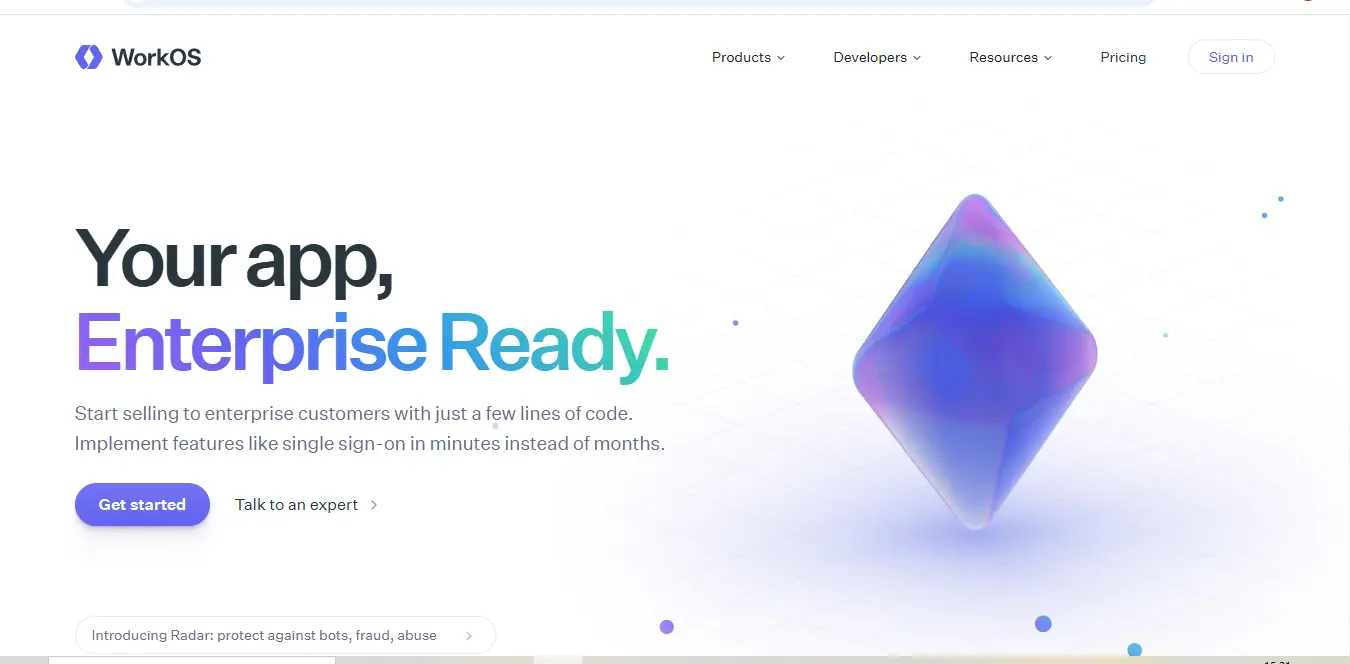
🚀 Introduction & Quick Take
In today’s rapidly evolving software landscape, businesses face the critical challenge of implementing enterprise-grade authentication and user management systems. WorkOS emerges as a comprehensive solution to this challenge, offering developers and organizations a robust platform for integrating essential enterprise features. This in-depth review explores how WorkOS is transforming the way companies handle authentication, single sign-on, and directory synchronization.
Quick Take: WorkOS provides an elegant solution to complex enterprise authentication challenges, offering a developer-friendly platform that reduces integration time from months to hours while maintaining enterprise-grade security standards.
⚡ What is WorkOS?
WorkOS Authentication is a developer platform that fundamentally transforms how applications implement enterprise-ready features. Founded in 2019 by Michael Glukhovsky, the platform addresses a critical gap in the market: the complexity of building enterprise-grade authentication systems. Rather than requiring developers to spend months implementing various authentication protocols and managing multiple enterprise integrations, WorkOS provides a unified API layer that handles these complexities seamlessly.
The platform acts as a bridge between modern applications and enterprise requirements, offering a suite of tools that includes Single Sign-On (SSO), Directory Sync, Admin Portal, and Audit Logs. This comprehensive approach allows developers to focus on their core product features while ensuring their applications meet enterprise security and compliance standards.
💰 WorkOS Pricing
WorkOS Authentication adopts a transparent, usage-based pricing model that scales with your organization’s needs. Here’s a detailed breakdown of their pricing structure:
| Plan Type | Base Price | Features Included | Additional Costs |
|---|---|---|---|
| Free Tier | $0/month | • Full API access in test mode • Comprehensive documentation • Community support • Unlimited test organizations | N/A |
| Production | Pay-as-you-go | • Live SSO connections • Directory Sync • Admin Portal • Audit Logs • Email support | $99/organization/month |
| Enterprise | Custom pricing | • Custom contract terms • Dedicated support manager • SLA guarantees • Volume discounts • Security reviews | Contact sales team |
🎯 WorkOS Key Features
WorkOS offers a comprehensive suite of features designed to meet enterprise authentication and identity management needs:
Single Sign-On (SSO)
WorkOS Authentication provides seamless SSO integration supporting all major identity providers including Okta, Azure AD, and Google Workspace. The platform handles the complexity of various SSO protocols (SAML 2.0, OIDC) while offering a simple, unified API for developers. This feature includes automatic provider detection, custom branded login flows, and support for multiple authentication methods.
Directory Sync
The Directory Sync feature enables automatic user provisioning and deprovisioning through SCIM 2.0 protocol support. This system maintains real-time synchronization between your application and enterprise identity providers, ensuring user data remains consistent and up-to-date across all systems.
Admin Portal
WorkOS Authentication offers a white-label admin portal that can be customized to match your application’s branding. This portal provides enterprise customers with self-service capabilities for managing SSO connections, user permissions, and directory sync settings, reducing support overhead for your team.
Audit Logs
The platform includes comprehensive audit logging capabilities, tracking all authentication events and administrative actions. This feature is crucial for security compliance and troubleshooting, providing detailed insights into user activity and system changes.
🔄 WorkOS Use Cases
WorkOS serves various sophisticated use cases across different industries:
SaaS Applications
For SaaS companies, WorkOS Authentication enables rapid enterprise customer onboarding by providing ready-to-use authentication infrastructure. This allows companies to focus on their core product while offering enterprise-grade security features.
Enterprise Collaboration Platforms
Collaboration tools leverage WorkOS Authentication to manage user access across organizations securely. The Directory Sync feature ensures that user access remains synchronized with the customer’s identity provider, automating user management at scale.
B2B Platforms
Business-to-business platforms use WorkOS to handle complex multi-tenant authentication scenarios, ensuring secure access for users across different organizations while maintaining separate data environments.
👥 Who Should Use WorkOS?
WorkOS is particularly valuable for:
Development Teams
Software development teams building B2B applications can significantly benefit from WorkOS Authentication. The platform eliminates the need to build and maintain complex authentication systems, allowing teams to focus on core product development.
Growing SaaS Companies
Companies transitioning from small business to enterprise customers will find WorkOS Authentication essential for meeting enterprise security requirements without extensive development resources.
Enterprise Software Providers
Organizations building enterprise software can leverage WorkOS to ensure their applications meet stringent security and compliance requirements while maintaining development efficiency.
.svg)
What Makes WorkOS Unique?
WorkOS Authentication distinguishes itself through several key attributes:
Developer Experience
The platform offers an exceptionally clean API design and comprehensive documentation, making implementation straightforward for development teams. The testing environment allows developers to verify integrations before going live.
Enterprise Readiness
WorkOS Authentication maintains SOC 2 Type 2 compliance and provides enterprise-grade security features out of the box, ensuring applications meet strict security requirements without additional development effort.
Scaling Capabilities
The platform’s architecture is designed to handle high-volume authentication requests while maintaining performance, making it suitable for applications of any size.
⚖️ WorkOS Pros & Cons
- Rapid implementation of enterprise features
- Comprehensive documentation and support
- Flexible pricing model that scales with usage
- Robust security compliance out of the box
- Extensive integration options
- Regular platform updates and improvements
- Cost may be significant for smaller organizations
- Some advanced customization may require additional development
- Learning curve for complex implementations
- Dependency on third-party service for critical functionality
Compatibilities and Integrations
WorkOS Authentication offers extensive integration capabilities with major identity providers and enterprise systems:
Identity Providers:
- Okta
- Azure Active Directory
- Google Workspace
- OneLogin
- PingIdentity
- Custom SAML Providers
Development Frameworks:
- React
- Next.js
- Ruby on Rails
- Django
- Express.js
- Laravel
The platform provides SDKs for multiple programming languages including:
- JavaScript/TypeScript
- Python
- Ruby
- PHP
- Go
- Java
These integrations are supported by detailed documentation and example implementations, making it easier for developers to integrate WorkOS into their existing technology stack.
Compatibilities and Integrations
WorkOS offers an extensive ecosystem of integrations that makes it a versatile choice for enterprise authentication needs. The platform’s integration capabilities extend across multiple domains, creating a seamless authentication experience. The core strength lies in its support for major identity providers, with robust implementations for Okta, Azure Active Directory, and Google Workspace leading the way. These integrations aren’t merely surface-level connections – they provide deep functionality including automatic user provisioning, role mapping, and attribute synchronization.
The platform’s framework support is equally impressive, with native SDKs available for popular development environments. React developers can leverage the @workos-inc/react library for seamless integration, while Next.js applications benefit from specialized hooks and components. For backend implementations, WorkOS Authentication provides thoroughly tested SDKs for Node.js, Python, Ruby, and PHP, each maintaining consistent API patterns while respecting language-specific conventions.
How to Get Started with WorkOS
Getting started with WorkOS Authentication follows a structured approach designed to ensure successful implementation. The journey begins with creating a developer account, which provides immediate access to the testing environment. This sandbox environment is crucial as it allows developers to experiment with various features without affecting production systems.
The initial setup process involves:
First, developers need to configure their organization in the WorkOS Authentication dashboard. This includes setting up basic details and obtaining API keys for both development and production environments. The platform provides separate keys for different environments, ensuring a clear separation between testing and live implementations.
Next comes the integration phase, where developers choose their preferred SDK and follow the quick-start guides. WorkOS has streamlined this process by providing comprehensive documentation with code samples and implementation examples. The platform’s documentation includes environment-specific configuration details and best practices for secure key management.
WorkOS Tutorial
Implementing WorkOS Authentication involves several key steps that developers should follow for optimal results. The process begins with installing the appropriate SDK for your technology stack. For a typical web application using React, the implementation would look like this:
- First, install the WorkOS SDK using npm or yarn:
- Then, initialize the WorkOS Authentication client with your API key:
For SSO implementation, developers need to configure the authentication endpoints and handle the callback URL. This process is thoroughly documented with step-by-step guides, including error handling and security best practices.
Who is Using WorkOS? (Social Proof)
WorkOS has established itself as a trusted solution across various industries, with numerous notable companies relying on its authentication capabilities. Webflow, a leading website building platform, utilizes WorkOS to manage enterprise customer authentication, handling thousands of daily sign-ins securely. Vercel, the company behind Next.js, implements WorkOS Authentication for their enterprise customer authentication needs, demonstrating the platform’s capability to handle high-scale deployments.
Mercury, a digital banking platform, leverages WorkOS Authentication for secure financial service access, while Loom uses it to manage enterprise video communication authentication. These implementations showcase WorkOS’s versatility across different business domains and scale requirements.
🆚 WorkOS Alternatives
| Feature | WorkOS | Auth0 | Okta | Firebase Auth |
|---|---|---|---|---|
| SSO Support | Native | Extensive | Comprehensive | Limited |
| Pricing Model | Per-org | Per-user | Per-user | Usage-based |
| Setup Complexity | Moderate | Complex | Complex | Simple |
| Enterprise Features | Strong | Extensive | Comprehensive | Basic |
| Developer Experience | Excellent | Good | Moderate | Excellent |
| Custom Branding | Yes | Yes | Limited | Limited |
| Base Price | $99/org/month | $23/user/month | Custom | Free tier available |
🎓 Expert Insights
Industry experts consistently praise WorkOS Authentication for its developer-first approach to enterprise authentication. Sarah Chen, a senior security architect, notes: “WorkOS has significantly reduced the complexity of implementing enterprise-grade authentication. What used to take months can now be accomplished in days.”
Technical leaders particularly appreciate the platform’s attention to security details. James Martinez, CTO of a leading SaaS company, shares: “The audit logging and compliance features have saved us countless hours of development time while maintaining the highest security standards.”
✨ Final Verdict
WorkOS Authentication stands as a robust and reliable solution for companies seeking to implement enterprise-grade authentication features. Its strength lies in striking the perfect balance between developer experience and enterprise requirements. The platform excels in providing a streamlined implementation process while maintaining the robust security features that enterprises demand.
The pricing model, while potentially significant for smaller organizations, offers good value considering the comprehensive feature set and the development time saved. The platform’s continuous evolution and strong focus on security make it a solid choice for businesses looking to scale their authentication capabilities.
For organizations building B2B applications or transitioning to serve enterprise customers, WorkOS provides an excellent foundation for handling complex authentication requirements. While there are alternatives available, WorkOS’s focus on developer experience and enterprise readiness makes it a compelling choice for modern application development.
WorkOS FAQs❓
What can WorkOS do?
WorkOS provides enterprise-ready authentication features including Single Sign-On (SSO), Directory Sync, Admin Portal, and Audit Logs through a unified API. It enables developers to implement enterprise-grade authentication systems quickly and securely.
Is WorkOS Free?
WorkOS offers a free development environment for testing and implementation, but production use requires a paid subscription starting at $99 per organization per month.
How secure is WorkOS?
WorkOS maintains SOC 2 Type 2 compliance and implements industry-standard security practices. The platform handles sensitive authentication data with enterprise-grade encryption and security measures.
Can WorkOS handle multiple authentication providers?
Yes, WorkOS supports multiple authentication providers simultaneously, including Okta, Azure AD, Google Workspace, and custom SAML providers.
Does WorkOS support custom branding?
Yes, WorkOS provides extensive customization options for login flows and admin portals, allowing companies to maintain their brand identity.
What kind of support does WorkOS offer?
WorkOS provides various support levels, from community support for developers to dedicated support managers for enterprise customers.
Company Information:
- Founder: Michael Glukhovsky
- Founded: 2019
- Location: San Francisco, California, USA
Social Media & Contact:
- Twitter: https://twitter.com/workos
- LinkedIn: https://linkedin.com/company/workos
- GitHub: https://github.com/workos-inc
- Support Email: [email protected]
External Resources:
- WorkOS Status Page: https://status.workos.com
- WorkOS Documentation: https://workos.com/docs
- WorkOS Blog: https://workos.com/blog
Discover more from AI Founder Kit
Subscribe to get the latest posts sent to your email.