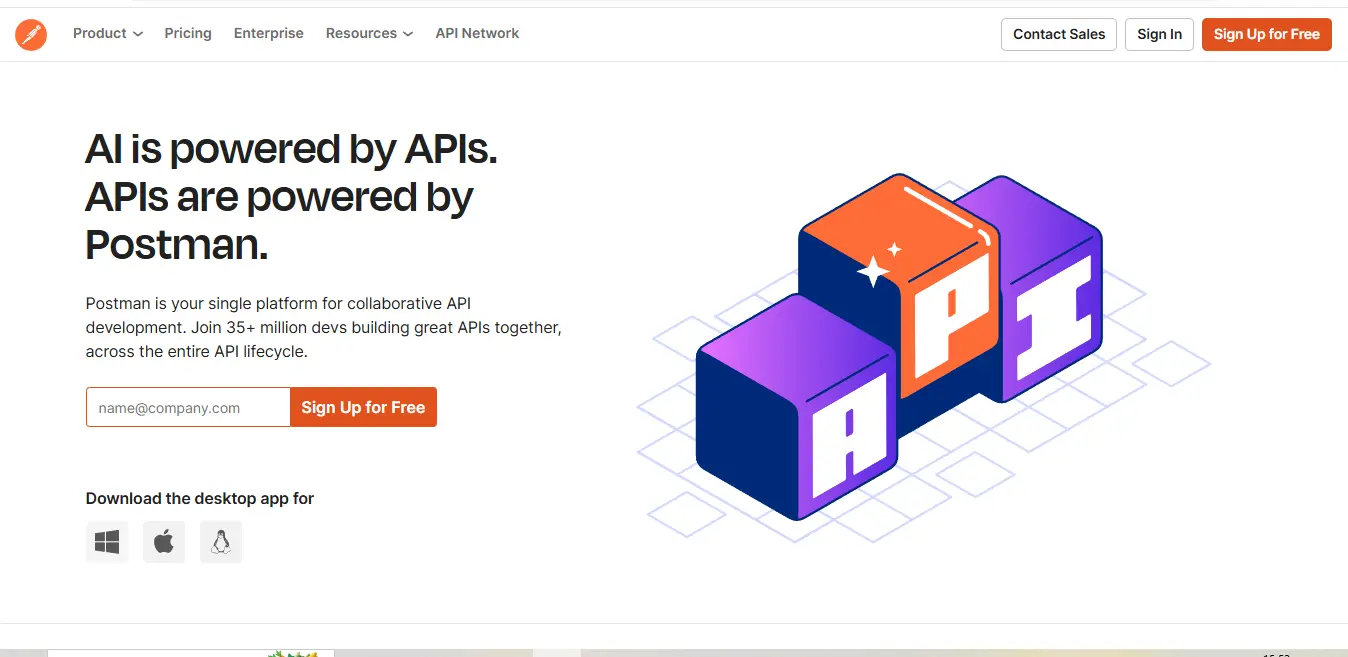
What is Postman?
Postman API testing has evolved far beyond its humble beginnings as a Chrome extension for API testing. Today, it stands as a complete API development environment that serves as a central hub for all API-related activities within an organization. At its core, Postman API testing is a collaborative platform that enables teams to design, develop, test, and document APIs throughout their entire lifecycle.
The platform operates as a desktop application available across all major operating systems, offering a graphical interface that makes API interactions intuitive and accessible. What sets Postman apart is its ability to handle multiple protocols – from RESTful services to GraphQL, SOAP, and WebSocket connections – all within a single unified environment.
Postman Features
Request Building and Testing
Postman API testing request builder serves as the foundation of its functionality. Users can craft HTTP requests with precise control over every aspect, from headers and authentication to body content and query parameters. The platform supports various authentication methods, including OAuth 2.0, API Key, and Bearer Token, making it suitable for testing secure endpoints.
Automated Testing Framework
The platform includes a powerful testing framework that allows developers to write test scripts in JavaScript. These scripts can validate response data, ensure proper status codes, and verify business logic. Through the Collection Runner, users can execute multiple requests in sequence, creating comprehensive test suites that validate entire API workflows.
Documentation System
Postman API testing documentation capabilities transform API documentation from a tedious necessity into a streamlined process. The platform automatically generates documentation from your collections, complete with example requests and responses. Teams can enhance this with custom markdown content, making it easy to maintain living documentation that evolves with the API.
Collaboration Tools
The workspace feature in Postman API testing enables team members to share collections, environments, and mock servers. Real-time collaboration allows multiple team members to work on the same collection simultaneously, with changes syncing automatically. Version control features track changes and maintain a history of modifications.
What Does Postman Do Well?
Postman API testing excels in several key areas:
API Testing Automation
The platform shines in its ability to automate complex testing scenarios. Through its scripting capabilities, teams can create sophisticated test suites that verify not just basic functionality but complex business logic and edge cases. The Newman CLI tool extends this further by enabling integration with CI/CD pipelines.
Team Collaboration
Postman’s collaborative features create a shared space where developers, testers, and product managers can work together effectively. The ability to share collections, provide feedback through comments, and maintain team-wide documentation reduces communication barriers and accelerates development cycles.
API Documentation
The platform’s documentation features significantly reduce the time and effort required to maintain API documentation. Auto-generated documentation stays synchronized with the actual API implementation, while custom documentation capabilities allow teams to add necessary context and examples.
Postman Use Cases
Development and Testing
Development teams use Postman throughout the API lifecycle:
- During initial API design to prototype endpoints and gather feedback
- Throughout development to test new features and verify existing functionality
- In QA processes to execute comprehensive test suites
- For debugging issues by easily replicating and testing specific scenarios
API Documentation
Organizations leverage Postman API testing for documentation in multiple ways:
- Creating internal API documentation for development teams
- Publishing public API documentation for external developers
- Maintaining living documentation that updates automatically with changes
- Providing interactive examples that developers can test directly
Team Collaboration
Teams utilize Postman’s collaborative features for:
- Sharing API collections across development teams
- Maintaining consistent testing environments
- Creating standardized testing procedures
- Facilitating API design reviews and feedback
Who Is Postman For?
Postman API testing serves a diverse audience within the technology sector:
Backend Developers
Backend developers use Postman to test their API implementations, debug issues, and ensure their endpoints work as intended. The platform’s scripting capabilities allow them to automate complex testing scenarios and validate business logic.
Frontend Developers
Frontend developers leverage Postman to understand API endpoints, test integrations, and use mock servers during development when backend services aren’t available.
QA Engineers
Quality Assurance teams utilize Postman’s automated testing capabilities to create comprehensive test suites, ensuring API reliability and consistency across different environments.
API Designers
API designers use Postman API testing to prototype new APIs, gather feedback, and ensure designs are practical and implementable before development begins.
Technical Writers
Documentation specialists use Postman to create and maintain API documentation, leveraging its automatic generation features while adding custom content where needed.
.svg)
Postman Pricing
Postman API testing offers a tiered pricing model designed to accommodate different team sizes and needs:
Free Plan
- Perfect for individual developers
- Includes basic API client features
- Limited to 1,000 API calls per month
- Basic collaboration features
- Access to public API network
Team Plan ($14/user/month)
- Ideal for small to medium teams
- 5,000 API calls per month
- Team workspaces
- Advanced collaboration features
- API governance
- Custom domains
Business Plan ($24/user/month)
- Designed for larger organizations
- 10,000 API calls per month
- SSO authentication
- Advanced security features
- Custom reporting
- Priority support
Enterprise Plan (Custom pricing)
- Built for large enterprises
- Unlimited API calls
- Dedicated support
- Custom contracts
- Advanced security features
- Enterprise-grade governance
Each plan includes additional features and capabilities, with higher tiers offering more advanced functionality and higher usage limits. The pricing structure is designed to scale with organizational needs, making it accessible for individual developers while providing the robust features required by enterprise teams.
This comprehensive pricing structure ensures organizations can start with basic features and upgrade as their needs grow, making Postman an adaptable solution for teams of all sizes.
Postman Alternatives
In the API development and testing landscape, several strong competitors offer alternatives to Postman API testing. Let’s examine how they compare across key dimensions:
| Feature | Postman | Insomnia | SoapUI | Swagger UI | Hoppscotch |
|---|---|---|---|---|---|
| Base Price (Team) | $12/user/month | $8/user/month | $659/year | Free | Free |
| GUI Testing | Advanced | Advanced | Advanced | Basic | Intermediate |
| Automated Testing | Comprehensive | Basic | Advanced | Limited | Basic |
| Mock Servers | Yes | Yes | Premium Only | Yes | Limited |
| Team Collaboration | Advanced | Basic | Limited | Basic | Basic |
| Documentation | Comprehensive | Good | Basic | Excellent | Basic |
| Learning Curve | Moderate | Easy | Steep | Easy | Easy |
| Performance | Moderate | Excellent | Good | Excellent | Excellent |
| Enterprise Features | Extensive | Limited | Extensive | Limited | Limited |
| Community Support | Extensive | Good | Limited | Extensive | Growing |
Detailed Comparison Analysis
Insomnia
Insomnia offers a lighter, more streamlined experience compared to Postman API testing. Its GraphQL support is particularly strong, and its minimalist interface can be less overwhelming for new users. However, it lacks the comprehensive collaboration features and extensive API documentation capabilities that Postman provides.
SoapUI
SoapUI excels in SOAP API testing and offers robust load testing capabilities. Its enterprise version (ReadyAPI) provides comprehensive testing features that can sometimes exceed Postman’s capabilities. However, its interface is less intuitive, and the learning curve is steeper, making it less accessible for teams new to API testing.
Swagger UI
Swagger UI focuses primarily on OpenAPI specification documentation and testing. While it excels at API documentation and specification-first development, it lacks the comprehensive testing and collaboration features that Postman offers. It’s often used alongside other tools rather than as a complete replacement.
Hoppscotch
Hoppscotch (formerly Postwoman) is an open-source alternative that offers a lightweight, browser-based solution. While it provides excellent basic API testing capabilities and performs well, it lacks the enterprise features and extensive collaboration tools that Postman offers.
Postman Pros & Cons
Postman’s Strengths ✅
Comprehensive Feature Set
Postman API testing greatest strength lies in its all-in-one approach to API development and testing. The platform integrates testing, documentation, collaboration, and monitoring features into a single cohesive environment. This integration eliminates the need for multiple tools and reduces context switching for development teams.
Robust Collaboration Features
The platform excels in team collaboration, offering features like team workspaces, version control, and real-time updates. These capabilities make it particularly valuable for large teams working on complex API projects, enabling seamless coordination and knowledge sharing.
Extensive Documentation Capabilities
Postman API testing documentation features are particularly strong, automatically generating comprehensive API documentation that can be enhanced with custom content. This combination of automated and manual documentation capabilities helps teams maintain accurate, up-to-date API documentation with minimal effort.
Strong Community Support
With millions of active users, Postman API testing boasts a vibrant community that contributes to public API collections, shares best practices, and provides support through various channels. This community aspect adds significant value, especially for teams learning new API patterns or seeking integration examples.
Postman’s Limitations ❎
Resource Intensity
Postman API testing can be resource-intensive, particularly when working with large collections or running multiple instances. This can lead to performance issues on less powerful machines, affecting productivity during intensive testing sessions.
Complexity for Simple Tasks
The platform’s comprehensive feature set can make it overwhelming for users who need only basic API testing capabilities. Simple tasks might require navigating through multiple menus and options, which can be inefficient for basic use cases.
Cost Considerations
While the free tier is generous, accessing advanced features requires a paid subscription that can become costly for larger teams. The pricing structure might be prohibitive for small organizations or independent developers needing premium features.
Learning Curve
Despite its intuitive interface, mastering Postman’s advanced features requires significant time investment. Features like test scripting, environment management, and advanced automation capabilities have a learning curve that can slow initial adoption.
Why Postman May Not Be The Best Choice?
For Small Teams or Individual Developers
Small teams with basic API testing needs might find Postman’s feature set excessive. These users might be better served by lighter alternatives like Insomnia or Hoppscotch, which offer core functionality without the overhead of enterprise features.
For Specialized Testing Needs
Organizations focusing primarily on SOAP APIs or requiring advanced load testing capabilities might find specialized tools like SoapUI more suitable. While Postman supports these use cases, dedicated tools often provide more depth in specific areas.
For Resource-Constrained Environments
Teams working on less powerful hardware or requiring offline capabilities might struggle with Postman’s resource requirements. In these cases, lighter alternatives or command-line tools might be more appropriate.
Expert Opinions
Dr. Sarah Chen, API Architecture Consultant:
“Postman API testing has revolutionized API development workflows, but its true value lies in team collaboration. For enterprise teams, the benefits of unified documentation and testing far outweigh the initial learning curve and cost considerations.”
Marcus Rodriguez, Senior DevOps Engineer:
“While Postman’s automation capabilities are powerful, teams should consider their specific needs. Not everyone requires the full feature set, and simpler tools might be more cost-effective for basic testing scenarios.”
Jennifer Wu, API Documentation Specialist:
“The documentation capabilities in Postman are unmatched. The ability to maintain living documentation that updates automatically with changes has significantly reduced our documentation overhead and improved accuracy.”
Summary
Postman API testing stands as a comprehensive API development platform that excels in team collaboration and integrated workflows. Its strength lies in providing a unified environment for API development, testing, and documentation, making it particularly valuable for medium to large teams working on complex API projects.
The platform’s extensive feature set and strong community support make it a compelling choice for organizations that can justify the investment in terms of both cost and learning curve. However, its resource requirements and complexity for simple tasks mean it might not be the optimal choice for all scenarios.
For organizations evaluating Postman API testing, the decision should be based on:
- Team size and collaboration needs
- Complexity of API testing requirements
- Available resources (both technical and financial)
- Need for integrated documentation and testing workflows
- Long-term API development strategy
While alternatives might better serve specific use cases or smaller teams, Postman API testing comprehensive approach to API development and strong ecosystem make it a standard tool in the industry, particularly for teams requiring robust collaboration and documentation features.
Postman FAQs❓
Is Postman free to use?
Yes, Postman offers a free plan with basic features suitable for individual developers. Paid plans provide additional features and higher usage limits.
Can Postman test GraphQL APIs?
Yes, Postman fully supports GraphQL API testing with features like query builder and schema support.
Does Postman work offline?
Yes, but with limited functionality. You can work with saved collections and make requests to local servers.
Can I share my Postman collections?
Yes, collections can be shared via links, exported files, or team workspaces.
Is Postman secure?
Yes, Postman implements industry-standard security measures including encryption and OAuth 2.0 support.
How does Postman handle sensitive data?
Postman API testing provides environment variables and secrets management to securely handle sensitive information.
External Resources
- Official Postman Learning Center
- Postman Blog
- API Testing Best Practices Guide
- Postman Community Forum
Social Media & Support
- Twitter: https://twitter.com/getpostman
- LinkedIn: https://www.linkedin.com/company/postman-platform
- Support Email: [email protected]
- Affiliate Program: https://www.postman.com/partner-program/
- Affiliate Support: [email protected]
Discover more from AI Founder Kit
Subscribe to get the latest posts sent to your email.