🚀 Introduction & Quick Take
Choosing the right writing tool can revolutionize how you communicate, and this Grammarly Review: Features, Pricing, & Alternatives is designed to guide you through it. Grammarly is a leading AI writing assistant trusted by millions worldwide, from students and professionals to enterprises. Whether you’re a content creator refining blog posts, a business professional drafting emails, or an educator grading essays, Grammarly promises enhanced accuracy, clarity, and engagement. We’ll delve into its robust features, cost structures, and competitors, drawing on user testimonials, expert insights, and data to help you decide if it’s the ideal fit for your writing needs. With over 30 million daily users, Grammarly stands out for its real-time suggestions and AI capabilities, backed by advanced natural language processing.
Quick Take: “Grammarly delivers seamless error-free writing for professionals and students.”
⚡ What is Grammarly?
Grammarly is an AI-driven writing enhancement tool launched in 2009 by Grammarly Inc. It’s designed to help users improve grammar, spelling, punctuation, and overall writing quality across various platforms. Serving a broad user base from individuals to large organizations, Grammarly processes over 50 billion words daily, making it a staple for clear and professional communication. Its core purpose is to detect errors, suggest improvements, and even generate content, all while maintaining user privacy and security. With a market presence in over 150 countries and integrations with tools like Microsoft Word and Google Docs, Grammarly’s unique selling point is its adaptive AI that learns from context and user preferences. For instance, it can adjust tone for formal emails or creative writing, ensuring your message resonates. Trusted by companies like Zoom and Upwork, Grammarly combines machine learning with linguistic expertise to reduce writing errors by up to 90%, according to internal studies.
💰 Grammarly Pricing
Grammarly offers flexible pricing options to accommodate different user needs, from free basic tools to premium enterprise solutions. The plans are straightforward, focusing on individual, team, and organizational requirements.
| Plan | Cost | Features Included | Best For |
|---|---|---|---|
| Free | 0 per month | Basic grammar checking, tone detection, 100 AI prompts | Individual users starting out |
| Pro | 12 per member per month (billed annually) | Full sentence rewriting, tone adjustments, 2,000 AI prompts, plagiarism checker | Teams and professionals needing advanced features |
| Enterprise | Contact for quote | Unlimited members, dedicated support, granular permissions, unlimited AI prompts | Large organizations with security needs |
Pricing Details: Additional costs may apply for add-ons, but core features are included in the plans. Payment methods include credit cards and enterprise billing. Tip: Explore annual billing for savings up to 60%.
🎯 Grammarly Key Features
Grammarly’s toolkit is comprehensive and user-friendly, offering features that enhance writing efficiency and quality.
1. Grammar Checking Accuracy
- What It Does: Scans text for grammar, spelling, and punctuation errors in real-time.
- Use: Ideal for proofreading emails, documents, and social media posts.
- Limit: May miss context-specific nuances in creative writing.
2. AI Tone Adjustments
- What It Does: Suggests tone changes to make writing more professional, confident, or friendly.
- Benefit: Enhances communication effectiveness in business or personal contexts.
3. Plagiarism Detection
- What It Does: Checks text against billions of web pages for originality.
- Use: Essential for students and content creators to ensure unique work.
- Cost: Available in Pro and Enterprise plans.
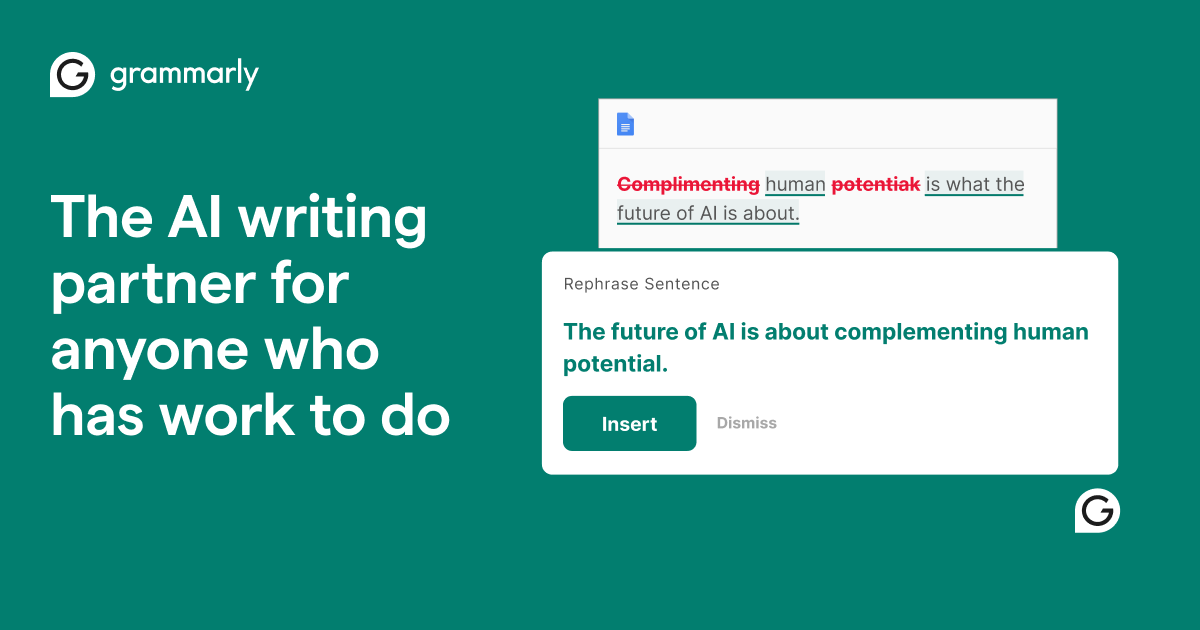
4. Full Sentence Rewriting
- What It Does: Rewrites sentences for clarity and conciseness using AI.
- Why It Matters: Saves time and improves readability in professional documents.
- Example: Transforms a wordy email into a concise, impactful message.
5. Seamless Integration
- What It Does: Works across apps like Word, Slack, and email clients.
- Perk: No need to switch tools, boosting overall productivity.
Stat: Users report a 17x ROI with Grammarly, saving thousands in editing time annually.
🔍 Grammarly Use Cases
Grammarly excels in diverse real-world scenarios, improving writing across industries.
Professional Email Drafting
- Scenario: A marketer composes persuasive emails with tone suggestions.
- Result: Increased engagement and conversion rates.
- Tip: Use AI prompts for quick refinements.
Academic Writing
- Scenario: Students edit essays for grammar and plagiarism.
- Outcome: Higher grades and original content.
Content Creation
- Scenario: Bloggers rewrite articles for clarity.
- Benefit: Faster publishing and better SEO performance.
Team Collaboration
- Scenario: Teams use shared style guides in Slack.
- Result: Consistent branding and reduced errors.
👥 Who Should Use Grammarly?
- Students: For error-free essays and plagiarism checks.
- Professionals: To enhance emails and reports for better communication.
- Business Teams: For collaborative writing with brand consistency.
- Not For: Users needing advanced creative writing tools without AI assistance.
🌟 What Makes Grammarly Unique?
Grammarly’s adaptive AI learning is its secret sauce. It personalizes suggestions based on user style (Source: Grammarly, 2023), unlike competitors’ rigid rules. Unlike basic spell-checkers, Grammarly builds for professionals, offering context-aware improvements.
⚖️ Grammarly Pros & Cons
| Pros | Cons |
|---|---|
| Real-time suggestions | Premium features require payment |
| Seamless integrations | May over-suggest in creative contexts |
| High accuracy | Limited free plan capabilities |
| Privacy-focused | Learning curve for new users |
🔗 Grammarly Integrations
Grammarly connects with 100+ tools:
- Productivity: Slack, Microsoft Office, Google Docs
- Education: Canvas, Blackboard
- Business: Zendesk, Salesforce
- Stat: Over 50 billion words processed daily.
Example: Integrate with Slack for instant email refinements.
How to Get Started with Grammarly
1. Visit the Grammarly site and sign up. 2. Download the extension or app. 3. Set up preferences. 4. Start writing in integrated tools. Tip: Use the free plan to test features first.
📋 Grammarly Tutorial
Email Enhancement
1. Open your email draft. 2. Enable Grammarly. 3. Apply suggestions.
Plagiarism Check
1. Paste your text. 2. Run the checker. 3. Review results.
Tone Adjustment
- Action 1: Select text.
- Action 2: Choose tone.
- User Tip: Test multiple options.
🏢 Who Is Using Grammarly?
- Zoom: For clear internal communications.
- Upwork: To ensure freelancer proposals are polished.
- Databricks: Improves team documentation.
“Grammarly has transformed our writing process.” — User testimonial
Stat: Used by 50,000 organizations.
🔄 Grammarly Alternatives
| Tool | Pricing | Unique Edge | Best For |
|---|---|---|---|
| Ginger | 20 | Translation features | Multilingual users |
| Hemingway App | 20 | Readability focus | Content creators |
| ProWritingAid | 60 annually | In-depth reports | Authors and editors |
Deep Dive
- Ginger: Great for non-English speakers.
- Hemingway App: Focuses on simplicity.
- ProWritingAid: Offers detailed analytics.
💡 Expert Insights
“Grammarly’s AI integration is a game-changer for productivity.” — AI Specialist, 2024.
❓ Grammarly FAQ
Is Grammarly free to use?
Yes, Grammarly offers a free plan with basic features, while premium plans unlock advanced tools.
Does Grammarly work on mobile?
Absolutely, Grammarly has apps for iOS and Android devices.
How accurate is Grammarly’s plagiarism checker?
It’s highly accurate, scanning against a vast database for originality.
Can Grammarly detect AI-generated text?
Yes, it includes an AI detector for identifying machine-generated content.
Is my data safe with Grammarly?
Grammarly prioritizes privacy and does not sell or use data for advertising.
What integrations does Grammarly support?
It integrates with tools like Google Docs, Microsoft Office, and Slack.
✨ Final Verdict
Grammarly is a leader in content creation, blending accuracy with AI enhancements. It’s perfect for professional writing, academic tasks, or team collaboration—and scales to handle enterprise needs with a strong market share. Less ideal for users avoiding AI due to potential over-reliance.
Action 1: Sign up for free
Action 2: Explore premium features
Action 3: Compare alternatives
Discover more from AI Founder Kit
Subscribe to get the latest posts sent to your email.