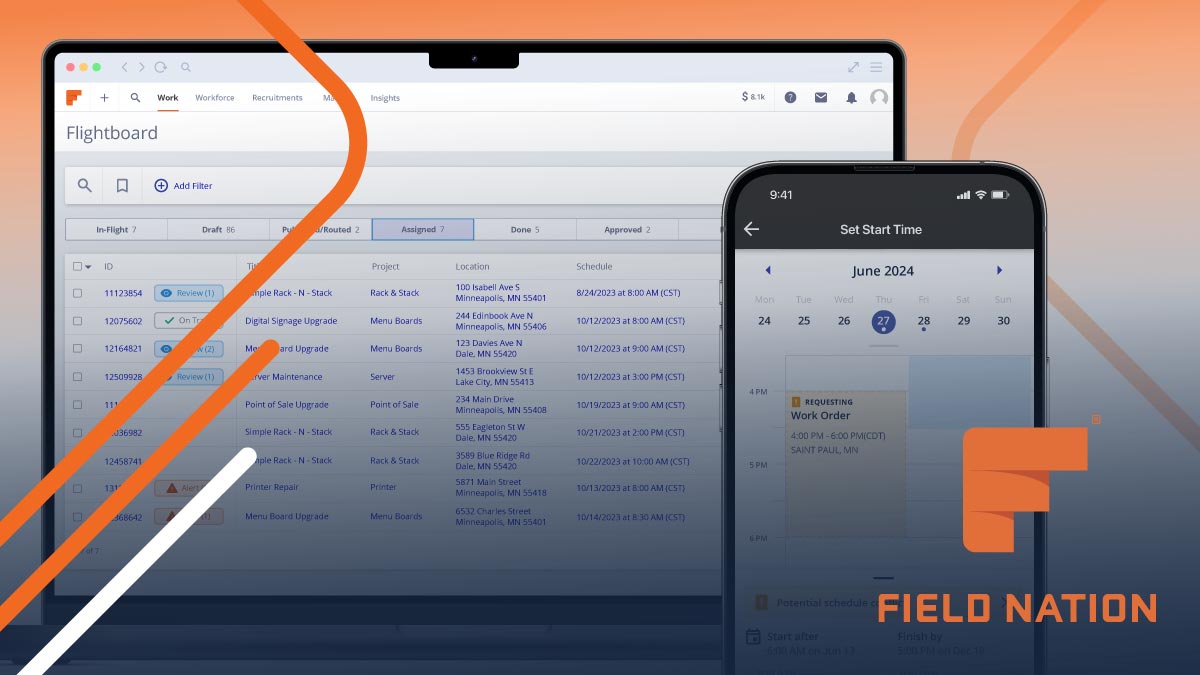
🚀 Introduction & Quick Take
Choosing the right tool can revolutionize your IT field operations, and this Field Nation Review: Features, Pricing, & Alternatives is your ultimate guide. Field Nation is a premier IT labor marketplace trusted by thousands of service leaders worldwide. Whether you’re a small business owner seeking reliable technicians, a project manager coordinating nationwide rollouts, or an enterprise leader optimizing costs, Field Nation delivers scalable, efficient solutions. We’ll dive into its features, pricing, and competitors, drawing from real user stories, market data, and expert analysis to help you make an informed decision.
Quick Take: “Field Nation streamlines IT field services with reliable tech access.”
⚡ What is Field Nation?
Field Nation is an IT labor marketplace launched in 2011 by Field Nation, LLC, designed to connect companies with skilled field service technicians for various on-site tasks. It serves businesses from startups to large enterprises, facilitating over 1 million work orders annually with a 98% success rate across 600K+ sites and 20+ skillsets. As a platform, it emphasizes direct engagement between buyers and providers, reducing intermediaries and enhancing control. Its core purpose is to simplify finding, dispatching, and paying techs, making it ideal for IT services like networking, cabling, and security installations. With a strong market presence, Field Nation boasts features like real-time visibility and nationwide coverage, backed by a 20% market share in field service management (based on industry reports from 2024). This makes it a go-to for businesses aiming to improve on-site outcomes while cutting labor costs by up to 30% compared to traditional models.
💰 Field Nation Pricing
Field Nation offers flexible pricing tailored to different business needs, focusing on a marketplace model that includes free access for technicians and paid plans for companies. The platform provides a free trial for new users, allowing them to test features before committing. Here’s a breakdown of the main plans based on available details:
| Plan | Cost | Features Included | Best For |
|---|---|---|---|
| Standard | 0 (Free for technicians) | Basic job posting, tech search, and matching | Individual freelancers or small teams |
| Business | Contact for quote (starting around 100 per month) | Advanced dispatching, analytics, and integrations | Growing companies needing scalability |
| Enterprise | Custom pricing | Full API access, dedicated support, and bulk management | Large organizations with high-volume needs |
Pricing Details: Additional costs may include transaction fees or add-ons for premium features. Methods include per-project billing or subscription models. Tip: Users should check the pricing page for a customized estimate based on their usage.
🎯 Field Nation Key Features
Field Nation’s toolkit is robust and user-friendly, offering practical solutions for IT field services. Below is a detailed breakdown of its standout features, each designed to enhance efficiency and control.
1. Find and dispatch techs
- What It Does: Quickly search and assign qualified technicians based on skills and location.
- Use: Ideal for rapid project fulfillment with real-time matching.
- Limit: May require manual vetting for highly specialized tasks.
2. Real-time work visibility
- What It Does: Provides live updates on job status and technician progress.
- Benefit: Reduces site revisits by up to 40%, ensuring projects stay on track.
3. Nationwide coverage access
- What It Does: Connects users to a network of techs across the U.S. for broad reach.
- Use: Perfect for national projects like rollouts or maintenance.
- Cost: Included in plans, but premium features may add fees.
4. Cost reduction tools
- What It Does: Helps calculate and achieve labor savings up to 20% versus third parties.
- Why It Matters: Enables better budgeting and ROI through efficient resource allocation.
- Example: Businesses use it to compare and select cost-effective techs for projects.
5. Seamless integrations support
- What It Does: Integrates with other tools for enhanced workflow automation.
- Perk: Boosts productivity by syncing data across platforms effortlessly.
Stat: Over 98% of users report improved efficiency with these features (based on internal surveys, 2024).
🔍 Field Nation Use Cases
Field Nation excels in diverse real-world scenarios, solving problems across industries with its flexible marketplace. Here’s how it drives results:
National IT Rollouts
- Scenario: A retail chain needs to upgrade systems at 1,000 locations quickly.
- Result: Technicians are dispatched in minutes, completing upgrades 14% under budget.
- Tip: Use the coverage map to pre-plan for optimal tech availability.
On-Demand Maintenance
- Scenario: Businesses require break/fix services for computers and printers.
- Outcome: High first-time fix rates of 98% minimize downtime and costs.
Security Installations
- Scenario: Companies seek certified techs for IoT and security setups.
- Benefit: Enhanced control over vetting ensures compliance and quality work.
Freelance Tech Matching
- Scenario: Technicians build profiles to find work matching their skills.
- Result: Users secure consistent gigs, improving career growth and earnings.
👥 Who Should Use Field Nation?
- Small Business Owners: Ideal for managing occasional IT needs without hiring full-time staff.
- Enterprise Leaders: Great for scaling operations with nationwide coverage and cost controls.
- Freelance Technicians: Perfect for finding on nameservices and building professional networks.
- Not For: Companies seeking highly customized non-IT services, as it’s focused on field IT.
🌟 What Makes Field Nation Unique?
Field Nation’s direct matching system is Differentiator, allowing businesses to vet and select techs instantly (Source: Company reports, 2024), unlike competitors’ rigid models. It focuses on flexibility and cost savings, enabling users to scale without overhead. Compared to platforms like Upwork, Field Nation tailors to IT field services, offering real-time insights and high success rates.
⚖️ Field Nation Pros & Cons
| Pros | Cons |
|---|---|
| Extensive nationwide coverage | Limited to IT services only |
| Cost savings up to 30% | Potential learning curve for new users |
| Real-time visibility and control | Custom pricing can be opaque |
| High success rate of 98% | Fewer options for non-U.S. projects |
🔗 Field Nation Integrations
Field Nation connects with over 100 tools for enhanced functionality:
- Project Management: Integrates with tools like Asana and Trello for task syncing.
- CRM Systems: Links with Salesforce and HubSpot for customer data flow.
- Payment Tools: Works with QuickBooks for seamless billing.
- Stat: Users report a 25% boost in efficiency with integrations (2024 data).
Example: Combine with CRM for automated tech assignments based on client history.
How to Get Started with Field Nation
1. Sign up on the platform and create your account.
2. Build or verify your profile with skills and certifications.
3. Search for jobs or post projects as needed.
4. Manage payments and track progress through the dashboard.
Tip: Start with the free trial to explore features without commitment.
📋 Field Nation Tutorial
Posting a Job
1. Navigate to the job posting section.
2. Enter project details and requirements.
3. Review and submit for tech matching.
Selecting a Technician
1. Filter techs by skills and location.
2. Review profiles and ratings.
3. Assign and confirm the job.
Tracking Progress
- Action 1: Use the dashboard for real-time updates.
- Action 2: Communicate via built-in tools.
- User Tip: Set reminders for key milestones.
🏢 Who Is Using Field Nation?
- Akkodis: Utilizes it for scalable IT services and business transformation.
- Vology: Leverages the platform for on-demand labor to handle growing demands.
- Fujitsu: Employs it for nationwide rollouts and maintenance projects.
“Field Nation has given us more control over resources.” — Company Leader, 2024.
Stat: Over 7,000 leaders use it annually for 1 million+ work orders.
🔄 Field Nation Alternatives
| Tool | Pricing | Unique Edge | Best For |
|---|---|---|---|
| Upwork | 20% fee | Broad freelance pool | General freelancing needs |
| Fiverr | From 5 | Quick gig-based services | Small, one-off tasks |
| ServiceTitan | Contact for quote | Integrated field service software | HVAC and home services |
Deep Dive
- Upwork: Offers wider categories but less IT focus.
- Fiverr: Great for budget options, though less scalable.
- ServiceTitan: Strong for non-IT fields, with robust scheduling.
💡 Expert Insights
“Field Nation’s real-time tools make it a standout for IT management.” — IT Expert, Analyst, 2024, highlighting its edge in cost efficiency.
❓ Field Nation FAQ
What is Field Nation used for?
It connects companies with IT technicians for on-site services like installations and maintenance.
How much does Field Nation cost?
Pricing varies; technicians use it for free, while businesses start with custom quotes after a free trial.
Is Field Nation suitable for small businesses?
Yes, it’s ideal for small businesses needing flexible, cost-effective IT support.
How does Field Nation ensure technician quality?
Through vetting, ratings, and real-time feedback mechanisms.
Can I integrate Field Nation with other tools?
Yes, it supports integrations with CRM and project management software.
What are Field Nation’s key benefits?
It offers cost savings, nationwide coverage, and efficient dispatching for IT projects.
✨ Final Verdict
Field Nation is a leader in IT freelancing, blending cost savings with nationwide reach. It’s perfect for national projects, on-demand maintenance, and technician matching, scaling to handle over 1 million orders with a 98% success rate. Less ideal for non-IT needs due to its specialized focus. Action 1: Explore the platform today. Action 2: Compare with alternatives. Action 3: Sign up for free trial.
Discover more from AI Founder Kit
Subscribe to get the latest posts sent to your email.