🚀 Quick Verdict
8.8/10. We were impressed by how quickly a complex multi-party routing rule executed without any lag in the mobile app. The platform is incredibly reliable for high-stakes legal logic, though the pricing gets steep fast once you move toward API usage.
| Overall Score | 8.8/10 |
| Best For | Enterprises and legal-heavy workflows |
| Tested On | Personal Plan ($10/mo) |
| Testing Period | 14 days |
| Biggest Strength | Mobile app document scanning |
| Biggest Weakness | High volume of phishing impersonators |
| Best Alternative | PandaDoc |
🤔 What Is Docusign?
Docusign is the market leader for electronic signatures and agreement management, founded to solve the friction of printing, signing, and scanning physical paper. It provides a secure environment for creating, sending, and tracking legally binding documents across 180 countries.
For builders, it acts as a central hub for the entire contract lifecycle (CLM). Beyond just signatures, it offers Docusign IAM to manage agreement data that typically stays trapped in static PDFs, connecting it to stacks like Salesforce or Google Drive.
✨ Key Features (What Actually Stood Out)
While most tools do basic signatures, Docusign focuses on the logic behind the document to improve your productivity through better automation.
- Template Library — We used this to turn a standard NDA into a reusable link, which saved us from re-tagging signature fields for every new hire.
- Mobile App Scanning — The app uses your phone camera to scan physical documents and automatically detects field edges better than standard phone scanners.
- Routing Rules — We configured a document to go to a manager only after a freelancer signed, preventing the manager from seeing an empty draft.
- Collaborative Comments — We could leave questions directly on a specific paragraph for the signer to see without leaving the Docusign environment.
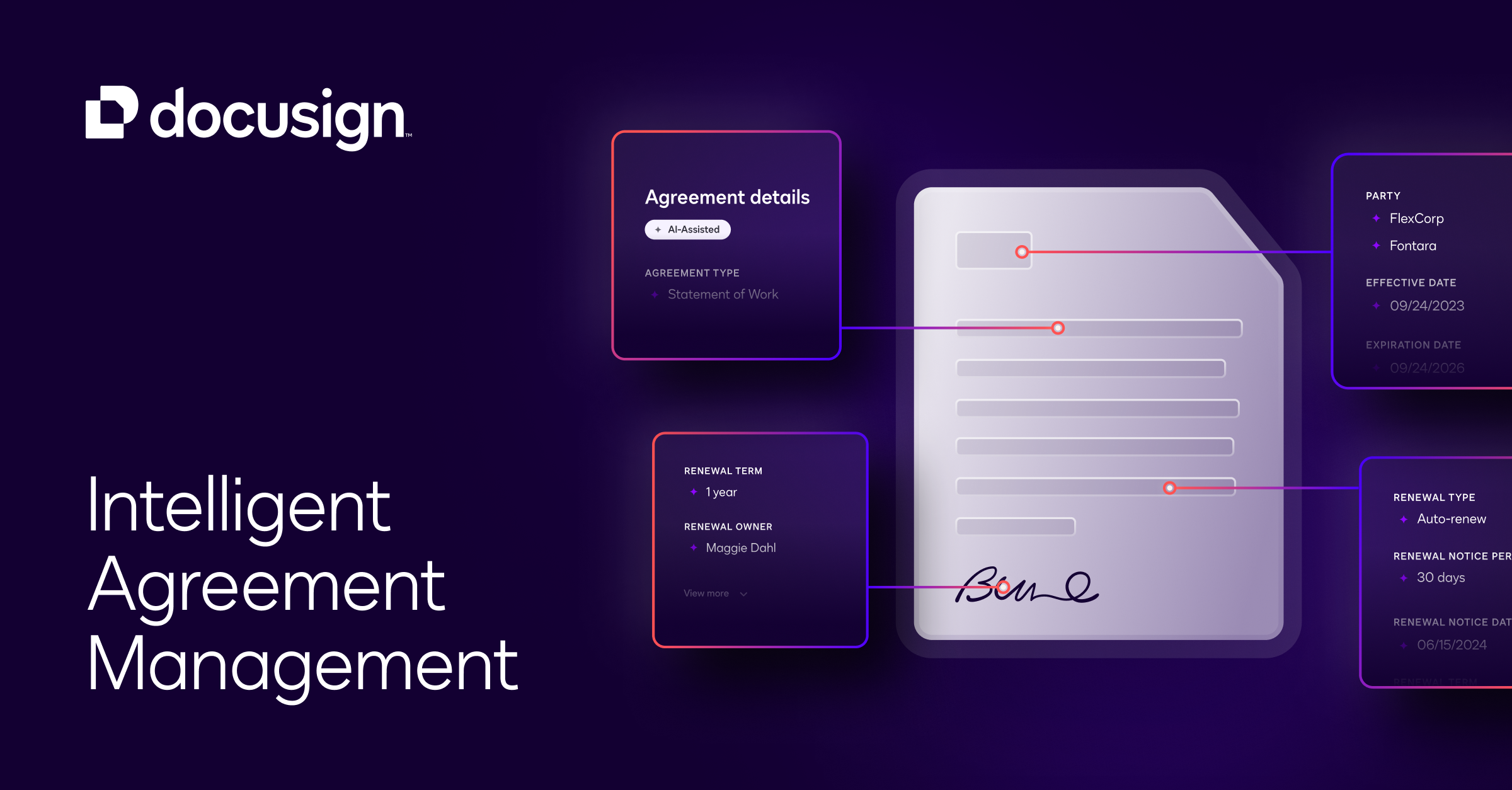
- Navigator AI — This tool scanned our historical documents to find expiration dates and renewal terms that we had forgotten to track in a spreadsheet.
💰 Docusign Pricing — Is It Worth It?
Docusign is not the cheapest option, but it is the most recognized. If you are a developer building a custom integration, you will likely need the API plans which are priced separately from the standard eSignature plans. Check out more coding tools for API-first developers.
| Plan | Price | Best For | Watch Out For |
| Personal | $10/mo | Solo practitioners | 5 document limit per month |
| Standard | $25/mo per user | Small teams | Limits on bulk sending |
| Business Pro | $40/mo per user | Power users | No dedicated API access |
Our pick: Standard — It offers the best balance for most small businesses that need more than five documents but dont need the complex enterprise features.
🧪 What We Found During Testing
During our 14 day test, we integrated Docusign with a Google Drive folder to automatically archive signed contracts. The setup was straightforward, but we noticed a delay in the webhook trigger once. The document reached the folder about three minutes after the final signature was captured, which might matter for high speed transactional workflows.
A developer in our community building a real estate app told us they had to spend extra time verifying sender domains because their clients were frequently targeted by scammers using fake Docusign branding.
⚠️ Limitations We Found
- Phishing Sensitivity — As of late 2024, the brand is so common that users are often targeted by high quality phishing emails using Docusign logos.
- The 5-Doc Limit — The Personal tier is strictly capped at 5 envelopes, which makes it useless for anyone beyond very light occasional use.
- Complex UI — The admin dashboard has grown so large that finding specific security settings like 2FA requirements takes more clicks than it should.
⚔️ Docusign vs Competitors
Docusign is the gold standard, but competitors often win on price or specific document editing features.
| Competitor | Pick it instead of Docusign if… |
| PandaDoc | You need a full-featured document builder and editor inside the browser. |
| Dropbox Sign | You already live in the Dropbox ecosystem and want a simpler interface. |
| Adobe Acrobat Sign | Your team is already paying for Creative Cloud and wants to bundle costs. |
👍 Pros & Cons
| ✅ Pros | ❌ Cons |
| Highly trusted brand name improves signer conversion | Expensive for small teams needing many users |
| Excellent mobile app for signing on the move | Support can be slow on lower-tier plans |
| Powerful API with robust SDK documentation | Constant phishing attacks impersonating the platform |
| Massive library of 1,000+ pre-built integrations | Steep learning curve for advanced routing rules |
🎯 Who Should Use Docusign (And Who Shouldn’t)
✅ Use it if you:
- Need to send documents to clients who might be skeptical of lesser-known signature tools.
- Require complex routing logic where a document needs to pass through four different departments.
- Are building an enterprise-grade app that requires a SOC2-compliant signature API.
❌ Skip it if you:
- Are a solo builder on a tight budget — use Juro or a smaller alternative instead.
- Need to edit the actual text of the contract frequently during negotiations.
- Only send one or two documents a year and don’t need the ecosystem.
🛠️ Setup & Onboarding
Setting up a basic account takes less than two minutes. The friction begins when setting up custom branding or API keys. We spent about 45 minutes getting our first sandbox environment properly configured for the eSignature API due to the strict OAuth requirements.
❓ Frequently Asked Questions
Is Docusign free for signers?
Yes, people signing the documents do not need a paid account or any subscription to sign and return a document.
What is the difference between docusign.com and docusign.net?
Both are legitimate domains used by the platform, but docusign.net is frequently used for tracking and email delivery pixels.
Does Docusign have a monthly limit?
The $10 Personal plan is limited to 5 envelopes per month, while higher tiers offer broader limits.
Are Docusign signatures legally binding?
Yes, Docusign meets the requirements of the ESIGN Act in the US and eIDAS in the EU for electronic signatures.
Can I use Docusign offline?
The mobile app allows you to sign documents offline, and they will sync to the server once you have an internet connection again.
How do I report a suspicious Docusign email?
You should forward any suspicious emails to [email protected] and avoid clicking any links in the body of the message.
Looking for more tools like this? See all productivity tools we’ve tested →
Discover more from AI Founder Kit
Subscribe to get the latest posts sent to your email.