🚀 Introduction
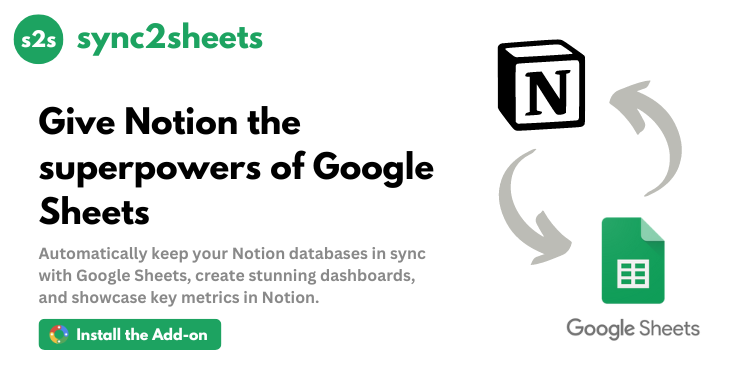
Sync2Sheets is a powerful no-code integration that bridges Notion and Google Sheets, enabling real-time data synchronization between these popular productivity platforms. Designed for teams and individuals who want to supercharge their Notion databases with Google Sheets’ analytical capabilities, this tool eliminates manual exports and provides automated workflows. Whether you’re building dashboards, analyzing data, or creating automated reports, Sync2Sheets brings spreadsheet functionality to your Notion workspace without any coding required.
🎯 Key Features
- Real-time Synchronization: Keep your Notion databases and Google Sheets in perfect harmony with automatic, bi-directional updates that happen instantly.
- Automated Page Creation: Generate Notion pages directly from Google Sheets rows using simple triggers like ‘DRAFT’ or ‘NEW’ keywords.
- Dynamic Dashboard Linking: Connect specific Sheets cells to Notion blocks to create automatically updating dashboards and reports.
- Embedded Data Visualization: Create charts and pivot tables in Sheets and display them directly in your Notion workspace with live updates.
- Comprehensive Database Backup: Maintain a real-time backup of your Notion databases in Google Sheets, preserving all relationships and formatting.
⚖️ Pros and Cons
Pros:
- Eliminates manual data exports between Notion and Sheets
- Supports complex Google Sheets formulas in Notion
- Trusted by major companies like Wix and Canva
Cons:
- Requires Google Workspace for full functionality
- Advanced features require paid plan after trial
❓ Sync2Sheets FAQ
How does Sync2Sheets handle real-time updates?
The integration uses Google Sheets’ API to detect changes and instantly push updates to connected Notion databases, typically within seconds.
Can I use Google Sheets formulas in Notion?
Yes, Sync2Sheets allows you to display the results of Sheets formulas (including complex functions) directly in Notion properties.
Is there a limit to database size?
The free trial handles databases up to 500 rows, while paid plans support larger datasets with custom solutions available for enterprise needs.
How secure is my data?
Sync2Sheets uses OAuth 2.0 for authentication and only requests necessary permissions, with data encrypted in transit using TLS.
Can I sync multiple databases?
Yes, paid plans allow unlimited database connections with separate Sheets for each Notion database.
What happens if I edit the same record in both platforms?
Sync2Sheets uses timestamp-based conflict resolution, with the most recent edit taking precedence by default (configurable in settings).