🚀 Introduction
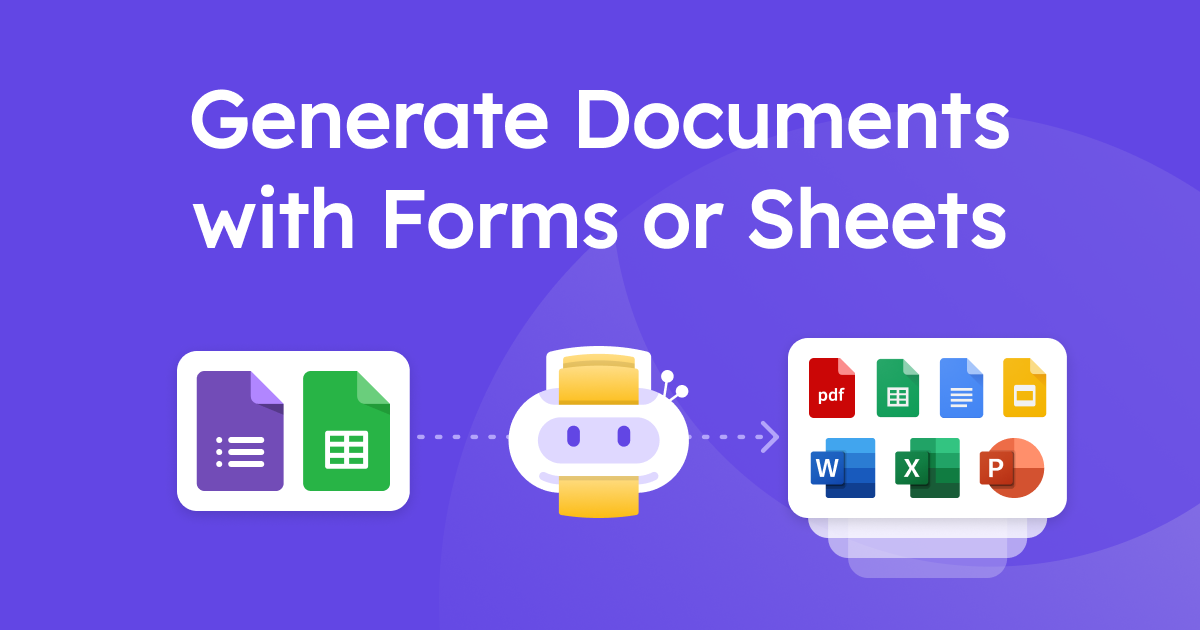
Form Publisher is a powerful Google Workspace add-on designed to automate the creation of customized documents directly from Google Forms submissions or Google Sheets data. It seamlessly transforms collected information into professional-looking PDFs, Google Docs, Sheets, Slides, or Microsoft Office documents (Word, Excel, PowerPoint). Ideal for businesses, educational institutions, and organizations of any size, Form Publisher eliminates manual data entry and document formatting, saving significant time and reducing errors. By connecting your forms or spreadsheets to custom templates, it streamlines administrative tasks like generating invoices, certificates, reports, agreements, and more, enabling truly paperless and efficient workflows.
🎯 Key Features
- Automated Document Generation from Google Forms: Configure Form Publisher to automatically trigger document creation whenever a new Google Form response is submitted. Each submission instantly populates a pre-designed template, generating a personalized document without manual intervention. This is perfect for welcome letters, registration confirmations, or initial quotes.
- Mass Generation from Google Sheets: Leverage existing data in Google Sheets to generate multiple documents in bulk. Simply select the relevant rows and your template, and Form Publisher will create individual documents for each entry. This feature is invaluable for creating batch invoices, personalized certificates, or bulk mail-merge style reports.
- Multiple Output Formats & Custom Templates: Design your templates using Google Docs, Sheets, Slides, or Microsoft Office. Form Publisher merges your data into these templates and outputs them as PDFs, Google Workspace files, or Microsoft Office documents, offering flexibility to match your specific needs and branding requirements. Use markers <> in your template to indicate where form data should go.
- Automated Approval Workflows & Notifications: Set up multi-step approval processes directly within Form Publisher. Submitted documents can be automatically routed to designated approvers who can review, approve, or reject them. Customizable email notifications keep submitters, recipients, and approvers informed at every stage, enhancing collaboration and accountability.
- E-signatures & Automated Sharing: Integrate legally compliant e-signatures into your workflow (requires connection with providers like SignRequest or HelloSign via Zapier/integration platform, or uses native features in specific plans). Once generated and approved, documents can be automatically shared via email with relevant recipients or stored in designated Google Drive folders, ensuring secure and efficient distribution.
⚖️ Pros and Cons
Pros:
- Seamless integration with Google Workspace (Forms, Sheets, Drive).
- Significant time savings through automation.
- Supports multiple output formats (PDF, Google Docs, MS Office).
- Features like approval workflows and e-signature capabilities (check plan specifics).
- Free plan available for basic usage.
Cons:
- Heavily reliant on the Google Workspace ecosystem.
- Advanced features (e-signatures, higher quotas) require paid plans.
- Can have a learning curve for complex template designs and workflows.
❓ Form Publisher FAQ
What is Form Publisher?
Form Publisher is a Google Workspace add-on that automates the creation of documents (like PDFs, Google Docs, or Microsoft Office files) using data submitted through Google Forms or stored in Google Sheets.
How does Form Publisher work?
It connects a Google Form or Sheet to a custom template (created in Google Docs, Sheets, etc.). When a form is submitted or triggered from a Sheet, Form Publisher merges the data into the template markers to generate a new document automatically.
Can I use my own templates?
Yes, you can create custom templates in Google Docs, Sheets, Slides, or Microsoft Office formats and use markers (e.g., <>) to indicate where the data from your form or sheet should be inserted.
What types of documents can Form Publisher create?
Form Publisher can generate documents in PDF, Google Docs, Google Sheets, Google Slides, Microsoft Word, Microsoft Excel, and Microsoft PowerPoint formats.
Is there a free version of Form Publisher?
Yes, Form Publisher offers a free plan with basic features and a limited quota of documents per month. Paid plans offer higher quotas, advanced features like approval workflows, and premium support.
Can Form Publisher handle approval processes?
Yes, paid plans of Form Publisher include features for setting up automated approval workflows, allowing documents to be routed for review and approval before finalization and distribution.
{ “@context”: “https://schema.org”, “@type”: “FAQPage”, “mainEntity”: [ { “@type”: “Question”, “name”: “What is Form Publisher?”, “acceptedAnswer”: { “@type”: “Answer”, “text”: “Form Publisher is a Google Workspace add-on that automates the creation of documents (like PDFs, Google Docs, or Microsoft Office files) using data submitted through Google Forms or stored in Gogle Sheets.” } }, { “@type”: “Question”, “name”: “How does Form Publisher work?”, “acceptedAnswer”: { “@type”: “Answer”, “text”: “It connects a Google Form or Sheet to a custom template (created in Google Docs, Sheets, etc.). When a form is submitted or triggered from a Sheet, Form Publisher merges the data into the template markers to generate a new document automatically.” } }, { “@type”: “Question”, “name”: “Can I use my own templates?”, “acceptedAnswer”: { “@type”: “Answer”, “text”: “Yes, you can create custom templates in Google Docs, Sheets, Slides, or Microsoft Office formats and use markers (e.g., <>) to indicate where the data from your form or sheet should be inserted.” } }, { “@type”: “Question”, “name”: “What types of documents can Form Publisher create?”, “acceptedAnswer”: { “@type”: “Answer”, “text”: “Form Publisher can generate documents in PDF, Google Docs, Google Sheets, Google Slides, Microsoft Word, Microsoft Excel, and Microsoft PowerPoint formats.” } }, { “@type”: “Question”, “name”: “Is there a free version of Form Publisher?”, “acceptedAnswer”: { “@type”: “Answer”, “text”: “Yes, Form Publisher offers a free plan with basic features and a limited quota of documents per month. Paid plans offer higher quotas, advanced features like approval workflows, and premium support.” } }, { “@type”: “Question”, “name”: “Can Form Publisher handle approval processes?”, “acceptedAnswer”: { “@type”: “Answer”, “text”: “Yes, paid plans of Form Publisher include features for setting up automated approval workflows, allowing documents to be routed for review and approval before finalization and distribution.” } } ] }
Discover more from AI Founder Kit
Subscribe to get the latest posts sent to your email.