🚀 Introduction
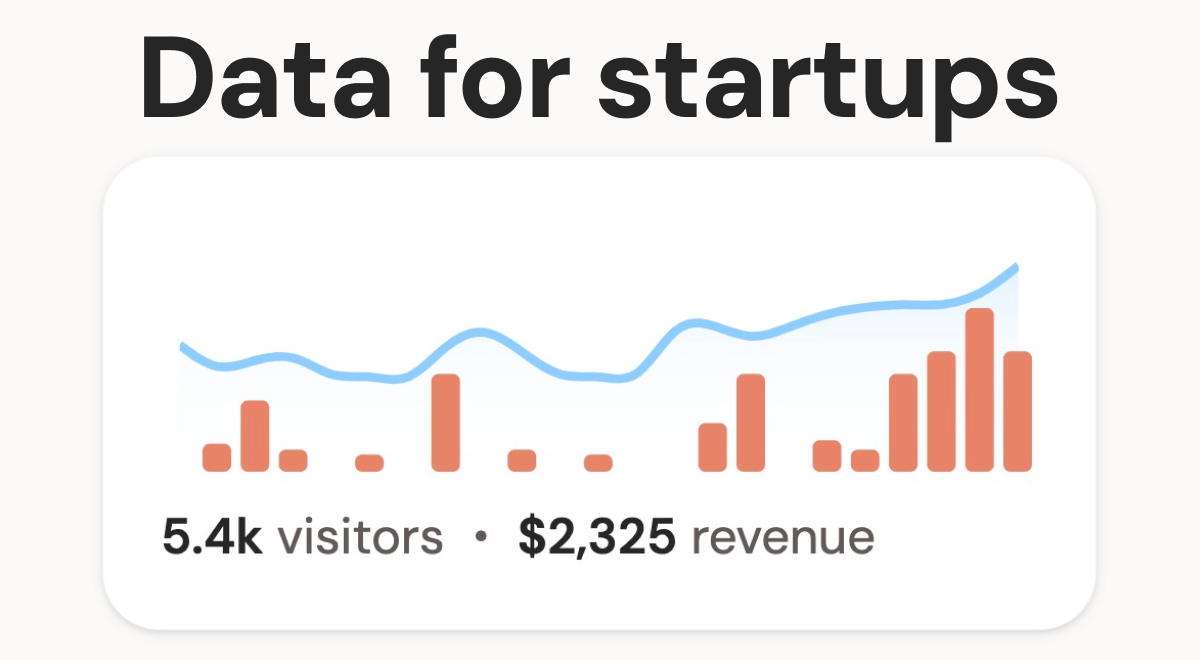
DataFast is a powerful yet simple startup analytics tool designed specifically for founders and entrepreneurs. Its primary use case is to transform raw website data into actionable insights, helping you understand traffic, identify your most effective marketing channels, and make informed decisions about product focus. If you’re tired of complex analytics platforms and need clear, revenue-driven metrics, DataFast offers a refreshing, founder-friendly alternative. It empowers you to grow your startup based on concrete data, not just guesswork, making it an invaluable asset for any early-stage venture looking to optimize for growth and profitability using better web analytics.
🎯 Key Features
- Simple Web Analytics Overview: DataFast offers a clean, intuitive dashboard displaying all essential web analytics. This includes an overview of all your sites, a clear visitors chart, referral sources, top pages, entry/exit pages, and breakdowns by location, devices, and browsers. Unlike overwhelming traditional analytics, it focuses on simplicity without data overload, and its super-fast (4kb) script won’t slow your site.
- Revenue Data Integration: Seamlessly connect your Stripe or LemonSqueezy accounts to DataFast. This integration allows the platform to attribute revenue directly to specific traffic sources and user actions. By linking your financial data, you can see crucial metrics like Revenue/Visitor, helping you understand the true monetary value of different marketing efforts and make revenue-driven decisions. This is key for effective startup analytics.
- Marketing Channel Insights: Discover which marketing channels are truly driving valuable traffic and conversions. DataFast helps you pinpoint your best-performing sources, whether they are organic search, social media, referrals, or paid campaigns. This clarity enables you to double down on successful strategies and optimize your marketing spend for better web analytics insights.
- User Engagement KPIs: Understand how users interact with your website through key performance indicators (KPIs) for engagement. Track metrics that show user involvement, such as visitor journey insights. These details help you identify areas of your site that are performing well and those that might need improvement to keep users engaged and moving towards conversion, a core part of startup analytics.
- Goal Conversion Tracking: Set up and monitor custom goals to see the entire journey of a user from their first visit to conversion with DataFast. For example, you can track sign-ups or purchases. Understand the path users take and how long it takes them to convert, providing deep insights into your sales funnel performance.
⚖️ Pros and Cons
Pros:
- Specifically designed for founders with actionable startup analytics.
- Much simpler interface compared to tools like Google Analytics.
- Provides direct revenue/visitor insights for clear financial performance.
- Very fast-loading (4kb) tracking script ensures minimal site impact.
- Integrates with Stripe & LemonSqueezy for revenue data.
- Features a public dashboard option for sharing analytics.
- Allows data import from Plausible.io.
Cons:
- Currently in beta, though this means early adopter pricing.
- Advanced revenue attribution features might require some beginner coding knowledge.
- Payment provider integrations are currently limited to Stripe and LemonSqueezy.
- As a newer tool, it may have fewer advanced features than some mature platforms.
❓ DataFast FAQ
Which plan should I choose for DataFast?
If you’re just getting started, the 10k events per month plan is a good starting point. For a couple of hundreds of visitors per day, consider the 100k/200k events per month plan. If you have significant traffic (1k+ visitors per day), the 1M+ events per month plan would be more suitable for your startup analytics needs.
What happens if I exceed my DataFast plan’s event limit?
Nothing immediately critical. DataFast will email you to suggest an upgrade. If you don’t upgrade within 7 days, your dashboard access will be locked. It’s a good problem to have, indicating growing traffic!
Does DataFast offer a free trial?
Yes! You can try DataFast completely free for 14 days. What’s great is that you don’t even need to provide a credit card to start the trial and explore its web analytics features.
Is DataFast GDPR compliant?
Yes, DataFast is GDPR compliant. The platform prioritizes data privacy and security, ensuring that all data collected is processed in accordance with GDPR regulations. As a user, you’ll need to obtain explicit consent from your website visitors for data collection.
Do I need to be making money to use DataFast?
Not at all! You can use DataFast effectively to get valuable insights about your website traffic and user behavior, even if your startup is not yet generating revenue. Understanding your web analytics early is key.
Do I need coding skills to use DataFast?
You don’t need to code to use DataFast for its core features. Setting up web analytics and connecting revenue data can be done in just a couple of minutes. If you want to use advanced features, like specific revenue attribution, some beginner programming knowledge might be helpful.
Can I migrate my existing data to DataFast?
Yes! For now, DataFast allows you to import your data from Plausible.io. Support for importing data from Google Analytics is planned for the future, making it easier to switch your startup analytics provider.
{ “@context”: “https://schema.org”, “@type”: “FAQPage”, “mainEntity”: [ { “@type”: “Question”, “name”: “Which plan should I choose for DataFast?”, “acceptedAnswer”: { “@type”: “Answer”, “text”: “If you’re just getting started, the 10k events per month plan is a good starting point. For a couple of hundreds of visitors per day, consider the 100k/200k events per month plan. If you have significant traffic (1k+ visitors per day), the 1M+ events per month plan would be more suitable for your startup analytics needs.” } }, { “@type”: “Question”, “name”: “What happens if I exceed my DataFast plan’s event limit?”, “acceptedAnswer”: { “@type”: “Answer”, “text”: “Nothing immediately critical. DataFast will email you to suggest an upgrade. If you don’t upgrade within 7 days, your dashboard access will be locked. It’s a good problem to have, indicating growing traffic!” } }, { “@type”: “Question”, “name”: “Does DataFast offer a free trial?”, “acceptedAnswer”: { “@type”: “Answer”, “text”: “Yes! You can try DataFast completely free for 14 days. What’s great is that you don’t even need to provide a credit card to start the trial and explore its web analytics features.” } }, { “@type”: “Question”, “name”: “Is DataFast GDPR compliant?”, “acceptedAnswer”: { “@type”: “Answer”, “text”: “Yes, DataFast is GDPR compliant. The platform prioritizes data privacy and security, ensuring that all data collected is processed in accordance with GDPR regulations. As a user, you’ll need to obtain explicit consent from your website visitors for data collection.” } }, { “@type”: “Question”, “name”: “Do I need to be making money to use DataFast?”, “acceptedAnswer”: { “@type”: “Answer”, “text”: “Not at all! You can use DataFast effectively to get valuable insights about your website traffic and user behavior, even if your startup is not yet generating revenue. Understanding your web analytics early is key.” } }, { “@type”: “Question”, “name”: “Do I need coding skills to use DataFast?”, “acceptedAnswer”: { “@type”: “Answer”, “text”: “You don’t need to code to use DataFast for its core features. Setting up web analytics and connecting revenue data can be done in just a couple of minutes. If you want to use advanced features, like specific revenue attribution, some beginner programming knowledge might be helpful.” } }, { “@type”: “Question”, “name”: “Can I migrate my existing data to DataFast?”, “acceptedAnswer”: { “@type”: “Answer”, “text”: “Yes! For now, DataFast allows you to import your data from Plausible.io. Support for importing data from Google Analytics is planned for the future, making it easier to switch your startup analytics provider.” } } ] }
Discover more from AI Founder Kit
Subscribe to get the latest posts sent to your email.