🚀 Introduction
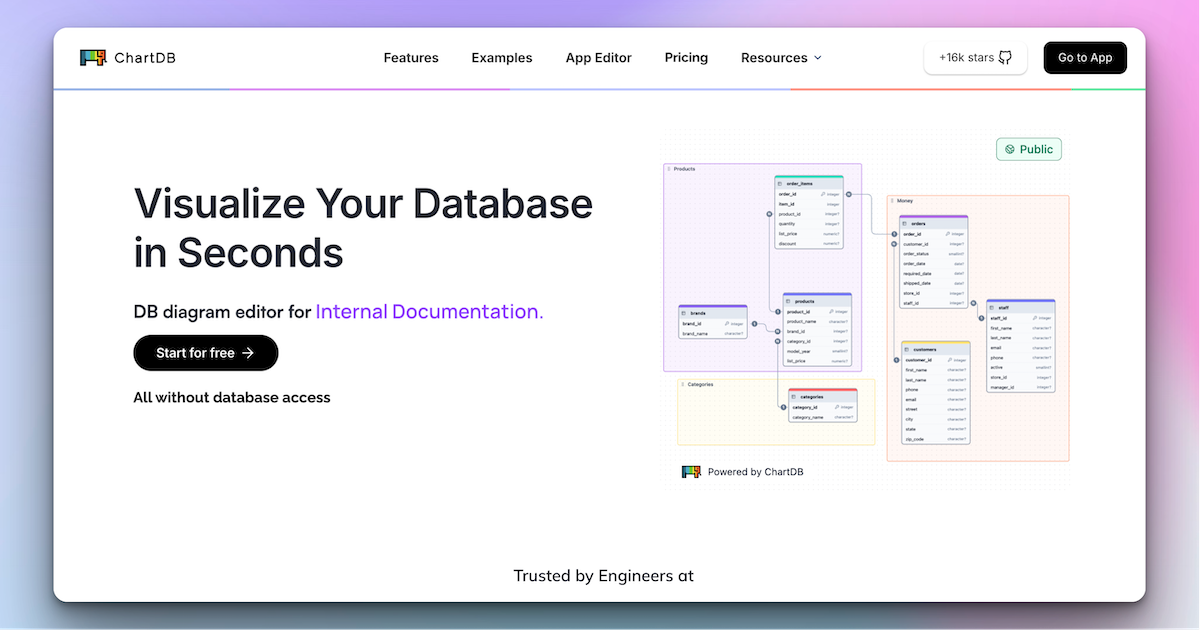
ChartDB is a modern, open-source data modeling tool designed to help developers and engineers visualize their database schemas instantly. Whether you are using PostgreSQL, MySQL, or Snowflake, ChartDB allows you to import your entire database structure with a single query in just 15 seconds. It bridges the gap between raw SQL and visual understanding, making schema management efficient for teams. With AI-powered diagram generation and real-time collaboration, ChartDB simplifies complex database design, allowing you to focus on building rather than deciphering relationships.
🎯 Key Features
- AI-Powered Diagram Generation: The ChartDB AI agent transforms your text prompts into fully editable and optimized ER diagrams. This feature accelerates the design process by suggesting table structures and relationships, ensuring your schema is robust from the start.
- Instant Import & Sync: Connect to your database and fetch your schema using one optimized query. ChartDB supports over 10 databases including PostgreSQL, MySQL, SQL Server, and BigQuery. The sync feature automatically keeps your diagrams updated with your live database, preventing drift.
- Real-Time Collaboration: Work together with your team seamlessly. Invite teammates to view and edit diagrams simultaneously. This is ideal for onboarding new engineers or conducting code reviews where visual context of the data structure is crucial.
- Flexible Export Options: Generate clean DDL scripts in your preferred SQL dialect to run directly against your database. Alternatively, export diagrams as high-quality images or share them via interactive, embeddable links for documentation.
- Version History & Docs: Track every schema change with detailed diffs and automatic version history. Create beautiful, customizable documentation that can be embedded in tools like Notion, Miro, or Confluence to keep stakeholders informed.
⚖️ Pros and Cons
Pros:
- Extremely fast schema import (15 seconds).
- AI assistance for quick diagram generation.
- Offers both Cloud and free Self-Hosted versions.
Cons:
- Advanced features require the Cloud plan.
- Learning curve for complete SQL beginners.
❓ ChartDB FAQ
Does ChartDB modify my database?
No, ChartDB is designed to be read-only by default. It visualizes your schema and allows you to generate SQL scripts (DDL), but it does not execute changes directly against your live database unless you choose to run the exported scripts manually.
Can I embed a live ERD in Notion, Miro, or Confluence?
Yes, ChartDB allows you to create beautiful, embeddable diagrams. You can generate a shareable link or an embed code to display your interactive database diagrams directly inside tools like Notion, Miro, or Confluence for documentation.
Can I try a ChartDB Cloud plan for free?
Absolutely. ChartDB offers a free plan to get started. You can sign up without entering any credit card details and start visualizing your database immediately.
How do I keep my diagrams in sync with the database?
You can use the “Sync Database” feature. This allows you to compare your current diagram with your live database and pull in any new changes or schema updates automatically, ensuring your documentation is always up to date.
How do I get support?
\p>You can access support through their Discord community, detailed documentation, or by checking the GitHub issues for the self-hosted version.Do you offer invoices and business billing?
Yes, ChartDB provides business billing options. You can access invoices and manage billing details directly from your account settings when using the Cloud version.
Discover more from AI Founder Kit
Subscribe to get the latest posts sent to your email.