🚀 Quick Verdict
The Pikzels Score caught a text-readability issue we missed during our first design. It isn’t just a basic image maker; it actually analyzes why people click. We found the persona training requires high-quality headshots to look natural.
| Overall Score | 8.4/10 |
| Best For | YouTube creators and agencies |
| Tested Plan | Starter Plan at $35/mo |
| Testing Period | 14 days |
| Biggest Strength | Data-backed thumbnail scoring |
| Biggest Weakness | Learning curve for personas |
| Best Alternative | Thumbs.ai |
🤔 What Is Pikzels?
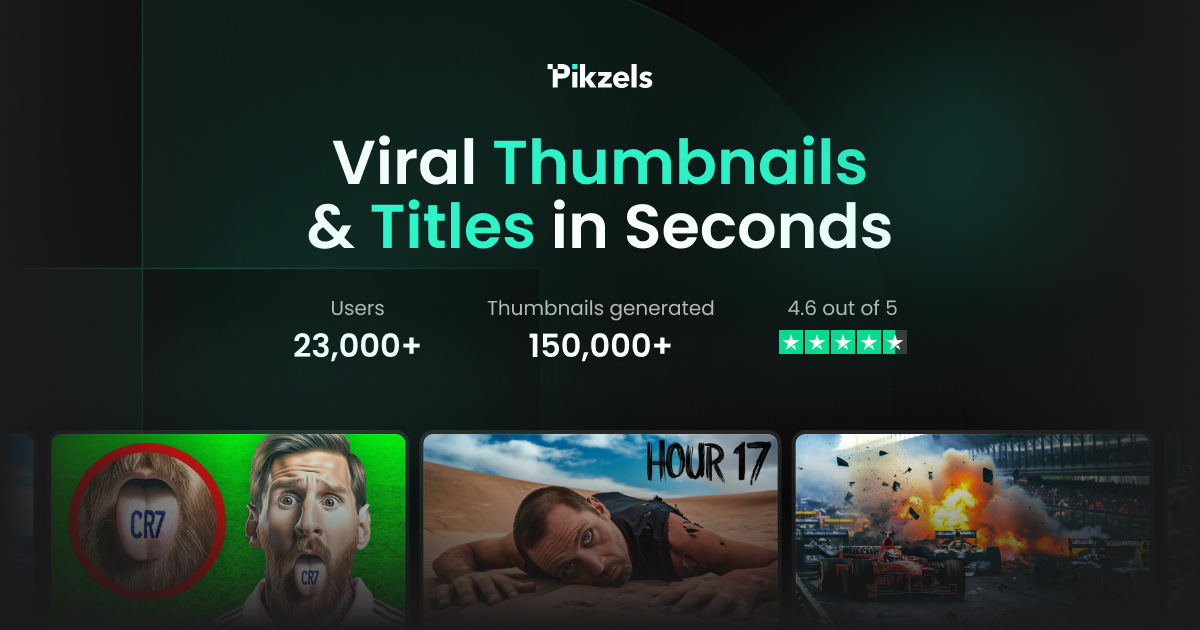
Pikzels is a dedicated YouTube packaging tool built by Dorian van Boven. It helps creators move away from generic designs by using AI to predict what will get clicks based on current platform trends.
The tool solves the blank canvas problem by generating layouts that include faces, text, and backgrounds specifically for small mobile screens. It focuses on the psychological triggers of a click rather than just aesthetic beauty.
⚙️ How We Tested Pikzels
We signed up for the Starter plan at $35 for a two-week testing period. Our team performed three specific tasks: generating five thumbnail variations for a business vlog, using the scoring tool to compare two different designs, and training a persona using ten founder headshots.
✨ Key Features (What Actually Stood Out)
This tool focuses on the science of the click rather than just making pretty pictures. You can find more advice on this in our /usecase/content-creation/ guide.
- Pikzels Score — This gives you a numerical rating on how likely your thumbnail is to perform. We noticed it correctly flagged when our text was too thin for mobile users.
- Persona Training — You can upload photos of yourself to create a digital twin. Once trained, we could place the founder in any scenario without a new photoshoot.
- Recreate Feature — This allows you to paste a link to a high-performing video. The AI then builds a similar layout for your own content.
- AI Face Swap — We used this to put specific expressions on AI-generated bodies. It worked well for creating high-emotion reactions that are common on YouTube.
- Title Ideation — The tool suggests hooks that match the visual style of your thumbnail. We found these were best used as a starting point rather than final copy.
💰 Pikzels Pricing — Is It Worth It?
The pricing is credit-based, which means every generation or enhancement costs you. Check out our /category/youtube/ section for tools with different billing styles if you prefer unlimited usage.
| Plan | Price | Best For | Watch Out For |
| Starter | $35/mo | Solo creators | Limited credits per month |
| Pro | $95/mo | Content agencies | Credits do not roll over |
Our pick: Starter — It provides enough credits to handle a weekly upload schedule with multiple iterations for each video.
🧪 What We Found During Testing
We started by uploading ten photos of a founder to train a persona. The process took about 20 minutes, but the results allowed us to swap the face onto different backgrounds instantly. When we ran the Pikzels Score on a finished design, it gave us a 72/100 and suggested making the text yellow instead of white. We changed the color, and the score jumped to 85.
A founder in our community who runs a fitness channel told us the AI faces looked a bit too perfect at first, but the scoring tool helped them realize their text was too small for mobile users.
⚠️ Limitations We Found
- Complex Interface — The dashboard has many options that can feel overwhelming for a first-time user as of early 2025.
- Persona Training Time — You cannot use the face-swap feature immediately because the AI needs time to process your uploaded images.
- Credit Usage — Every small change or iteration eats into your monthly allowance, which makes experimentation feel expensive.
⚔️ Pikzels vs Competitors
Most creators compare this tool against general design platforms or other niche AI generators.
| Competitor | Pick it instead of Pikzels if… |
| Canva | You want to design everything manually from scratch and don’t need AI scoring. |
| Midjourney | You need artistic backgrounds and do not care about YouTube-specific layouts or text. |
| Thumbs.ai | You are on a tight budget and only need basic AI generation without persona training. |
👍 Pros & Cons
| ✅ Pros | ❌ Cons |
| Scoring system provides actionable feedback | Credit system can be costly for high volume |
| Persona training keeps branding consistent | Face swaps can occasionally look uncanny |
| Recreate tool saves time on research | No mobile app for quick edits |
| Built-in title generator for hooks | High learning curve for advanced settings |
🎯 Who Should Use Pikzels (And Who Shouldn’t)
✅ Use it if you:
- Are a YouTuber struggling with low click-through rates.
- Run a content agency and need to produce dozens of variations quickly.
- Want to keep your face in thumbnails without doing a new photoshoot for every video.
❌ Skip it if you:
- Only post occasionally and can use a free tool like Canva.
- Need a tool that handles full video editing rather than just packaging.
- Have a zero-dollar budget for your channel growth.
❓ Frequently Asked Questions
Is Pikzels better than Canva?
Pikzels is better for data-backed decisions and AI face-swapping, while Canva is better for manual graphic design and templates.
How does the Pikzels Score work?
It uses an algorithm to analyze contrast, text size, and focal points to predict how well a thumbnail will perform on YouTube.
Can I use my own face in Pikzels?
Yes, you can train a persona by uploading headshots, allowing the AI to place your face on any generated thumbnail.
Does Pikzels write video titles too?
Yes, it includes a title ideation tool that generates hooks designed to work alongside your visual designs.
Is there a free version of Pikzels?
Pikzels typically offers a limited trial or free credits, but consistent use requires a paid subscription.
Does Pikzels guarantee more views?
No tool can guarantee views, but it provides data to help you avoid common mistakes that lead to low click-through rates.
Looking for more tools like this? See all YouTube tools we’ve reviewed →
Discover more from AI Founder Kit
Subscribe to get the latest posts sent to your email.