🚀 Quick Verdict
The pronunciation editor is the standout feature because it lets you fix brand names that AI usually mangles. We found the business-focused voices sound much more professional than standard robotic assistants. You’ll need a paid plan to actually download any files, which makes the free version a demo only.
| Overall Score | 8.2/10 |
| Best For | Marketing teams and educators |
| Tested Plan | Creator Plan at $29/month |
| Testing Period | 7 days |
| Biggest Strength | Granular control over word emphasis |
| Biggest Weakness | No downloads on the free tier |
| Best Alternative | ElevenLabs |
🤔 What Is Murf AI?
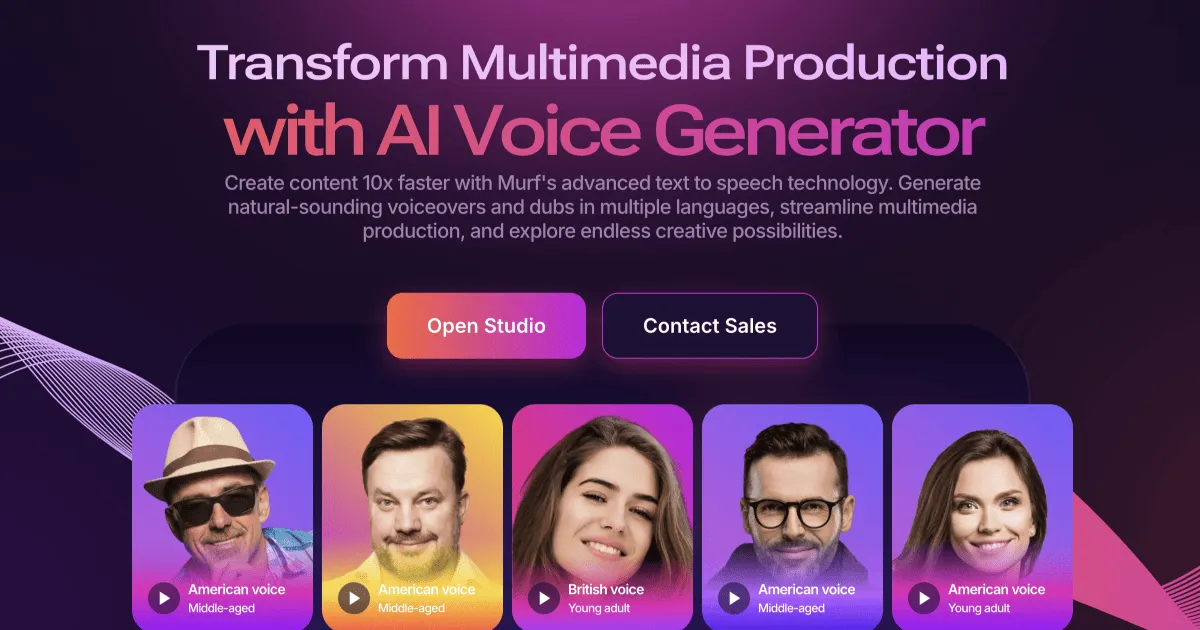
Murf AI is a web-based studio that turns written scripts into spoken audio using synthetic voices. It was started in 2020 by founders who wanted to make studio-quality narration accessible without the high cost of human talent. The platform focuses heavily on the needs of businesses rather than just creative storytelling.
It solves the problem of constant retakes and expensive recording sessions for training videos or ads. By using their Gen 2 speech models, you can generate audio that mimics human intonation and pacing. It’s built for people who need a consistent voice across dozens of different projects.
⚙️ How We Tested Murf AI
We signed up for the Creator Plan for $29 for one month to test the full export capabilities. Our team completed three specific tasks: generating a voiceover for a 5-minute YouTube script, adding audio directly to a 10-slide Google Slides deck, and testing the Pronunciation Editor with niche industry terms. We spent roughly 10 hours inside the studio to check for lag and rendering speed.
✨ Key Features (What Actually Stood Out)
Murf AI provides more control over the final output than most basic text to speech tools in the content creation space.
- Pronunciation Editor — This lets you use phonetic spelling to teach the AI how to say your brand name. We used it for a technical product name and it stayed consistent across the entire script.
- Pitch and Speed Control — You can adjust the speed in small increments. We found that slowing down technical explanations by 5% made them much easier for listeners to follow.
- Google Slides Add-on — This allows you to write your script in the slide notes and generate audio without leaving the presentation. It worked well for a quick internal training deck.
- Voice Styles — Some voices allow you to toggle between styles like ‘Promo’, ‘Conversational’, or ‘Sad’. The ‘Promo’ style adds a noticeable energy that works for short social ads.
- Emphasis Tool — You can click specific words to make the AI stress them. It prevents the flat, monotone delivery common in cheaper alternatives.
💰 Murf AI Pricing — Is It Worth It?
The pricing is structured around the amount of voice generation time you need per year. If you are doing heavy marketing work with long videos, you will hit the limits of the lower tiers quickly. Note that the free plan is essentially a sandbox since you cannot download your work.
| Plan | Price | Best For | Watch Out For |
| Free | $0 | Testing voices | No downloads allowed |
| Creator | $29/mo | Individual creators | Limited to 24 hours/year |
| Business | $99/mo | Small teams | Collaboration tools included |
Our pick: Creator Plan — It gives you access to all the high-quality voices and commercial rights which are necessary for any business project.
🧪 What We Found During Testing
The interface is very clean and didn’t lag even with a 2,000-word script loaded. We were surprised by how well the AI handled punctuation; adding a comma actually creates a natural-sounding pause. However, we noticed that some of the non-English voices, specifically the Hindi and Spanish options, felt a bit more robotic than the flagship English voices.
A founder in our community who runs a real estate agency told us they use the tool to narrate property walkthroughs. They noted that the Australian accent voices occasionally sound a bit flat compared to the US English options.
⚠️ Limitations We Found
- Strict Export Limits — As of late 2024, the Creator plan limits you to 24 hours of voice generation per year. If you make a mistake and have to regenerate a long script, it counts against your total.
- Limited Free Tier — You can’t even download a sample to test in your video editor without paying. This makes it hard to check if the audio quality matches your video’s production value.
- Accent Inconsistency — While the US and UK English voices are excellent, some regional accents still have that ‘GPS voice’ quality.
⚔️ Murf AI vs Competitors
Most founders compare Murf against tools that offer more emotional range or lower entry prices.
| Competitor | Pick it instead of Murf AI if… |
| ElevenLabs | You need the most realistic emotional range for storytelling or fiction. |
| Lovo | You want more character-based voices for animations or games. |
| Play.ht | You need a massive library of voices for simple blog-to-speech conversions. |
👍 Pros & Cons
| ✅ Pros | ❌ Cons |
| Excellent pronunciation control | Free plan has no export options | Annual time limits on paid plans |
| Solid Google Slides integration | Some international voices sound robotic |
| Commercial usage rights included | High price jump to Business tier |
🎯 Who Should Use Murf AI (And Who Shouldn’t)
✅ Use it if you:
- Need to create professional-sounding training or explainer videos.
- Want to manage all your voiceover scripts in one central place.
- Require specific control over how technical terms are pronounced.
❌ Skip it if you:
- Are looking for a completely free tool for a one-off project; try ElevenLabs for better free credits.
- Need highly emotional or dramatic acting for a podcast or audiobook.
- Only need a simple voice for a personal project with no budget.
❓ Frequently Asked Questions
Can I use Murf AI for free?
You can use the studio and all voices for free to test them, but you cannot download the audio files without a paid subscription.
Does Murf AI own the rights to my content?
No, once you have a paid plan, you own the commercial rights to the voiceovers you generate for your projects.
How does Murf compare to ElevenLabs?
Murf is better for structured business content and presentations, while ElevenLabs is generally considered better for expressive, human-like storytelling.
Can I change the pronunciation of specific words?
Yes, Murf has a dedicated pronunciation editor where you can use phonetic spelling or IPA to get the exact sound you need.
Does Murf support multiple languages?
Yes, it supports over 20 languages including Spanish, French, German, Hindi, and Chinese.
Is there a limit on how much I can generate?
Yes, each paid plan has a yearly limit on voice generation hours. The Creator plan allows for 24 hours of audio per year.
Looking for more tools like this? See all content-creation tools we’ve reviewed →
Discover more from AI Founder Kit
Subscribe to get the latest posts sent to your email.