🚀 Quick Verdict
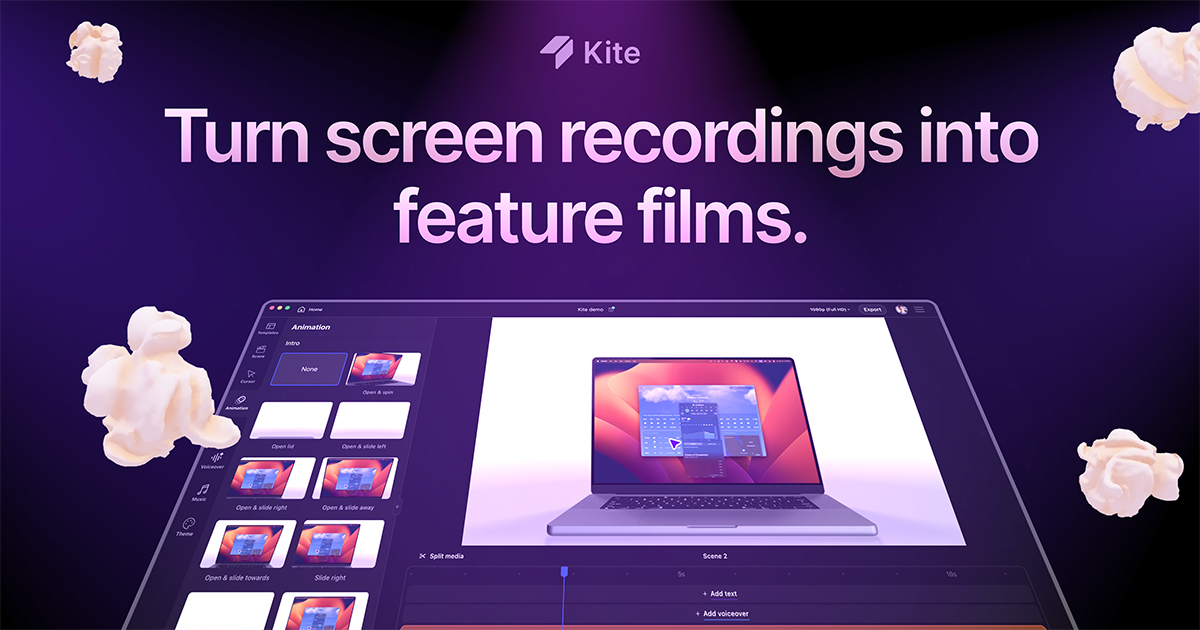
Kite turns a basic screen recording into a polished marketing asset by automatically adding smooth 3D transitions and zooms. The alpha version is impressively fast, though it is currently limited to macOS users. It is the quickest way to get a professional look without touching a timeline editor.
| Overall Score | 8.8/10 |
| Best For | SaaS founders |
| Tested Plan | Alpha Free Version |
| Testing Period | 7 days |
| Biggest Strength | Automatic 3D device motion |
| Biggest Weakness | macOS exclusive for now |
| Best Alternative | Screen Studio |
🤔 What Is Kite?
Kite is a specialized screen recorder designed to create high-conversion product videos. Developed by founders who spent years making startup marketing videos, it automates the tedious parts of video editing like smoothing cursor movements and adding background music.
The tool targets software companies that need studio-quality visuals for Product Hunt launches or landing pages. It solves the problem of “bland” screen recordings by applying cinematic camera angles and 3D mockups semi-automatically.
⚙️ How We Tested Kite
We tested the macOS alpha version for one week on a Free plan. Our testing involved three specific founder tasks: recording a 60-second dashboard walkthrough, adding Text Scenes to separate features, and applying an AI voiceover to replace a raw microphone recording.
✨ Key Features (What Actually Stood Out)
Kite excels at the intersection of marketing and video production by removing the steep learning curve of tools like After Effects.
- Auto Cursor Follow — During our test, the camera tracked the mouse movements with a natural ease that made the UI feel tactile.
- 3D Mockups — You can place your screen recording inside a 3D laptop or phone frame which tilts and shifts during the video.
- Text Scenes — We used these to create clean section breaks without needing to design separate slides in Canva.
- Smooth Zooms — The software identifies where the action is happening and focuses the viewer’s attention automatically.
- AI Voiceover — You can type a script and have it synced to the video movements, which is perfect for founders who aren’t comfortable on some mic setups.
💰 Kite Pricing — Is It Worth It?
Currently, Kite is in an alpha phase where you can use the entire product for free. A watermark is applied to exported videos unless you upgrade, which is a standard model for content creation tools in this space.
| Plan | Price | Best For | Watch Out For |
| Free Alpha | $0 | Testing features | Has watermarks |
| Paid Upgrade | Custom | Public launches | Pricing subject to change |
Our pick: Free Alpha — It allows you to build the entire project first to see if the 3D aesthetic fits your brand before paying to remove the watermark.
🧪 What We Found During Testing
The recording process felt as lightweight as taking a Loom video, but the output was vastly different. When we clicked a button in our app, Kite didn’t just show the click; it smoothly zoomed into the cursor and tilted the screen in 3D space. We were surprised by how well the background music tracks were leveled against the AI voiceover automatically. One small frustration occurred when trying to edit the timing of a text scene, which felt slightly less precise than a traditional video timeline.
A founder in our community who runs a SaaS startup told us the 3D mockup feature finally allowed them to make a professional homepage video without hiring a freelancer.
⚠️ Limitations We Found
- OS Restrictions — As of late 2024, Kite is only available for Mac users, leaving Windows users without an option.
- Alpha Stability — We noticed one crash when importing a particularly large external video file into the project.
- Fixed Styles — The “Apple-style” look is distinct, which might not suit brands looking for a more gritty or hand-drawn aesthetic.
⚔️ Kite vs Competitors
Kite enters a competitive market of high-end screen recorders that focus on aesthetics over simple capture.
| Competitor | Pick it instead of Kite if… |
| Screen Studio | You want a more established tool with deeper manual editing controls. |
| Tella | You need to focus heavily on recording your face alongside the screen. |
| FocuSee | You are on a Windows machine and need auto-zoom functionality. |
👍 Pros & Cons
| ✅ Pros | ❌ Cons |
| High-end 3D movement is fully automated | No Windows version available currently |
| Includes built-in AI voiceover tools | Occasional alpha-stage bugs |
| Very low learning curve for non-editors | Style options are somewhat rigid |
| Fast export times for short clips | Watermark on the free version |
🎯 Who Should Use Kite (And Who Shouldn’t)
✅ Use it if you:
- Are a Mac user needing a polished demo for a Product Hunt launch.
- Want the cinematic zoom effect without learning complex software.
- Need to generate voiceovers because you don’t have a quiet recording space.
❌ Skip it if you:
- Work on Windows; consider FocuSee instead.
- Need a tool for quick internal documentation; stick to a basic recorder like Loom.
- Require heavy custom animations that fall outside the 3D mockup style.
❓ Frequently Asked Questions
Is Kite available for Windows?
No, currently Kite is only available as a macOS application.
How does Kite compare to Screen Studio?
Kite leans more into 3D device mockups and automated scene transitions, while Screen Studio offers more manual control over zoom levels.
Can I use my own voice in Kite?
Yes, you can record your own audio or use the AI voiceover feature to generate narration from text.
What is the watermark policy?
You can create and preview videos for free, but a watermark is applied to exported files unless you pay for a license.
Does Kite allow for face-cam recording?
Kite is primarily focused on the product screen, though it supports overlays for a more personal touch during demos.
Is the AI voiceover high quality?
In our testing, the AI voices sounded professional and synced well with the automated on-screen movements.
Looking for more tools like this? See all marketing tools we’ve reviewed →
Discover more from AI Founder Kit
Subscribe to get the latest posts sent to your email.