🚀 Quick Verdict
Kapa’s ability to ingest GitHub issues and Slack threads alongside documentation makes it significantly more accurate than a standard GPT wrapper. We were surprised by how well it handled conflicting information across different versions of a product. It’s built specifically for technical founders who need to deflect repetitive ‘how-to’ questions.
| Overall Score | 8.8/10 |
| Best For | Developer-facing SaaS companies |
| Tested Plan | 14-Day Free Trial |
| Testing Period | 14 days |
| Biggest Strength | High documentation accuracy |
| Biggest Weakness | High technical setup curve |
| Best Alternative | Zendesk AI |
🤔 What Is Kapa AI?
Kapa is a retrieval augmented generation (RAG) system designed to answer technical product questions. Unlike generic chatbots, it indexes specific sources like Confluence, GitHub, and Discord to ensure answers stay grounded in your real product data. It was built by a Y Combinator-backed team to solve the ‘discovery problem’ in complex software documentation.
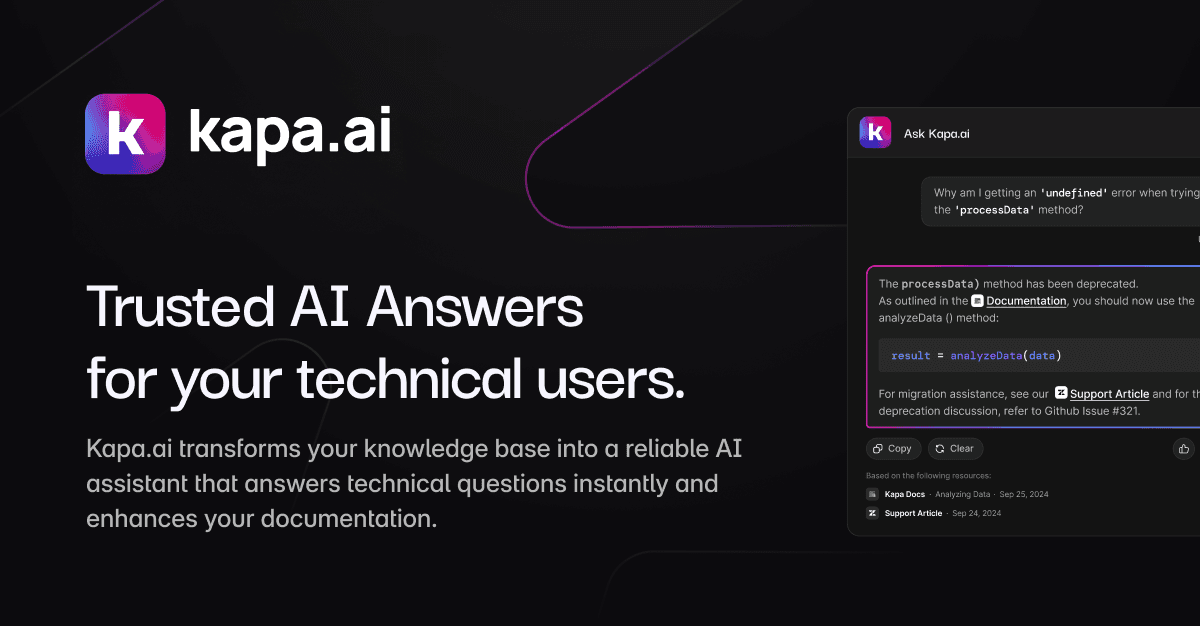
The tool acts as a bridge between your messy knowledge base and your users. It filters out hallucinations by forcing the AI to stick to the provided content and cite its sources directly in the chat interface. This makes it a specialized tool for companies like OpenAI and Docker that have vast, fast-moving technical landscapes.
⚙️ How We Tested Kapa AI
We signed up for the 14-day Free Trial to evaluate its performance for a small technical team. Our testing focused on three founder-level tasks: connecting a public GitHub repository to index code comments, deploying a Slack bot to an internal channel, and testing the bot’s ability to identify gaps in documentation based on failed queries.
✨ Key Features (What Actually Stood Out)
Kapa excels at handling the specific formats developers use, which is a major win for customer support teams. It doesn’t just read PDFs; it understands the structure of technical wikis and forums.
- Multimodal Ingestion — During our test, it pulled from a GitHub repo and a Discord channel simultaneously, merging the data into a single coherent knowledge base.
- Real-time Sync — We updated a documentation page and saw the change reflected in the chatbot answers within minutes, avoiding the usual weekly re-indexing wait.
- Source Citations — Every answer includes direct links to the source material, which helped us verify accuracy when the AI summarized complex code snippets.
- PII Masking — The PII scanning feature automatically rejected messages containing sensitive personal data before they ever hit the LLM.
- Analytics Dashboard — We used the dashboard to see exactly which questions the bot couldn’t answer, highlighting three specific doc pages we needed to write.
💰 Kapa AI Pricing — Is It Worth It?
Kapa doesn’t publish public flat rates, which is a common friction point for early-stage founders. Pricing is typically based on an AI platform fee plus usage costs per answer content. If you’re building in the coding space, their open-source program is the best way to get started without a heavy financial commitment.
| Plan | Price | Best For | Watch Out For |
| Open Source | Free/Discounted | Non-commercial OSS | Qualification required |
| Starter | Custom | Small tech teams | Limited support channels |
| Scale | Custom | Growth companies | Usage-based scaling costs |
Our pick: Free Trial — It’s the only way to verify if your existing documentation is structured enough for their RAG pipeline to work before signing an annual contract.
🧪 What We Found During Testing
We pointed Kapa at a repository with deprecated features and were pleased to see it prioritized recent updates over old GitHub issues. When we asked it a question that didn’t exist in our docs, it didn’t make up a fact; it stated ‘I don’t know’ and provided a link to open a human support ticket. The setup for the Slack integration was fast, but customizing the bot’s ‘persona’ required more trial and error than we expected to get the tone right.
A founder in our community who runs a developer tools startup told us that Kapa reduced their repetitive Slack support questions significantly once they indexed their internal engineering wikis.
⚠️ Limitations We Found
- Setup Complexity — As of late 2024, getting the most out of the API requires a developer who understands how to structure metadata.
- Pricing Opacity — You can’t just swipe a credit card and start; you almost always have to engage with a sales representative for commercial use.
- Persona Rigidity — While it stays grounded in facts, making the bot sound ‘on-brand’ for non-technical use cases felt more restrictive than using a raw LLM.
⚔️ Kapa AI vs Competitors
Kapa competes with help center bots and general RAG platforms. It stands out because of its focus on the developer experience and technical data sources.
| Competitor | Pick it instead of Kapa AI if… |
| Zendesk | You need a full ticketing system and don’t care about deep GitHub or Discord indexing. |
| Intercom | Your primary goal is sales-driven chat rather than technical documentation search. |
| CustomGPT | You want a simpler, lower-cost way to index basic PDFs and website links without code. |
👍 Pros & Cons
| ✅ Pros | ❌ Cons |
| Connects directly to Discord and GitHub | No self-serve pricing for commercial plans |
| Extremely low hallucination rate in our tests | Requires technical knowledge for API use | Initial indexing can take several hours | Limited visual customization for the widget |
🎯 Who Should Use Kapa AI (And Who Shouldn’t)
✅ Use it if you:
- Run a technical product with a large volume of developer questions.
- Have your knowledge spread across Slack, GitHub, and various documentation sites.
- Need a bot that prioritizes factual accuracy over conversational flair.
❌ Skip it if you:
- Have a simple FAQ page that a tool like CustomGPT can handle at a lower cost.
- Need an out-of-the-box solution for non-technical retail customer service.
- Don’t have enough documentation to build a retrieval index yet.
❓ Frequently Asked Questions
How does Kapa handle privacy and PII?
Kapa includes a built-in scanner that detects and masks personal identifiers before messages are stored or processed by the AI.
Does Kapa train on my technical documentation?
No, it uses retrieval augmented generation which means it reads your docs to formulate answers but doesn’t use your proprietary data to train the underlying models.
Can Kapa integrate with Discord and Slack?
Yes, it has 1-click deployments for both platforms, allowing it to act as an automated member of your community channels.
Is there a free plan for Kapa?
There is an Open Source Program that offers up to 10,000 free questions monthly for qualifying non-commercial projects.
What happens when Kapa doesn’t know the answer?
It is configured to admit ignorance rather than making things up, and it can be set to automatically escalate the query to your human support team.
How often does it refresh its data?
Kapa recently launched real-time syncing, so changes in your docs or GitHub issues are reflected almost immediately in the bot’s knowledge base.
Looking for more tools like this? See all customer-support tools we’ve reviewed →
Discover more from AI Founder Kit
Subscribe to get the latest posts sent to your email.