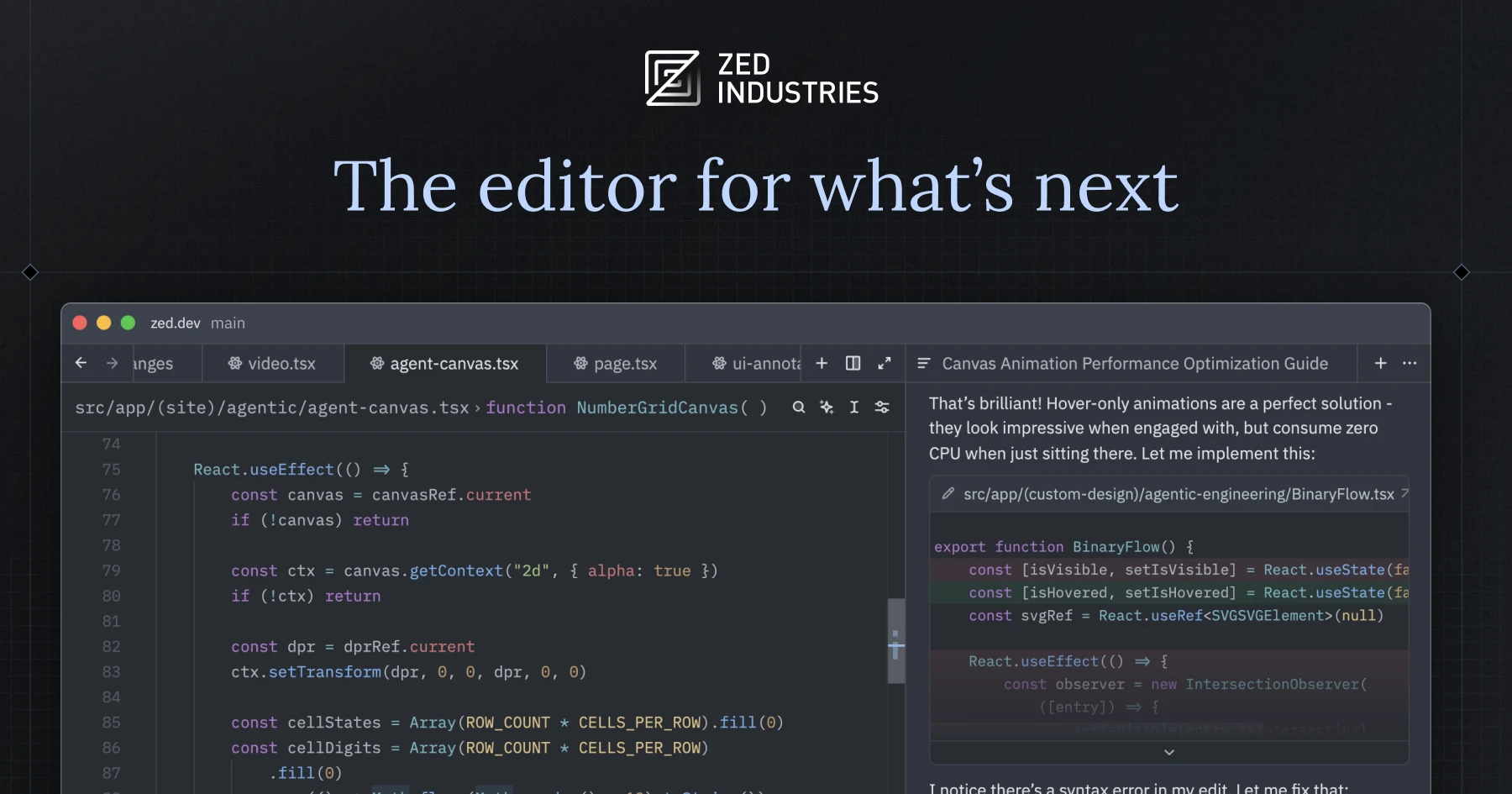
🚀 Quick Verdict
Zed is the fastest editor we’ve ever used, period. It launches instantly and handles massive files without the micro-stutter common in Electron-based apps. While the AI features are still maturing compared to Cursor, the sheer speed makes it a joy for pure development tasks.
| Overall Score | 9.2/10 |
| Best For | Performance-obsessed developers |
| Tested Plan | Free version + Own API keys |
| Testing Period | 21 days |
| Biggest Strength | Zero-latency typing experience |
| Biggest Weakness | Smaller extension ecosystem than VS Code |
| Best Alternative | Cursor |
🤔 What Is Zed?
Zed is a next-generation code editor built by the team behind Atom and Electron. Unlike most modern editors that run on web technologies, Zed is written from scratch in Rust. It’s designed to use every core of your CPU and your GPU to render text as fast as your monitor can refresh.
The tool focuses on two main pillars: speed and collaboration. It includes “multiplayer” features that let you code with others in the same file as easily as using a Google Doc, plus integrated AI assistants that can use your own API keys from providers like OpenAI or Anthropic.
⚙️ How We Tested Zed
We used Zed on a local macOS environment for 21 days on the community version. Our testing focused on three founder-relevant tasks: refactoring an existing landing page repo, using the Agent Panel to explain complex legacy code, and setting up a shared session for a quick technical review with a remote partner.
✨ Key Features (What Actually Stood Out)
Zed’s architecture is its biggest feature, providing a level of responsiveness that helps with productivity in a way other tools don’t. It doesn’t just feel fast; it objectively reduces the friction between thinking and typing.
- Agent Panel — This chat interface lets you pull in code context easily. During our test, it successfully suggested a logic fix for a checkout form by reading across three different files.
- GPU Acceleration — By offloading rendering to the GPU, the text doesn’t lag. We noticed this most when scrolling through a 5,000-line JSON file which usually freezes other editors.
- Vim Mode — The built-in Vim support is incredibly stable. It didn’t conflict with any custom keybindings we set up for the AI commands.
- Built-in Collaboration — You can share a project via a link. We found the voice chat and shared terminal remarkably stable compared to the sluggishness of VS Code Live Share.
- Extension Manager — While smaller than others, installing support for niche languages takes seconds. We added Elixir support and it worked without a restart.
💰 Zed Pricing — Is It Worth It?
Zed’s core editor is free and open source. You only pay if you choose to use their hosted AI services or want the advanced features in the Pro tier. It’s a great choice for coding because it allows you to bring your own API keys to save money.
| Plan | Price | Best For | Watch Out For |
| Free | $0 | Individual devs | Must provide own LLM keys |
| Pro | Varies | Students/Power users | $10/mo credit limit on credits |
Our pick: Free — We recommend using the free tier and plugging in your own Anthropic or OpenAI keys for maximum flexibility and lower cost.
🧪 What We Found During Testing
The first thing we noticed was the battery life. On a MacBook M2, Zed used significantly less power than our usual setup during a four-hour session. The Inline Assistant worked perfectly for small tasks like ‘convert this list to an object,’ but it sometimes struggled with very large context windows compared to dedicated AI IDEs.
A founder in our community who runs a small Shopify agency told us Zed’s real-time collaboration let them fix client bugs over a call without the typical connection drops they experienced on other platforms.
⚠️ Limitations We Found
- Windows Support — As of late 2024, the Windows version is still in a preview/early state and lacks the stability of the macOS version.
- Plugin Ecosystem — You won’t find the massive library of custom themes and niche utilities available in the VS Code marketplace yet.
- Search UI — The project-wide search and replace interface feels a bit more basic than what long-term Sublime Text users might expect.
⚔️ Zed vs Competitors
Zed enters a crowded market but differentiates itself through native performance rather than just adding AI wrappers to an existing editor.
| Competitor | Pick it instead of Zed if… |
| Cursor | You want the most advanced AI agent features and deep VS Code plugin compatibility. |
| VS Code | You rely on highly specific third-party extensions that aren’t available elsewhere. |
| Sublime Text | You prefer a mature, non-AI focused editor with a very specific, traditional workflow. |
👍 Pros & Cons
| ✅ Pros | ❌ Cons |
| Incredible startup and type-to-screen speed | Fewer plugins than competitors | AI agentic mode is still in progress |
| Native multiplayer collaboration works well | Windows/Linux versions are less polished |
| Clean, distraction-free interface | Learning curve for the configuration JSON |
🎯 Who Should Use Zed (And Who Shouldn’t)
✅ Use it if you:
- Value editor speed and responsiveness above all else.
- Do a lot of pair programming or remote code reviews.
- Want to use AI while maintaining control over your own API keys and costs.
❌ Skip it if you:
- Need deep, project-wide autonomous AI agents today—try Cursor instead.
- Work strictly on a highly customized Windows environment.
- Require complex visual debugging tools that aren’t fully supported yet.
❓ Frequently Asked Questions
Is Zed completely free?
The editor is open source and free to use. You only pay for their optional AI hosting or team collaboration features.
Can I use my own OpenAI keys in Zed?
Yes, Zed allows you to input your own keys for OpenAI, Anthropic, and other providers in the settings.
Does Zed support VS Code extensions?
No, Zed uses its own extension system and does not support VS Code plugins directly.
How does Zed’s speed compare to VS Code?
In our tests, Zed felt significantly snappier because it is compiled local code rather than a web-based Electron app.
Can I disable the AI features?
Yes, you can completely turn off all AI and collaboration features for total privacy and code security.
Is Zed available for Windows?
Yes, but it is currently in a preview state. macOS is the primary and most stable platform for now.
Looking for more tools like this? See all coding tools we’ve reviewed →
Discover more from AI Founder Kit
Subscribe to get the latest posts sent to your email.