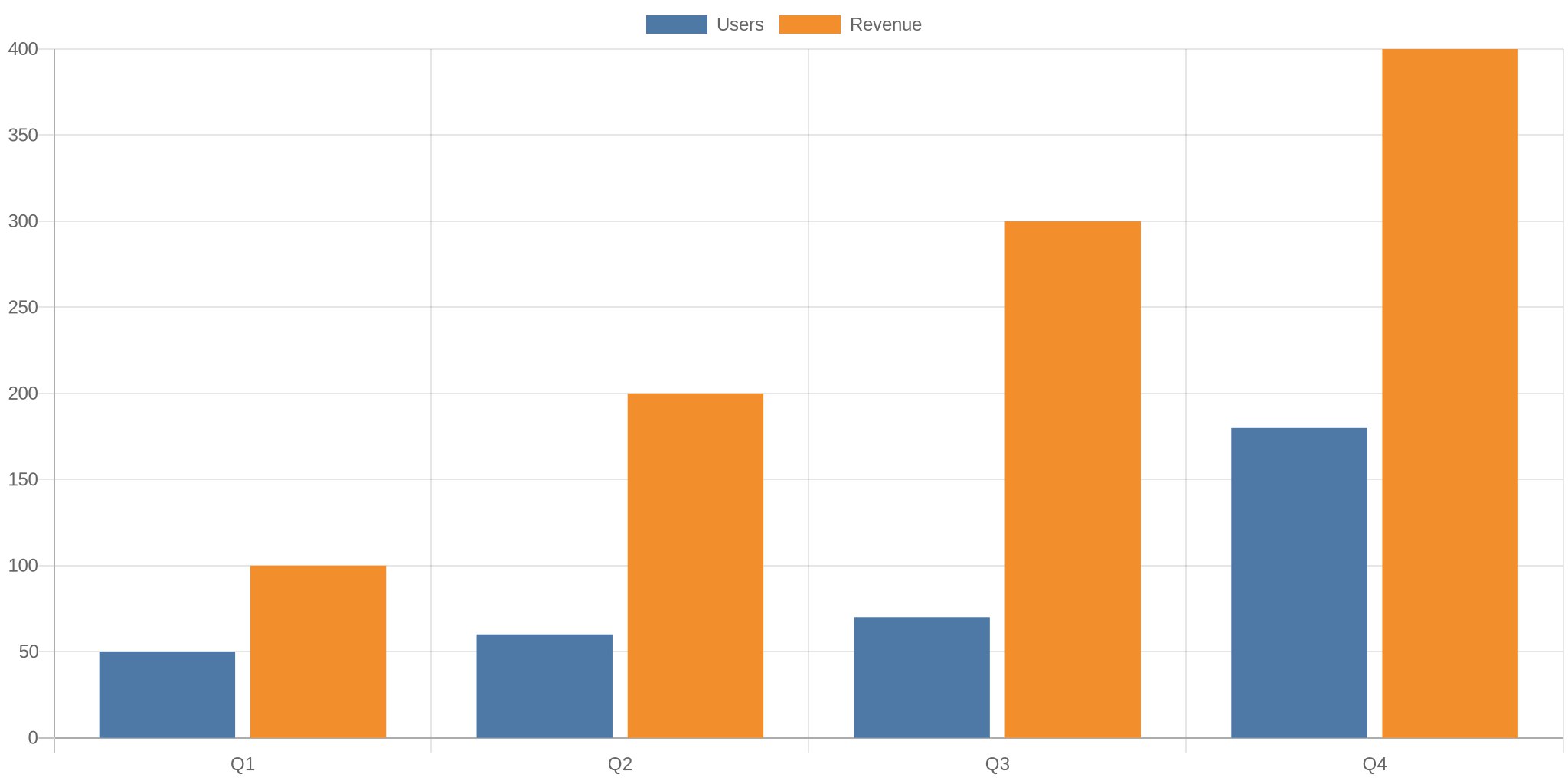
🚀 Introduction & Quick Take
In the world of data-driven decision-making, visual representation plays a critical role in conveying complex information. QuickChart review stands out as a fast and simple API for generating chart images using a URL-based approach. By leveraging Chart.js, QuickChart enables developers, marketers, and businesses to embed dynamic charts in emails, reports, and web applications without complex configurations or server-side processing.
Quick Take: QuickChart simplifies chart creation by allowing you to generate dynamic chart images using URL-based configurations, making data visualization faster and easier.
This service is particularly beneficial for marketers who want to add visual data to emails, data analysts preparing reports, and developers integrating charts in web applications. QuickChart’s open-source nature and simple API make it a preferred choice for many organizations.
⚡ What is QuickChart?
QuickChart is a web service that allows you to generate embeddable chart images using simple URL-based configurations. Powered by Chart.js, it transforms data into visually appealing bar, line, pie, and other chart types by embedding JSON or JavaScript data directly in a URL. This eliminates the need for complex server-side processing and allows users to easily embed charts in reports, emails, and web applications.
By using QuickChart review, developers and marketers can reduce the time and effort spent on creating dynamic charts. This service has become highly popular among businesses seeking seamless data visualizations without heavy technical expertise.
💰 QuickChart Pricing
QuickChart offers three pricing plans tailored to meet different user needs:
| Feature | Community | Professional | Enterprise |
|---|---|---|---|
| Price | £0/month | £40/month | Contact Us |
| License | GNU AGPL v3 | Full commercial | Full commercial |
| Charts/QR codes | Yes | Yes | Yes |
| Watermarks | No | No | No |
| URL Shortener | No | 100,000/month | Unlimited |
| Custom Plugins | No | Yes | Yes |
| Custom Fonts/Backgrounds | No | No | Yes |
| Custom Domain | No | No | Yes |
| On-Prem Option | No | No | Yes |
| Rate Limits | Enforced | 1 million/month | Unlimited |
| Support | Best-effort email | Priority | Dedicated |
The Community plan offers free access to QuickChart but comes with enforced rate limits. The Professional plan is designed for businesses that require higher chart volume, URL shorteners, and plugin customizations. Enterprises with large-scale requirements can contact QuickChart’s sales team for custom pricing.
🎯 QuickChart Features
URL-Based Chart Generation: QuickChart allows you to create charts by embedding JSON data in a URL, eliminating the need for complex server-side processing.
Embeddable Charts: Generated chart images can be quickly embedded in emails, reports, web applications, and dashboards without additional tools.
Dynamic Data Updates: By simply modifying the URL parameters, you can update chart data in real-time without re-coding.
Customizable Design: QuickChart, built on Chart.js, offers vast customization options for chart types, colors, fonts, and backgrounds.
No-Code Chart Maker: QuickChart provides a chart builder tool that enables non-technical users to generate chart URLs visually without coding.
Open API Access: The QuickChart API is open-source and highly integrable with various programming languages and platforms.
.png)
🔄 QuickChart Use Cases
Email Marketing: Marketers can embed visual charts in email campaigns to illustrate key metrics and improve engagement.
Reporting: Data analysts and business managers can create dynamic reports with auto-updating chart images.
Dashboards: Developers can use QuickChart review to integrate real-time data visualizations into business dashboards.
Social Media: Social media marketers can generate and share data insights using visually appealing chart images.
Web Applications: Web developers can embed QuickChart images directly into web apps without server-side processing.
👥 Who Should Use QuickChart?
Developers: Those looking for a simple API to generate dynamic charts without complex back-end systems.
Marketers: Ideal for marketers aiming to enhance email campaigns and social media posts with visual data.
Data Analysts: QuickChart simplifies data visualization for reports, presentations, and insights.
Businesses: Organizations that want to improve their data-driven decision-making using dynamic, embeddable charts.
No-Code Users: People without coding experience can use QuickChart’s visual chart maker for quick chart generation.
🆚 QuickChart Alternatives
| Alternative | Description | Pricing |
|---|---|---|
| Chart.js | JavaScript charting library | Free |
| Google Charts API | Google’s charting service | Free |
| Highcharts | Advanced charting library | Paid |
| CanvasJS | Lightweight charting library | Paid |
While Chart.js and Google Charts API require more technical setup, QuickChart simplifies the process through URL-based chart generation. Highcharts and CanvasJS offer advanced functionalities but come with higher costs and complexity.
What Makes QuickChart Unique
QuickChart stands out from other chart generation tools due to its URL-based chart rendering approach. Unlike traditional charting tools that require server-side processing, QuickChart simplifies the process by allowing users to generate charts via a URL. This makes it extremely lightweight and fast for embedding in emails, reports, and dashboards.
Another key differentiator is QuickChart’s seamless integration with Chart.js, enabling extensive customization. Users can easily change chart types, colors, labels, and fonts without modifying complex code structures. Additionally, the no-code chart builder allows non-technical users to create charts effortlessly.
QuickChart also provides an open API, allowing developers to integrate chart generation capabilities into their applications without complex configurations. Its open-source nature ensures transparency and fosters a large community of contributors.
⚖️ QuickChart Pros ✅ & Cons ❎
- Quick and easy chart generation via URL.
- Highly customizable with Chart.js integration.
- Free Community plan for small-scale usage.
- Seamless embedding in emails, reports, and dashboards.
- Open-source API, ensuring transparency and flexibility.
- Rate limits in the free plan.
- Limited customization for Community plan users.
- Heavy dependency on Chart.js, which may have a learning curve for beginners.
How to Get Started with QuickChart
Getting started with QuickChart is a straightforward process:
- Visit the QuickChart Website: Navigate to QuickChart.io to access the platform.
- Generate Your Chart URL: Use the Chart Maker tool to visually design your chart and generate the URL.
- Embed the Chart: Copy and paste the generated URL wherever you need the chart, such as emails, dashboards, or reports.
- Customize as Needed: Modify the URL parameters to update the chart’s data, labels, colors, and more.
- Integrate with API: For advanced usage, integrate QuickChart API with your application by using available SDKs.
🎓 QuickChart Tutorial
QuickChart FAQ❓
What can QuickChart do?
QuickChart generates dynamic chart images using URL-based configurations, allowing easy embedding in reports, emails, and web apps.
Is QuickChart free?
Yes, QuickChart offers a free Community plan with limited access, and paid plans for extended features.
Can QuickChart generate QR codes?
Yes, QuickChart also supports QR code generation.
Is QuickChart open-source?
Yes, QuickChart is built using the open-source Chart.js library.
Can I customize my chart design?
Yes, QuickChart supports extensive customization for chart design, fonts, and colors.
✨ Final Verdict
QuickChart is a robust and straightforward solution for generating dynamic chart images via URL-based configurations. It is perfect for businesses, developers, and marketers looking for an easy way to visualize data without heavy back-end processing.
- Founder Name: Ian Webster
- Company Founded Year: 2015
- Company Location: San Mateo, California
- Support Email: [email protected]
- Sales Email: [email protected]
- CEO Email: [email protected]
- Affiliate Signup URL: https://quickchart.io/affiliate
- Affiliate Support URL: https://quickchart.io/support
External Links/Resources
Discover more from AI Founder Kit
Subscribe to get the latest posts sent to your email.